
An operating system is a system software that acts as an interface between the user and the computer hardware. It manages all the resources of a system, such as memory, processes, files, and devices, and ensures that programs run smoothly.
Operating systems are important because they make computers easy to use and efficient. Without an operating system, users would have to directly interact with hardware, which is complex and impractical. The OS handles tasks like running applications, managing files, and controlling hardware, making the overall system functional and user-friendly.
Operating systems are used in a wide range of devices, including computers, laptops, smartphones, tablets, and even embedded systems. Popular examples include Windows, macOS, Linux, Android, and iOS.
In modern systems, where multiple processes run simultaneously, concepts like race condition in OS become important to understand how shared resources are managed efficiently.
What is an Operating System?
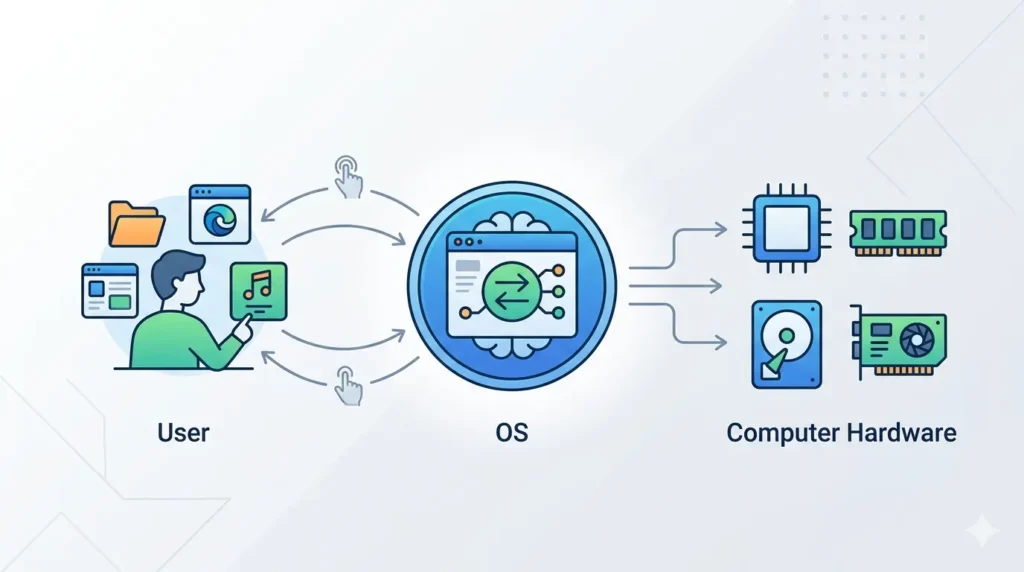
An operating system (OS) is system software that manages computer hardware and software resources and provides a platform for running applications.
In simple terms, it acts as a bridge between the user and the computer hardware. When you perform any action, like opening a file or running an app, the operating system communicates with the hardware and executes the task on your behalf. This makes it easier for users to interact with the system without needing to understand complex hardware details.
Types of Operating System
Batch Operating System
A batch operating system processes jobs in groups (batches) without user interaction. Tasks are collected, scheduled, and executed one after another automatically.
Time-Sharing Operating System
A time-sharing operating system allows multiple users or processes to share the system at the same time. Each process gets a small time slot, giving the illusion of parallel execution.
Distributed Operating System
A distributed operating system manages multiple computers and makes them work as a single system. It allows resource sharing and communication between different machines.
Real-Time Operating System
A real-time operating system provides immediate response to inputs. It is used in systems where timing is critical, such as embedded systems, medical devices, and industrial machines.
Functions of Operating System
Process Management
Process management is one of the core functions of an operating system. It is responsible for handling all running processes in the system. A process is simply a program that is currently being executed.
The operating system manages processes by:
- Creating and terminating processes
- Scheduling processes for execution
- Allocating CPU time to each process
- Managing communication between processes
In modern systems, multiple processes run simultaneously, which makes proper coordination very important. Without control, processes can interfere with each other while accessing shared resources.
This is where concepts like race condition in OS, critical section in OS, and deadlock in OS become important. They help in understanding how processes interact, how conflicts occur, and how the operating system ensures smooth and error-free execution.
Memory Management
Memory management is responsible for handling the system’s memory efficiently. It manages the allocation and deallocation of memory to different processes, ensuring that each process gets the required space without conflicts. The operating system also keeps track of RAM usage, optimizes memory utilization, and prevents issues like memory overflow or wastage.
File System Management
File system management deals with organizing and controlling data stored on storage devices. It manages files and directories, allowing users to create, read, write, and delete files easily. The operating system also ensures proper storage, retrieval, and security of data.
Device Management
Device management controls communication between the operating system and hardware devices such as keyboards, printers, disks, and monitors. It uses device drivers to manage input and output operations, ensuring that hardware components work smoothly with the system.
Security & Protection
Security and protection ensure that the system and data remain safe from unauthorized access. The operating system handles user authentication, controls access permissions, and protects data from threats, ensuring a secure computing environment.
Important OS Concepts
This section covers some key concepts in operating systems that help manage multiple processes and shared resources efficiently.
Process Synchronization
Process synchronization ensures that multiple processes or threads can run smoothly without interfering with each other while accessing shared resources. It is needed because, in multitasking systems, processes often run simultaneously and may try to access the same data at the same time. Without synchronization, this can lead to errors and inconsistent results.
Related topic: semaphore in OS
Critical Section
A critical section is the part of a program where shared resources like variables, memory, or files are accessed. Only one process or thread should execute this section at a time to prevent conflicts and maintain data consistency.
Learn more: critical section in OS
Deadlock
Deadlock is a situation where two or more processes are stuck waiting for each other to release resources, and none of them can proceed. This causes the system to halt or become unresponsive.
Race Condition
A race condition occurs when multiple processes access shared data at the same time, and the final result depends on the order of execution. It often leads to incorrect or unpredictable outcomes if not properly managed.
Advantages of Operating System
Ease of Use
An operating system makes computers easy to use by providing a user-friendly interface. Users can interact with the system through graphical interfaces or simple commands without needing to understand complex hardware operations.
Resource Management
The operating system efficiently manages system resources such as CPU, memory, storage, and input/output devices. It ensures that these resources are allocated properly to different processes, improving overall system performance and avoiding conflicts.
Multitasking
An operating system allows multiple programs or processes to run at the same time. It manages CPU time and switches between tasks quickly, giving the impression that all programs are running simultaneously. This improves productivity and system efficiency.
Disadvantages of Operating System
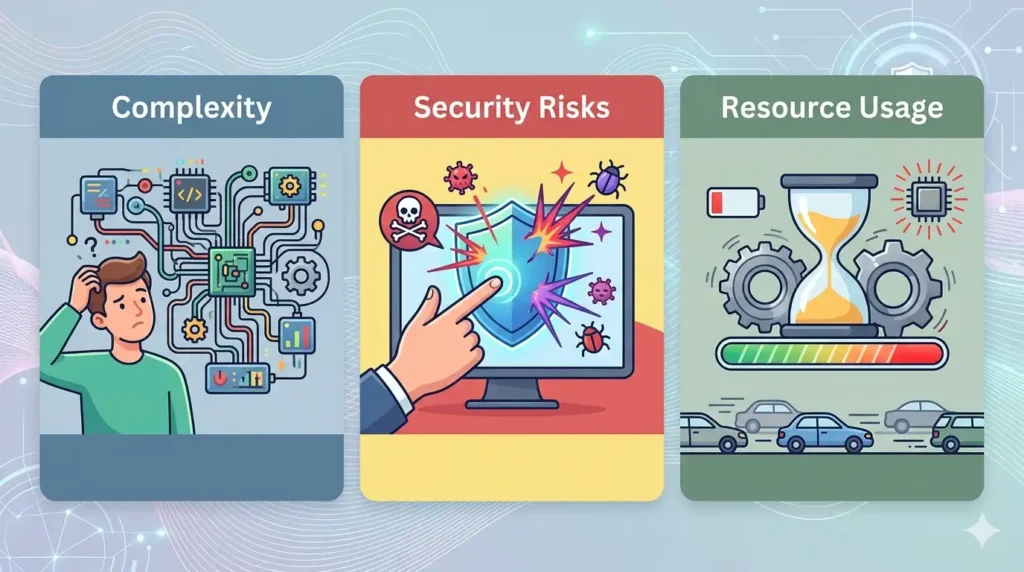
Complexity
Operating systems are complex software with many components working together. Designing, maintaining, and understanding an OS can be difficult, especially for beginners. This complexity can also make troubleshooting and debugging more challenging.
Security Risks
Since the operating system manages all system activities, it becomes a target for security threats like viruses, malware, and unauthorized access. If the OS is not properly secured or updated, it can expose the entire system to risks.
Resource Usage
Operating systems require system resources such as memory, CPU, and storage to function. Some OS, especially advanced ones, can consume a significant amount of resources, which may slow down performance on low-end devices.
FAQs
Q1. What is an operating system in simple words?
An operating system (OS) is software that acts as a bridge between the user and the computer hardware. In simple terms, it helps you use your device by managing all the background operations like running apps, handling files, and controlling hardware.
Q2. What are the main functions of OS?
The main functions of an operating system include:
- Process management (handling running programs)
- Memory management (allocating and managing RAM)
- File system management (organizing files and directories)
- Device management (controlling hardware devices)
- Security and protection (ensuring safe access to data)
These functions ensure that the system runs smoothly and efficiently.
Q3. What is process management?
Process management is the function of an operating system that handles all active programs (processes). It involves creating, scheduling, executing, and terminating processes. The OS also ensures that each process gets enough CPU time and system resources to run properly without conflicts.
Q4. What is deadlock in OS?
Deadlock is a situation where two or more processes are waiting for each other to release resources, and none of them can proceed. As a result, all involved processes get stuck, and the system may become unresponsive until the issue is resolved.
Q5. Why is OS important?
An operating system is important because it makes computers usable and efficient. It manages hardware resources, runs applications, ensures security, and provides a user-friendly interface. Without an OS, users would not be able to interact with the system easily.
Conclusion
An operating system is an essential part of any computing device. It manages system resources like CPU, memory, and storage, ensuring that all processes run smoothly and efficiently.
It also handles important concepts like process management and synchronization, which help maintain system stability and prevent issues like conflicts and errors. Understanding these concepts is crucial for building reliable and efficient systems.