
JavaScript is the language of the web. It runs in every browser, powers backend systems through Node.js, drives mobile apps through React Native, and forms the foundation of virtually every modern frontend framework. For any developer entering the tech industry for the first time, javascript interview questions for freshers are the most practically immediate category to prepare for, because JavaScript roles are among the most widely available at every company from product startups to global enterprises.
Preparing for JavaScript interviews builds more than just interview readiness. It builds the conceptual clarity around scope, closures, asynchronous behaviour, and the prototype chain that separates developers who struggle to debug production code from those who debug it confidently and quickly. These fundamentals underpin React, Vue, Angular, Node.js, and every other tool built on top of JavaScript.
This guide covers the top 30 JavaScript interview questions for freshers, selected across core language concepts, ES6 and modern syntax, asynchronous programming, the DOM, and common output-based questions that interviewers use to probe how deeply candidates actually understand JavaScript. Every answer is written in clear, focused paragraphs so concepts stick rather than blur together.
Read More: Top 50 Technical Interview Questions
What JavaScript Fresher Interviews Actually Test
JavaScript fresher interviews do not simply check whether you have memorised syntax. Interviewers use output-based questions, conceptual comparisons, and small coding tasks to evaluate whether you understand how the language actually executes code. Can you predict what a snippet of asynchronous code logs and in what order? Can you explain why a closure captures a variable even after the outer function has returned? These reveal whether you understand JavaScript or have merely used it.
The most tested fresher topics are consistent across companies: the difference between var, let, and const including hoisting and the Temporal Dead Zone; equality and type coercion; closures and scope; the this keyword; Promises and async/await; the event loop; arrow functions; and ES6 features like destructuring, template literals, and spread/rest. Knowing these well puts a fresher candidate in a strong position.
A simple mental model that helps in every JavaScript interview: JavaScript is single-threaded, executed line by line, and uses an event loop to handle asynchronous operations without blocking the main thread. Keeping this model in mind makes async behaviour, the call stack, and the event queue all click into place.
Core JavaScript Concepts (Q1 to Q10)
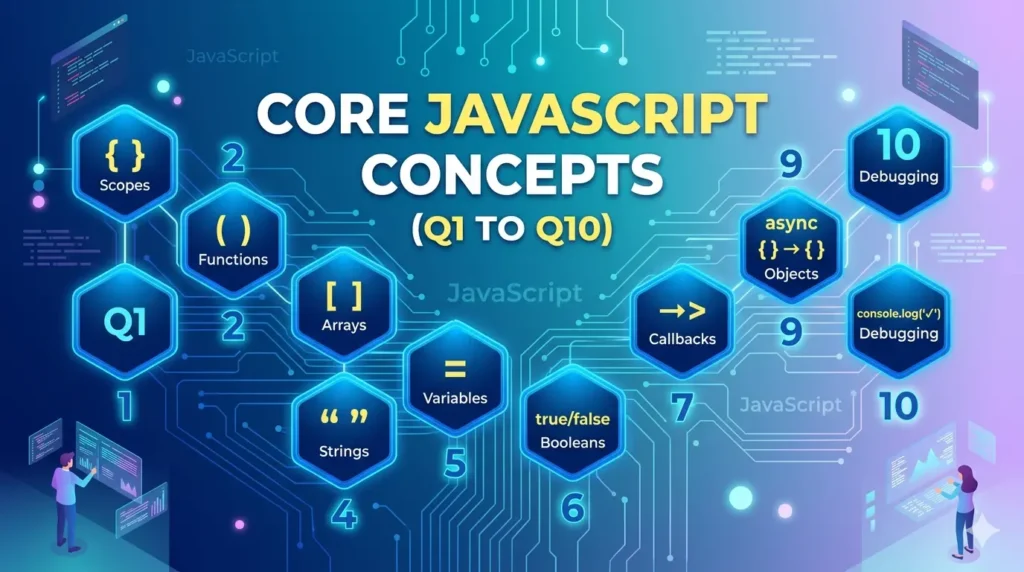
These foundational questions are asked in virtually every JavaScript fresher interview. They test whether you understand how JavaScript actually works, not just how to write it.
Q1. What is JavaScript and why is it considered a dynamically typed language?
Answer: JavaScript is a lightweight, interpreted, high-level programming language primarily used to add interactivity and logic to web pages. It works in the browser without any installation and can also run on the server via Node.js, making it one of the few languages that spans both client and server environments.
JavaScript is dynamically typed because variables do not have fixed types. When you declare a variable, you do not specify whether it holds a number, string, or object. The type is determined at runtime based on the value currently assigned. The same variable can hold a number at one point and a string at another without any type error.
This contrasts with statically typed languages like Java or TypeScript where the type of every variable must be declared at compile time and cannot change. Dynamic typing makes JavaScript faster to write but requires more careful handling of type-related bugs. It also explains why JavaScript has both loose equality that performs type coercion and strict equality that does not, and why type-checking functions like typeof and Array.isArray exist.
Q2. What is the difference between == and === in JavaScript?
Answer: This is one of the most commonly asked JavaScript fresher questions because it reveals whether a candidate understands type coercion, one of JavaScript’s most frequently misunderstood behaviours.
== is the loose equality operator. Before comparing two values, it performs type coercion: it converts one or both operands to a common type and then compares. This means 0 == false evaluates to true because false is converted to 0, and “” == false also evaluates to true because both coerce to 0.
=== is the strict equality operator. It compares both the value and the type of its operands without performing any conversion. If the types differ, it returns false immediately. So 0 === false is false, and “5” === 5 is false. In modern JavaScript, using === is strongly preferred because it produces predictable results without implicit conversions. The only common exception is value == null which intentionally checks for both null and undefined in one expression, which is occasionally useful.
Q3. What is the difference between var, let, and const? What is the Temporal Dead Zone?
Answer: JavaScript provides three variable declaration keywords that differ in scope, hoisting behaviour, and re-assignment rules. Understanding their differences is essential for every JavaScript interview.
var is function-scoped or globally scoped if declared outside a function. It is hoisted to the top of its scope and initialised with undefined, meaning you can reference it before its declaration line without a ReferenceError. It can be re-declared and reassigned within the same scope, which makes it a source of bugs in modern code.
let is block-scoped, meaning it exists only within the nearest enclosing curly braces. It can be reassigned but not re-declared in the same block. const is also block-scoped and cannot be reassigned after its initial value is set. However, const does not make objects immutable: you can still mutate the properties of a const object, just not reassign the variable itself. Both let and const are hoisted to the top of their block but are not initialised.
Accessing them before their declaration line causes a ReferenceError. This period between the start of the block and the declaration line is called the Temporal Dead Zone (TDZ): the variable exists in the scope but is not yet accessible.
Q4. What is hoisting in JavaScript?
Answer: Hoisting is JavaScript’s behaviour of moving variable and function declarations to the top of their containing scope during the compilation phase before any code executes. It is not actual code movement but rather the result of how the JavaScript engine processes declarations first.
Function declarations are fully hoisted: both the declaration and the function body are available from the start of the scope. This is why you can call a function before its definition in the source code and it works. var declarations are hoisted and initialised with undefined, so referencing a var variable before its assignment gives undefined rather than a ReferenceError.
let and const declarations are also hoisted to the top of their block scope but are not initialised. This creates the Temporal Dead Zone. Function expressions assigned to variables follow the variable hoisting rules of whatever keyword was used: a function expression declared with var gives undefined before the assignment, while one declared with let or const causes a ReferenceError. In practice, the rule to follow is: always declare variables before using them, and prefer let and const over var to avoid hoisting surprises.
Q5. What are truthy and falsy values in JavaScript?
Answer: In JavaScript, every value is inherently either truthy or falsy. This matters because conditional statements and logical operators evaluate any expression as a boolean without requiring an explicit comparison.
There are exactly six falsy values in JavaScript: false, 0, empty string (either single or double quoted), null, undefined, and NaN. When any of these values appears in a boolean context like an if condition or the left side of a logical AND, JavaScript treats it as false.
Every other value is truthy. This includes all non-zero numbers including negative numbers, all non-empty strings including the string “false”, all objects including empty objects and empty arrays, and all functions. Knowing truthy and falsy values is important for writing concise conditional code and for understanding why expressions like if ([]) are truthy even though arrays look empty. An empty array coerces to true because it is an object reference, not a primitive.
Q6. What is the difference between null and undefined in JavaScript?
Answer: null and undefined both represent the absence of a value, but they represent different kinds of absence and are used in different contexts.
undefined is the value JavaScript automatically assigns to a variable that has been declared but not yet given a value, to a function parameter that was not passed an argument, and to an object property that does not exist. It represents an unintentional or uninitialised absence of value. The language itself produces undefined in these cases without any developer action.
null is a value that developers assign explicitly to indicate that a variable intentionally holds no value. It is a deliberate signal that something is empty or absent by design, such as a user object being null before login or a form field being null before the user fills it in.
One quirk is that typeof null returns “object”, which is a long-standing bug in JavaScript that cannot be fixed without breaking existing code. To check for null specifically, always use strict equality: value === null.
Q7. What are the different variable scopes in JavaScript?
Answer: Scope determines where in your code a variable can be accessed. JavaScript has four scope types that build on each other.
Global scope is the outermost level. Variables declared outside any function or block are globally scoped and accessible from anywhere in the program. Global variables can cause hard-to-trace bugs when multiple parts of a program modify the same variable, which is why they should be minimised. Function scope applies to variables declared with var inside a function: they are accessible anywhere within that function, including in nested functions, but not outside.
Block scope is introduced by let and const: variables declared inside any pair of curly braces are only accessible within that block. This includes if blocks, for loops, and any arbitrary block. Module scope applies when using ES6 modules: each file has its own scope and variables must be explicitly exported to be shared. JavaScript also uses lexical scoping, meaning a function’s scope is determined by where it is written in the source code, not where it is called. Inner functions can access variables from their outer functions because of this lexical relationship.
Q8. What is the typeof operator and what does typeof null return?
Answer: The typeof operator returns a string indicating the data type of its operand. It is used to check what kind of value a variable holds before performing type-sensitive operations.
typeof returns “string” for strings, “number” for numbers and NaN, “boolean” for booleans, “undefined” for undefined, “function” for functions, “object” for objects and arrays, and “symbol” for symbols. Knowing these return values is important because typeof does not always return what you might expect.
The most widely known quirk is typeof null, which returns “object”. null is a primitive value, not an object, but this return value is a historical bug from the original JavaScript implementation that has never been corrected because fixing it would break existing web code that depends on the behaviour.
For this reason, you should never use typeof to check for null. Use strict equality (value === null) instead. Similarly, typeof cannot distinguish between an array and a plain object: both return “object”. Use Array.isArray(value) to check specifically for arrays.
Q9. What is the difference between a function declaration and a function expression?
Answer: JavaScript has multiple ways to define functions. The distinction between declarations and expressions matters because they are hoisted differently, which affects when they can be called relative to where they appear in the code.
A function declaration starts with the function keyword followed by a name. It is fully hoisted: you can call the function before its definition in the source file and it works. Function declarations define named functions in the enclosing scope and are the traditional way of writing reusable logic.
A function expression assigns a function (which may be anonymous or named) to a variable. Because the variable is what is hoisted, not the function value itself, you cannot call the function before the assignment line. Calling it before that point gives either undefined is not a function if declared with var, or a ReferenceError if declared with let or const.
Arrow functions are a special form of function expression introduced in ES6. They have a shorter syntax and critically do not bind their own this value: instead they inherit this from the enclosing lexical scope. This makes arrow functions the preferred choice for callbacks and methods that need to access the surrounding context.
Q10. What are template literals in JavaScript?
Answer: Template literals are a string syntax introduced in ES6 that uses backticks instead of single or double quotes. They provide three key capabilities that regular strings do not have.
String interpolation embeds expressions directly inside a string using the ${expression} syntax. This eliminates the need for string concatenation using the + operator and makes dynamic strings far more readable. Any valid JavaScript expression can be placed inside the curly braces, including function calls and arithmetic.
Multi-line strings are supported natively without any escape sequences. A template literal can span multiple lines and preserves the whitespace and line breaks as written. Tagged templates are an advanced feature where a function prefix is applied to the template literal, giving the function access to the raw string parts and evaluated expressions separately.
This is used by libraries for SQL query building, HTML sanitisation, and internationalisation to process string content in a controlled way.
Closures, the this Keyword, and Prototypes (Q11 to Q18)
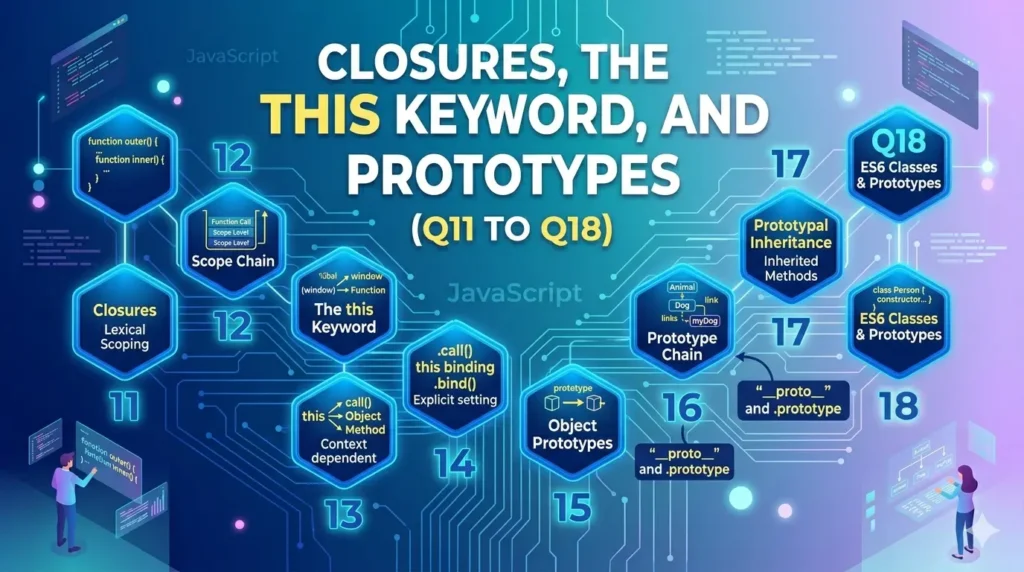
These are the most-tested intermediate topics in JavaScript fresher interviews. Closures and the this keyword consistently appear in output-based questions. Know them deeply.
Q11. What is a closure in JavaScript?
Answer: A closure is a function that retains access to variables from its outer (enclosing) scope even after the outer function has finished executing. Every function in JavaScript forms a closure over the variables in the scope where it was created.
Closures are created every time a function is defined. When an inner function references a variable from its outer function, JavaScript creates a closure: the inner function keeps a live reference to that variable, not a copy of its value. This means the inner function sees the variable’s current value every time it is called, and can even modify it.
The most classic demonstration is a counter function: an outer function declares a count variable and returns an inner function that increments and returns count. Each call to the inner function updates the same count variable. This allows you to create private state that persists between calls without exposing the variable to the outside world. Closures power module patterns, memoisation, callback factories, and event handlers that need to remember context.
A common interview pitfall is the loop-with-setTimeout problem where all callbacks share the same var variable and log the same final value. Using let or wrapping in an IIFE creates a new scope per iteration, producing the expected sequence of values.
Q12. How does the this keyword work in JavaScript?
Answer: The this keyword is one of the most nuanced aspects of JavaScript and a very frequent source of interview questions. Its value is not fixed at the time a function is defined but is determined by how the function is called.
In the global scope, this refers to the global object (window in browsers, global in Node.js). Inside a regular function called without any context, this also refers to the global object in non-strict mode, or is undefined in strict mode. Inside an object method, this refers to the object that owns the method. When you call obj.method(), this inside method is obj.
In an arrow function, this is not bound at all. Arrow functions inherit this from their enclosing lexical context, the same this that existed where the arrow function was written. This is one of the most important practical differences between arrow functions and regular functions. In a constructor function called with the new keyword, this refers to the newly created object instance.
The call(), apply(), and bind() methods allow you to explicitly set what this refers to when calling a function. call and apply invoke the function immediately with a specified this, while bind returns a new function with this permanently bound to the given value.
Q13. What is prototypal inheritance in JavaScript?
Answer: Prototypal inheritance is JavaScript’s primary mechanism for objects to inherit properties and methods from other objects. Every object in JavaScript has an internal link to another object called its prototype.
When you access a property on an object, JavaScript first looks for the property directly on that object. If it is not found, JavaScript looks at the object’s prototype. If it is not found there, it continues up the prototype chain until it either finds the property or reaches null, which is the end of the chain. This chain of prototypes is called the prototype chain.
Functions have a prototype property. When you create an object with the new keyword from a constructor function, the new object’s prototype is set to the constructor’s prototype property. This is how methods defined on a constructor’s prototype are shared across all instances without duplicating them in memory.
ES6 class syntax provides a cleaner way to work with prototypal inheritance using the class and extends keywords, but under the hood it still uses the same prototype chain mechanism. JavaScript classes are syntactic sugar over prototypal inheritance.
Q14. What is the difference between a shallow copy and a deep copy?
Answer: This distinction is critical in JavaScript because objects and arrays are reference types, meaning two variables can point to the same underlying data. Understanding copying behaviour prevents a category of bugs where modifying a copy unexpectedly changes the original.
A shallow copy creates a new object or array but copies only the top-level values. For primitive values (strings, numbers, booleans), the actual value is copied. For nested objects or arrays, only the reference is copied, meaning the copy and the original share the same nested objects. Modifying a nested property in the copy will also change it in the original. Object.assign() and the spread operator create shallow copies.
A deep copy creates a completely independent duplicate where nested objects are also copied recursively. Modifying any part of a deep copy does not affect the original. The simplest way to create a deep copy for plain objects is JSON.parse(JSON.stringify(object)).
However, this fails for values that JSON cannot represent: functions, undefined, Date objects, Map, Set, and circular references. The modern structuredClone() global function, available in modern browsers and Node.js 17+, handles most of these cases correctly and is the recommended approach for deep copying today.
Q15. What are the different ways to access HTML elements in JavaScript?
Answer: JavaScript provides several DOM (Document Object Model) methods for selecting and accessing HTML elements. The DOM is the browser’s tree representation of the HTML document, and manipulating it is one of the core tasks of frontend JavaScript.
getElementById(id) retrieves a single element by its unique id attribute. It returns the element or null if not found and is the fastest DOM query method. getElementsByClassName(className) returns a live HTMLCollection of all elements with the specified class name. getElementsByTagName(tagName) returns a live HTMLCollection of all elements with the specified tag name like “div” or “p”.
querySelector(cssSelector) takes any valid CSS selector string and returns the first matching element, or null if none is found. querySelectorAll(cssSelector) returns a static NodeList of all matching elements. These two are the most flexible methods and support any selector you would use in CSS, including combinations like “.container > p.highlight”.
The difference between a live collection and a static NodeList matters: live collections automatically reflect DOM changes after they are queried, while a NodeList from querySelectorAll is a snapshot taken at query time.
Q16. What is event bubbling and event capturing in JavaScript?
Answer: When an event occurs on a DOM element, it does not stay confined to that element. JavaScript provides two event propagation models that determine the order in which parent and ancestor elements receive the event.
Event bubbling is the default model. When an event fires on an element, it first triggers any listeners on that element, then bubbles up to the parent, then to the grandparent, and continues all the way up to the document and window. This means a click on a button inside a div will also trigger any click listener attached to the div, the body, and the document.
Event capturing (or trickling) is the opposite direction: the event starts at the root (window) and travels down through ancestor elements toward the target. Event listeners are added with addEventListener(event, handler, false) by default (bubbling phase).
Passing true as the third argument registers the listener for the capturing phase. Event delegation is a powerful pattern based on bubbling: instead of attaching listeners to many individual child elements, you attach one listener to a parent element and use event.target to identify which child was actually clicked. This improves performance and works for dynamically added children.
Q17. What is the difference between local storage, session storage, and cookies?
Answer: All three store data on the client side in the browser, but they differ in persistence, storage capacity, accessibility, and how they are sent to the server.
localStorage persists data indefinitely until explicitly cleared by the application code or the user clearing browser data. It is scoped to the origin (domain and protocol) and has a storage limit of approximately 5 to 10 MB depending on the browser. Data stored in localStorage survives browser restarts and tab closures. It is accessed via the localStorage API using setItem, getItem, and removeItem. sessionStorage works identically but data is cleared when the browser tab or window is closed. Each tab has its own sessionStorage even for the same origin.
Cookies are older and smaller (maximum 4 KB per cookie) but have capabilities the other two lack. Cookies are automatically sent with every HTTP request to the server for the matching domain, which is how sessions and authentication tokens are transmitted to backends. Cookies can have expiry dates, can be scoped to specific paths, and can be marked HttpOnly (inaccessible to JavaScript) to prevent XSS attacks, or Secure to require HTTPS.
For data that only needs to live in the browser without server involvement, localStorage and sessionStorage are simpler and more appropriate.
Q18. What is the difference between undefined and undeclared variables?
Answer: These two terms are frequently confused by freshers because both result in the variable being unusable, but they represent very different situations in JavaScript.
An undefined variable is one that has been declared using var, let, or const but has not been assigned a value. It exists in the current scope and JavaScript has allocated a binding for it. Accessing it returns the value undefined. For var, this happens before the assignment due to hoisting. For let and const, accessing before declaration triggers a ReferenceError due to the Temporal Dead Zone.
An undeclared variable is one that has never been declared at all using any keyword. Accessing an undeclared variable causes a ReferenceError at runtime. However, using typeof on an undeclared variable returns “undefined” rather than throwing an error, which makes typeof useful for safely checking whether a variable exists before using it.
Accidentally assigning to an undeclared variable in non-strict mode (for example, writing x = 10 without declaring x) creates a global variable implicitly, which is a dangerous behaviour that strict mode prevents.
Asynchronous JavaScript, Promises, and the Event Loop (Q19 to Q24)
Asynchronous JavaScript is the most challenging and most tested topic area for freshers. Understanding the event loop and the difference between Promises and async/await is essential.
Q19. What is the JavaScript event loop and how does it work?
Answer: The event loop is the mechanism that allows JavaScript to handle asynchronous operations while remaining single-threaded. Understanding it explains why asynchronous code like setTimeout and Promises behave the way they do.
JavaScript executes code on a single call stack. When a function is called, it is pushed onto the stack. When it returns, it is popped off. Long-running operations like network requests or timers would block the stack if handled synchronously. Instead, these are offloaded to browser Web APIs (or Node.js APIs) which handle them outside the JavaScript engine.
When a Web API operation completes (a timer fires, a fetch resolves), its callback is placed in a queue. There are two queues: the microtask queue (for Promises and queueMicrotask) and the macrotask queue (also called the task queue, for setTimeout, setInterval, and I/O callbacks). The event loop continuously checks whether the call stack is empty. When it is, it drains the entire microtask queue first, processing every pending microtask, before moving to the next macrotask.
This priority means Promise callbacks always execute before setTimeout callbacks, even if the setTimeout delay is zero. This queue priority is a popular output-based interview question.
Q20. What is a Promise in JavaScript and what are its three states?
Answer: A Promise is an object that represents the eventual completion or failure of an asynchronous operation and its resulting value. It solves the “callback hell” problem by allowing asynchronous operations to be chained using .then() and .catch() rather than nesting callbacks inside callbacks.
A Promise exists in one of three states. Pending is the initial state: the operation has not yet completed. Fulfilled means the operation completed successfully and the Promise has a resolved value. Rejected means the operation failed and the Promise has a reason for failure, typically an error. Once a Promise transitions from pending to either fulfilled or rejected, it is settled and its state cannot change again.
The .then(onFulfilled, onRejected) method registers callbacks for success and failure. .catch(onRejected) is shorthand for .then(null, onRejected) and handles errors. .finally(callback) runs regardless of the outcome. Promise.all() accepts an array of Promises and returns a new Promise that fulfils only when all input Promises fulfil, rejecting immediately if any one rejects. Promise.allSettled() waits for all to settle regardless of outcome. Promise.race() fulfils or rejects as soon as the first input Promise settles. Promise.any() fulfils with the first fulfilling Promise.
Q21. What is async/await and how does it relate to Promises?
Answer: async/await is syntactic sugar built on top of Promises that makes asynchronous code read and behave like synchronous code. It was introduced in ES2017 and is now the standard way to write asynchronous JavaScript.
Declaring a function with the async keyword automatically wraps the function’s return value in a Promise. Inside an async function, the await keyword can be placed before any expression that returns a Promise. When JavaScript reaches an await expression, it pauses execution of the async function until the Promise settles, then resumes with the resolved value. While paused, JavaScript continues executing other code, so the main thread is never blocked.
Error handling with async/await uses try/catch blocks, which is more familiar than chaining .catch() and easier to read when multiple async operations need different error handling. The equivalent of catching a Promise rejection is wrapping the await expression in a try/catch block.
A common mistake is forgetting that await only works inside async functions: using it at the top level without the async keyword is a syntax error (except in modern JavaScript environments that support top-level await in ES modules). async/await does not replace Promises: it requires Promises to exist. You still use Promise.all and other Promise static methods with await.
Q22. What is callback hell and how do Promises solve it?
Answer: Callback hell is a pattern that occurs when asynchronous operations need to be performed in sequence and each operation depends on the result of the previous one. Because each operation takes a callback, the callbacks become deeply nested, creating code shaped like a pyramid that is difficult to read, debug, and maintain.
The problem is not nesting itself but the fact that deeply nested callbacks have no clean mechanism for error handling (errors must be checked in every callback), no way to run multiple operations in parallel while waiting for all of them, and a reading flow that does not match the logical top-to-bottom sequence of operations. Managing multiple asynchronous operations with callbacks requires complex manual coordination.
Promises solve this with chaining: each .then() returns a new Promise, so operations can be written sequentially as a flat chain rather than a nest. Errors propagate automatically through the chain and are caught by a single .catch() at the end. async/await takes this further by making the chain look like ordinary synchronous code. Promise.all() handles the parallel case cleanly by accepting an array of Promises and resolving only when all complete. The combination of Promises and async/await has made callback hell largely obsolete in modern JavaScript.
Q23. What is the difference between synchronous and asynchronous code in JavaScript?
Answer: Understanding the difference between synchronous and asynchronous execution is fundamental to JavaScript because the language is single-threaded but powers highly interactive applications that constantly wait on external resources.
Synchronous code executes line by line in sequence. Each statement completes before the next begins. If a synchronous operation takes a long time, such as a heavy calculation, it blocks the entire thread and the browser cannot respond to user input, scroll, or render until it finishes. This blocking behaviour is called freezing the main thread.
Asynchronous code allows certain operations to be initiated and then continue in the background while JavaScript proceeds with other work. When the background operation completes, a callback, Promise, or async function resumes the work. This non-blocking model is how JavaScript can handle network requests, file reads, timers, and user events without freezing the UI.
The browser Web APIs handle these operations outside the JavaScript engine and signal completion via the event loop mechanism. The practical implication is that code after an asynchronous operation may run before the operation completes, which is why sequencing must be managed explicitly using callbacks, Promises, or async/await.
Q24. What are the differences between setTimeout and setInterval?
Answer: Both are Web API timer functions that schedule code execution at a future time, but they differ in how many times they fire.
setTimeout(callback, delay) executes the callback function once after the specified delay in milliseconds. The delay is a minimum wait time, not a guaranteed one: the callback is placed in the macrotask queue after the delay and only runs when the call stack is empty and all pending microtasks have been processed. If the event loop is busy, the actual delay may be longer.
setInterval(callback, interval) executes the callback repeatedly at the specified interval until explicitly cancelled with clearInterval(id). Each execution is scheduled in the macrotask queue after each interval elapses. If a callback takes longer than the interval to execute, subsequent calls may be delayed or skipped depending on the JavaScript engine. clearTimeout(id) cancels a setTimeout that has not yet fired.
Both functions return a numeric ID that can be passed to their respective clear functions. For guaranteed sequential repeated execution, recursing with setTimeout inside the callback (calling setTimeout at the end of each callback) is often preferable to setInterval because each subsequent call only begins after the previous one completes.
ES6+ Features, Arrays, and Output-Based Questions (Q25 to Q30)
ES6 feature questions and output-based snippets are standard in all JavaScript fresher interviews. These reveal how well you understand modern syntax and execution behaviour.
Q25. What are arrow functions and how do they differ from regular functions?
Answer: Arrow functions are a concise function syntax introduced in ES6. They are one of the most significant additions to JavaScript because they change how the this keyword behaves inside functions.
The syntax uses => instead of the function keyword. A single-expression arrow function implicitly returns the expression without needing a return statement or curly braces. An arrow function with a block body uses curly braces and requires an explicit return statement. This makes arrow functions ideal for short callbacks passed to array methods like map, filter, and reduce.
The most important difference from regular functions is that arrow functions do not have their own this binding. They inherit this from the enclosing lexical scope at the time they are defined. This solves a common bug where a method passed as a callback loses its this context.
Arrow functions also cannot be used as constructors (calling them with new throws an error), do not have the arguments object (use rest parameters instead), and cannot be used as generator functions. For object methods that need to access the object via this, use regular function syntax. For callbacks and utility functions, arrow functions are preferred.
Q26. What is destructuring in JavaScript?
Answer: Destructuring is an ES6 syntax that allows you to extract values from arrays or properties from objects into individual variables in a single concise statement.
Array destructuring assigns array elements to variables based on position. You write the variable names inside square brackets on the left side of an assignment. You can skip elements using commas, provide default values if the element is undefined, and use the rest pattern with three dots to collect remaining elements into a new array. The most common use is swapping two variables without a temporary variable.
Object destructuring extracts properties by name rather than position. You write the property names inside curly braces, and variables with those names are created. You can rename a property during destructuring using a colon, provide default values, and use nested destructuring to extract from nested objects.
Destructuring is extremely common in modern JavaScript for extracting values from function return objects, React props, API response data, and import statements. It replaces verbose patterns like const name = user.name; const age = user.age with a single compact line.
Q27. What are the spread and rest operators and how do they differ?
Answer: The spread and rest operators both use the three-dot syntax but serve opposite purposes. The context in which the three dots appear determines which one is being used.
The spread operator expands an iterable (array, string, or object) into individual elements or properties. In a function call, spread passes array elements as individual arguments. In an array literal, spread copies elements from one array into another. In an object literal, spread copies properties from one object into another. This is the standard way to create shallow copies of arrays and objects, and to merge arrays or objects without mutation.
The rest operator collects multiple elements or properties into a single array or object. In a function parameter list, rest gathers all remaining arguments into an array, providing a cleaner alternative to the arguments object. In destructuring, rest collects remaining items.
The key memory aid: spread expands (spreads outward) while rest collects (gathers together). They look identical (three dots) but spread appears on the right side of assignment or in a function call, while rest appears on the left side of destructuring or in a function parameter list.
Q28. What are the main array methods in JavaScript: map, filter, and reduce?
Answer: map, filter, and reduce are the three most important higher-order array methods in JavaScript. They enable functional programming patterns and are almost universally asked about in JavaScript interviews.
map() creates a new array by calling a provided function on every element of the original array and collecting the return values. It does not modify the original array. The new array has the same length as the original. Use map when you want to transform every element of an array into something new, such as converting an array of user objects to an array of user names.
filter() creates a new array containing only the elements for which the provided function returns true. The original array is not modified. The new array may be shorter than the original. Use filter when you want to keep only the elements that match a condition. reduce() processes every element of an array and accumulates a single output value, which can be any type: a number, string, object, or another array. It takes a callback with an accumulator and current element, plus an initial value for the accumulator. reduce is the most powerful of the three because map and filter can both be implemented using reduce. Common uses include summing numbers, grouping objects by property, and flattening nested arrays.
Q29. What is the nullish coalescing operator (??) and how is it different from the OR operator (||)?
Answer: Both operators are used to provide fallback values, but they differ in what they consider as requiring a fallback, which leads to important differences in behaviour with values like 0, false, and empty string.
The OR operator || returns the left-hand side if it is truthy, otherwise returns the right-hand side. This means it uses any falsy value as a trigger for the fallback. So 0 || “default” returns “default”, “” || “default” returns “default”, and false || “default” returns “default”. This is problematic when 0, empty string, or false are legitimate values that should be kept.
The nullish coalescing operator ?? returns the left-hand side unless it is specifically null or undefined, in which case it returns the right-hand side. So 0 ?? “default” returns 0, “” ?? “default” returns empty string, and false ?? “default” returns false. Only null ?? “default” and undefined ?? “default” return “default”. The optional chaining operator ?. is a closely related addition: user?.address?.city accesses nested properties without throwing a TypeError if any intermediate property is null or undefined, returning undefined instead. Together, ?? and ?. are the standard modern tools for handling nullable values safely.
Q30. What will the following code output and why?
Answer: This output-based question tests your understanding of the event loop, microtasks vs macrotasks, and how Promises and setTimeout interact.
Consider this snippet: console.log(“1”); setTimeout(() => console.log(“2”), 0); Promise.resolve().then(() => console.log(“3”)); console.log(“4”); The output is: 1, then 4, then 3, then 2.
The explanation step by step: “1” is logged first because it is synchronous code that executes immediately when the call stack reaches it. The setTimeout callback is registered with the Web API and its callback is placed in the macrotask queue after 0 milliseconds. Promise.resolve().then() schedules its callback in the microtask queue. “4” is logged because it is the next synchronous statement. After all synchronous code has finished, the call stack is empty.
The event loop checks the microtask queue first and finds the Promise callback, so “3” is logged. Only after the microtask queue is completely empty does the event loop move to the macrotask queue and execute the setTimeout callback, logging “2”. This execution order, synchronous code first, then all microtasks, then one macrotask, repeating, is the event loop in action.
JavaScript Interview Topics by Stage
Complete Freshers (0 to 6 months of JavaScript)
Focus areas: data types (string, number, boolean, null, undefined, object), var vs let vs const, basic DOM manipulation with getElementById and querySelector, event listeners with addEventListener, functions including declarations and expressions, conditionals and loops, template literals, basic array methods like push, pop, slice, and forEach, and the concept of synchronous vs asynchronous code. Be ready to write basic functions and modify DOM elements live.
Freshers with Project Experience (6 to 18 months)
Focus areas: all of the above plus closures and their practical use cases, the this keyword across different calling contexts, arrow functions and their this behaviour, Promises and async/await for API calls, the event loop and microtask vs macrotask distinction, destructuring, spread and rest operators, map, filter, and reduce, shallow vs deep copying, null coalescing and optional chaining, and the difference between function declarations and expressions including hoisting.
What Interviewers Are Really Watching For
Beyond correct answers, interviewers evaluate whether you can reason out loud when you are unsure. Saying “I know this relates to how JavaScript handles asynchronous operations through the event loop, and microtasks have priority over macrotasks” while working through an output question shows more competence than guessing a sequence. Communicate your thinking clearly, handle edge cases, and always ask a clarifying question if the problem is ambiguous.
How to Prepare for JavaScript Fresher Interview Questions
Must-Study Topics in Order
- Data types, type coercion, and the difference between == and ===
- var, let, const: scope, hoisting, and the Temporal Dead Zone
- Functions: declarations, expressions, and arrow functions
- Closures and their practical applications
- The this keyword across all calling contexts
- Prototypes and the prototype chain
- The DOM: element selection, manipulation, and events
- Promises: states, chaining, Promise.all
- async/await and error handling with try/catch
- The event loop: call stack, microtask queue, macrotask queue
- ES6+ features: destructuring, spread/rest, template literals, map/filter/reduce
Best Practice Resources
- GeeksforGeeks JavaScript Interview Questions: Comprehensive question bank with code examples covering all levels from basic to advanced.
- CetpaInfotech JavaScript Interview Q&A: Clean explanations of core JS concepts including closures, Promises, async/await, and the DOM.
- MDN Web Docs (developer.mozilla.org): The definitive reference for every JavaScript feature with accurate and up-to-date documentation.
- JavaScript.info: The most thorough and well-structured free JavaScript learning resource, excellent for building deep understanding.
- LeetCode and HackerRank: Practice output-based and coding questions on arrays, strings, and JavaScript-specific challenges.
Interview Day Tips
- Always predict the output of async code snippets by tracing through the call stack, microtask queue, and macrotask queue step by step
- When asked about this, immediately ask how the function is being called: as a method, as a standalone function, as a constructor, or as an arrow function
- For closure questions, trace through the scope chain manually and note which variables the inner function captures by reference
- Mention ES6 alternatives whenever you answer a question about older patterns: for example, mentioning async/await alongside Promises and callback hell
- Be ready to write a small working function live: implement a debounce, reverse a string, or flatten an array using reduce
Frequently Asked Questions (FAQ)
What JavaScript topics are most commonly asked of freshers?
The most consistently asked topics at fresher level are var vs let vs const with hoisting and TDZ, the difference between == and ===, what closures are and a code example showing one, how the this keyword works in different contexts, what Promises are and how async/await builds on them, the event loop and why setTimeout with 0ms delay runs after Promise callbacks, and the difference between null and undefined. These six topics cover the vast majority of fresher JavaScript interviews.
Do JavaScript fresher interviews include coding problems?
Yes, most JavaScript fresher interviews include at least one or two live coding tasks. Common tasks include reversing a string or array, checking whether a string is a palindrome, finding duplicate elements in an array using a hash map, implementing a basic counter using closures, writing a function that fetches data with async/await and handles errors, flattening a nested array, and adding an event listener to manipulate the DOM. These are not complex algorithm problems but practical JavaScript tasks that reveal whether you can write working code.
Is knowing React required for a JavaScript fresher interview?
Not for the JavaScript interview itself. JavaScript fundamentals are evaluated independently of any framework. However, many frontend roles that list React, Vue, or Angular also require strong vanilla JavaScript knowledge as a prerequisite. If a job listing specifically mentions React, prepare basic React concepts like components, props, state, and hooks separately. The JavaScript fundamentals in this guide apply across all frameworks.
How important is ES6 knowledge for a fresher JavaScript interview?
Very important. ES6 was released in 2015 and its features, along with later editions through ES2025, are now standard in every modern JavaScript codebase. Interviewers expect freshers to know arrow functions, let/const, destructuring, template literals, spread/rest, Promises, async/await, and default parameters fluently. Writing code with only var, function declarations, and string concatenation signals that a candidate has not kept up with current practice.
How long should a fresher spend preparing for a JavaScript interview?
With two to three hours of focused daily study, most freshers can confidently handle entry-level JavaScript interview questions within four to six weeks. The most effective preparation combines conceptual study with active coding practice: read about closures, then implement counter functions and loop variants. Read about the event loop, then write async snippets and predict their output before running them. Building a small project using vanilla JavaScript without any framework is the single most effective way to consolidate all these concepts in practice.
Conclusion
This guide has covered 30 carefully selected JavaScript interview questions for freshers across core language concepts, scope and hoisting, closures and the this keyword, prototypal inheritance, DOM manipulation, asynchronous JavaScript from callbacks through Promises to async/await, the event loop, and modern ES6 features. The questions are chosen for depth and practical relevance, covering exactly what appears in real fresher interviews and what builds the foundational understanding that makes advanced JavaScript work accessible.
JavaScript rewards developers who understand how the language actually executes code, not just those who know the syntax. When you can explain why a closure captures a variable, why a Promise callback runs before a setTimeout callback, and why this behaves differently in an arrow function, you demonstrate the kind of understanding that interviewers are genuinely looking for. Practice these concepts actively, write code that makes them concrete, and the interview becomes a demonstration of something you genuinely know.