Reversing numbers is one of the most common beginner programs in Java. Many coding interviews and programming exercises use it to test logical thinking.
In this guide, you will learn reverse number in Java using simple logic and examples. We will also explain how to reverse a number in Java step by step so beginners can easily understand the concept.
By the end of this tutorial, you will know different ways to reverse numbers and understand the logic behind them.
If you want to explore more similar coding exercises, you can also check out other number programs in Java, which help strengthen your understanding of number-based programming problems.
What Does Reversing a Number Mean?
Reversing a number means changing the order of its digits so that the last digit becomes the first and the first digit becomes the last. In simple terms, the digits of the number are arranged in the opposite order.
For example:
Input:
1234
Output:
4321
In this case, the digits 1, 2, 3, and 4 are rearranged so that the number is written in reverse order.
When performing reverse number in Java, the program typically extracts the last digit of the number one by one using mathematical operations and builds the reversed number step by step. This process continues until all digits of the original number are processed.
Understanding this concept helps beginners learn how to reverse a number in Java using loops and basic arithmetic operations.
Logic Behind Reverse Number in Java
To understand reverse number in Java, you need to know the basic logic used to extract and rearrange digits. The idea is to take the last digit of the number, add it to a new variable, and repeat the process until the original number becomes zero.
Steps to Reverse a Number
- Get the last digit of the number using the modulus operator % 10.
- Add the digit to the reversed number by multiplying the current reversed number by 10 and adding the extracted digit.
- Remove the last digit from the original number using / 10.
- Repeat the process until the number becomes 0.
Example Walkthrough
Let’s understand the logic with an example.
Number = 123
Reverse = 0
| Step | Number | Digit (number % 10) | Reverse |
| 1 | 123 | 3 | 0 × 10 + 3 = 3 |
| 2 | 12 | 2 | 3 × 10 + 2 = 32 |
| 3 | 1 | 1 | 32 × 10 + 1 = 321 |
When the number becomes 0, the loop stops, and the final reversed number is 321.
This simple logic is commonly used to demonstrate how to reverse a number in Java using loops and arithmetic operators.
How to Reverse a Number in Java Using While Loop
One of the most common ways to implement reverse number in Java is by using a while loop. The loop runs until all digits of the number are processed and builds the reversed number step by step.
Java Program
public class ReverseNumber {
    public static void main(String[] args) {
        int number = 1234;
        int reverse = 0;

        while (number != 0) {
            int digit = number % 10;
            reverse = reverse * 10 + digit;
            number = number / 10;
        }

        System.out.println("Reversed number: " + reverse);
    }
}
Output
Reversed number: 4321
Explanation
- int number = 1234;
This variable stores the original number that we want to reverse. - int reverse = 0;
This variable will store the reversed number as the program processes each digit. - while (number != 0)
The while loop runs as long as the number is not equal to 0. This ensures that every digit of the number is processed. - int digit = number % 10;
The modulus operator % 10 extracts the last digit of the number.
Example: 1234 % 10 = 4. - reverse = reverse * 10 + digit;
This step builds the reversed number. The existing reversed number is multiplied by 10 and the extracted digit is added. - number = number / 10;
This removes the last digit from the number so the next digit can be processed in the next iteration. - System.out.println(“Reversed number: ” + reverse);
After the loop finishes, the final reversed number is printed.
Using a while loop is one of the simplest ways to understand how to reverse a number in Java, especially for beginners learning loops and number manipulation.
Reverse Number in Java Using For Loop
Another way to implement reverse number in Java is by using a for loop. The logic remains the same as the while loop method, but the loop structure is written differently.
Java Program
public class ReverseNumberForLoop {
    public static void main(String[] args) {
        int number = 1234;
        int reverse = 0;

        for (; number != 0; number = number / 10) {
            int digit = number % 10;
            reverse = reverse * 10 + digit;
        }

        System.out.println("Reversed number: " + reverse);
    }
}
Output
Reversed number: 4321
Explanation
- int number = 1234;
This variable stores the original number that needs to be reversed. - int reverse = 0;
This variable keeps track of the reversed number as digits are processed. - for (; number != 0; number = number / 10)
The loop continues running until the number becomes 0.
In every iteration, the last digit is removed by dividing the number by 10. - int digit = number % 10;
The modulus operator extracts the last digit of the number. - reverse = reverse * 10 + digit;
The extracted digit is added to the reversed number after shifting existing digits to the left. - System.out.println()
Finally, the reversed number is printed.
Difference Between While Loop and For Loop
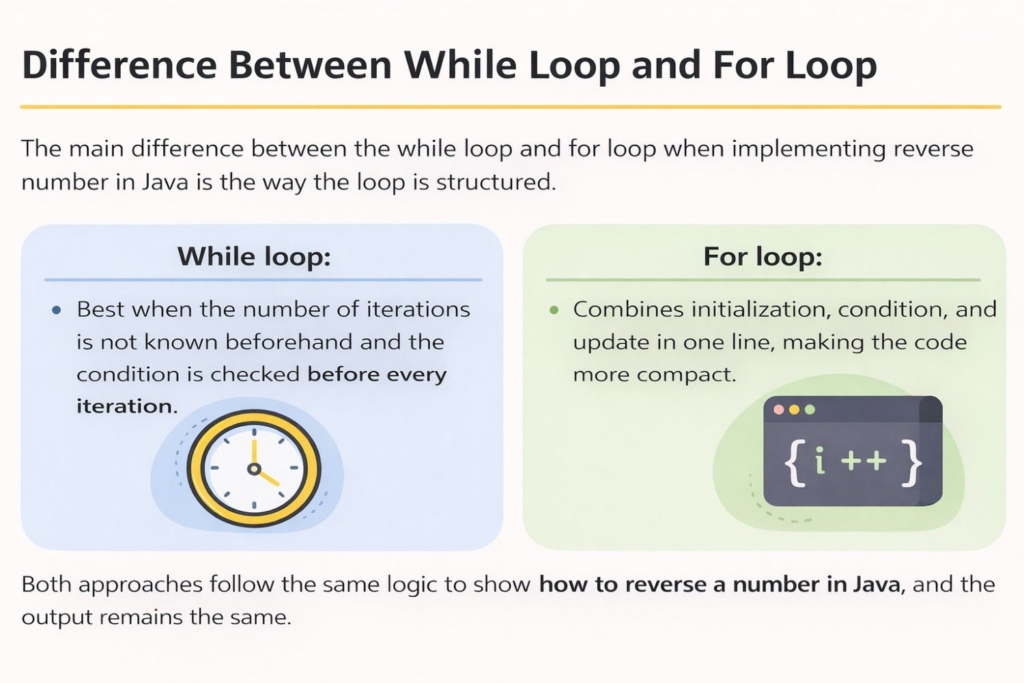
The main difference between the while loop and for loop when implementing reverse number in Java is the way the loop is structured.
- While loop: Best when the number of iterations is not known beforehand and the condition is checked before every iteration.
- For loop: Combines initialization, condition, and update in one line, making the code more compact.
Both approaches follow the same logic to show how to reverse a number in Java, and the output remains the same.
Reverse Number in Java Using StringBuilder
Another simple way to perform reverse number in Java is by using the StringBuilder class. This method is different from the mathematical approach because it first converts the number into a string and then reverses the characters.
This approach is often easier for beginners because Java provides a built-in reverse() method that automatically reverses the sequence.
Example Code
String num = "1234";
String reversed = new StringBuilder(num).reverse().toString();
System.out.println(reversed);
Explanation
- String num = “1234”;
Here, the number is stored as a string instead of an integer. - new StringBuilder(num)
A StringBuilder object is created using the string value. - .reverse()
The reverse() method reverses the characters in the string. - .toString()
This converts the reversed StringBuilder object back into a string. - System.out.println(reversed);
Finally, the reversed string is printed as the output.
This method works by converting the number into a string and reversing the characters, rather than extracting digits mathematically. While it is convenient, most programming exercises that teach how to reverse a number in Java prefer the loop-based approach because it helps build logical and arithmetic understanding.
Reverse Number in Java Without Using String
You can also implement reverse number in Java without using String by applying a pure mathematical approach. In this method, the program uses arithmetic operations to extract and rearrange the digits of the number instead of converting it into a string.
This approach is commonly used in programming interviews because it demonstrates logical thinking and a clear understanding of number manipulation.
Java Program
public class ReverseNumberMath {
    public static void main(String[] args) {
        int number = 1234;
        int reverse = 0;

        while (number > 0) {
            int digit = number % 10;
            reverse = reverse * 10 + digit;
            number = number / 10;
        }

        System.out.println("Reversed number: " + reverse);
    }
}
Explanation
- number % 10 extracts the last digit of the number.
Example: 1234 % 10 = 4. - reverse = reverse * 10 + digit adds the extracted digit to the reversed number while shifting the existing digits to the left.
- number = number / 10 removes the last digit from the original number so the next digit can be processed.
- The process continues until the number becomes 0, and the final reversed number is printed.
This mathematical technique is one of the most commonly used methods to demonstrate how to reverse a number in Java, especially when string operations are not allowed.
Example: Reverse Number in Java with User Input
In many real-world programs, the number is provided by the user instead of being hardcoded in the program. In such cases, Java uses the Scanner class to read input from the keyboard.
This example shows how to implement reverse number in Java by taking input from the user and then reversing it using the same logic.
Java Program
import java.util.Scanner;

public class ReverseNumberInput {
    public static void main(String[] args) {

        Scanner sc = new Scanner(System.in);

        System.out.print("Enter a number: ");
        int number = sc.nextInt();

        int reverse = 0;

        while (number != 0) {
            int digit = number % 10;
            reverse = reverse * 10 + digit;
            number = number / 10;
        }

        System.out.println("Reversed number: " + reverse);

        sc.close();
    }
}
Output Example
Enter a number: 5678
Reversed number: 8765
Explanation
- import java.util.Scanner;
This imports the Scanner class, which allows the program to take input from the user. - Scanner sc = new Scanner(System.in);
A Scanner object is created to read input from the keyboard. - int number = sc.nextInt();
The user enters a number, which is stored in the variable number. - The program then uses the same logic used earlier for reverse number in Java, where:
- % 10 extracts the last digit
- / 10 removes the last digit
- the reversed number is built step by step.
- % 10 extracts the last digit
- sc.close();
This closes the Scanner object after the input has been processed.
This example helps beginners understand how to reverse a number in Java when the input is provided dynamically by the user.
Edge Cases and Important Points
When implementing reverse number in Java, it is important to consider certain edge cases to ensure the program works correctly in different situations.
1. Works for Large Numbers
The logic for reversing a number works for numbers with any number of digits as long as they fit within Java’s data type limits (such as int or long). The program processes each digit one by one until the number becomes zero.
2. Handling Negative Numbers
If the input number is negative, the reversed number should usually keep the negative sign.
Example:
Input:
-123
Output:
-321
This can be handled by storing the sign separately and reversing the absolute value of the number.
3. Leading Zero Removal
When reversing numbers, any leading zeros in the result are automatically removed because integers do not store leading zeros.
Example:
Input:
100
Output:
1
Here, reversing 100 produces 001, but since Java integers cannot store leading zeros, the final output becomes 1.
Considering these cases helps ensure that your implementation of how to reverse a number in Java works correctly in different scenarios.
Time and Space Complexity
Understanding complexity helps evaluate how efficient the reverse number in Java program is.
Time Complexity
O(d) where d = number of digits in the number
The algorithm processes each digit of the number exactly once. In every iteration of the loop, one digit is extracted and removed from the number. Therefore, the number of operations depends on how many digits the number has.
For example, if the number has 5 digits, the loop will run 5 times.
Space Complexity
O(1) (Constant Space)
The program uses only a few variables such as number, reverse, and digit. The amount of memory used does not increase with the size of the input number.
Because of this, the solution for how to reverse a number in Java is considered efficient in terms of both time and memory usage.
Reverse Number in Java Example Walkthrough
To better understand reverse number in Java, let’s walk through a simple example step by step.
Input:
567
The program extracts each digit from the number and builds the reversed number.
| Step | Digit (number % 10) | Reverse Calculation | Reverse |
| 1 | 7 | 0 × 10 + 7 | 7 |
| 2 | 6 | 7 × 10 + 6 | 76 |
| 3 | 5 | 76 × 10 + 5 | 765 |
Final Output:
765
How It Works
- The last digit of the number is extracted using % 10.
- The reversed number is updated using reverse = reverse * 10 + digit.
- The original number is reduced by removing the last digit using / 10.
- The process repeats until the number becomes 0.
This step-by-step process clearly demonstrates how to reverse a number in Java using simple arithmetic operations.
Frequently Asked Questions (FAQ)
What is reverse number in Java?
Reverse number in Java means rearranging the digits of a number in reverse order using programming logic.
How to reverse a number in Java without using a string?
You can use % and / operators to extract digits and build the reversed number.
Can we reverse a number using recursion in Java?
Yes, recursion can also be used to reverse digits.
What is the easiest way to reverse number in Java?
Using a while loop with modulo operator is the simplest method.
Conclusion
Reversing a number is a simple yet important Java programming exercise that helps build logical thinking. In this guide, we explored reverse number in Java using different methods and learned how to reverse a number in Java step by step.
Practicing such programs can strengthen your understanding of loops, operators, and number manipulation in Java.