
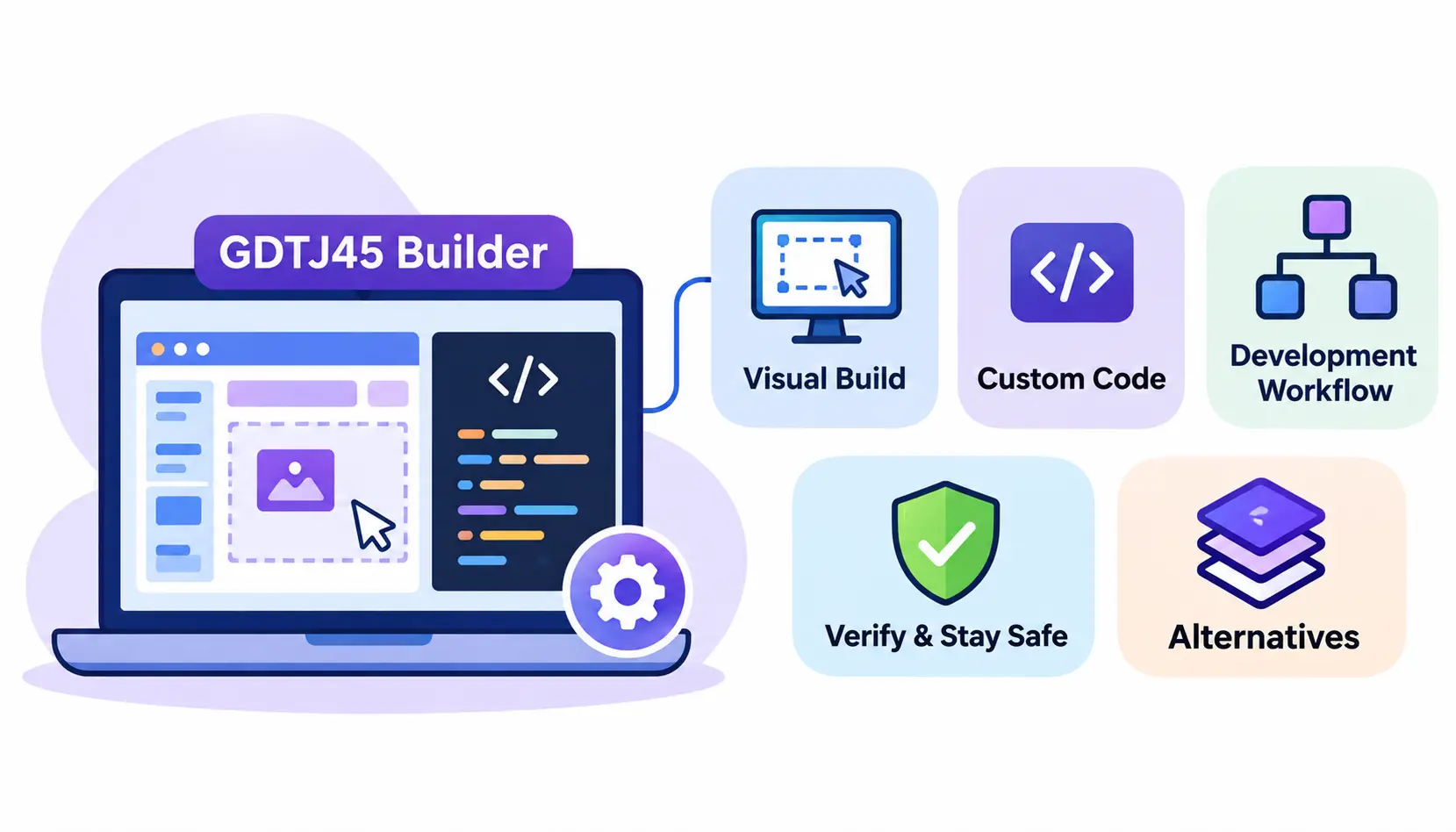
GDTJ45 Builder Software Code Development is a phrase that has started showing up in search results, and many people are asking what it actually is. Some web pages describe it as a builder tool that mixes visual editing with custom coding. Others treat it as a general development workflow.
Here is the honest starting point: GDTJ45 does not have a verified official website, a named company, or public technical documentation that I could point you to. Everything below about the tool is based on how online sources describe it. I treat those descriptions as claims, not facts.
That does not make this topic useless. The ideas behind it, hybrid visual and code-based development, are real and widely used. In this guide you will learn what the term likely refers to, how a builder-style workflow runs from idea to deployment, which technologies developers usually combine, how to check whether unfamiliar software is safe, and which established alternatives you can use today.
What Is GDTJ45 Builder Software Code Development?
In plain English, it is a name attached to the idea of building software with a mix of drag-and-drop tools and hand-written code. You design screens visually, then open the code when you need more control.
The tricky part is that the name itself is not tied to any publisher I could confirm. So treat it as a label that may describe a product, a concept, or simply a keyword created by content sites.
Understanding the GDTJ45 Builder Software Concept
Builder software is any tool that lets you assemble an application from ready-made pieces instead of writing every line from scratch. Think of building with blocks, where you can also carve your own block when the standard ones do not fit.
This family of tools sits between two extremes. On one side are no-code platforms, where you rarely touch code. On the other is traditional programming, where you write nearly everything. Hybrid builders try to give you both. The Wikipedia article on low-code development platforms explains this middle ground well.
How GDTJ45 Is Described in Online Sources
Pages that mention GDTJ45 usually describe a few repeating ideas: a visual interface, access to custom code, modular components, and support for team projects. The descriptions are often similar to each other and rarely include screenshots, version numbers, or release notes.
That pattern matters. When many pages repeat the same general claims without showing the product, you cannot treat those claims as proof that the software exists in the form described.
Understanding Visual Development and Code Customization
Visual development means you arrange interface parts, such as buttons, forms, and tables, on a canvas. The tool writes or manages the underlying code for you.
Code customization means you can open that underlying code, or add your own, to handle cases the visual tools cannot. A good hybrid tool keeps both sides in sync so your hand edits do not break the visual editor.
Is GDTJ45 an Officially Verified Software Product?
Based on what I can find, no. I could not confirm an official developer, a documented release history, or a trusted download source. That does not prove it is fake, but it means you should not assume it is real or safe.
Use the three checks below before you trust any unfamiliar builder tool.
Checking the Developer and Company Information
Look for a named company or maintainer with a real web presence. Check for a registered business, a LinkedIn company page, and staff who can be found independently. A tool with no identifiable owner is a risk.
Looking for Official Technical Documentation
Real software has docs: installation steps, system requirements, an API reference, and a changelog. If all you find are vague feature lists, be cautious. Ask yourself whether a developer could actually build something from the information provided.
Verifying Software Releases and Download Sources
Real tools are usually released through a known channel, such as an official website, GitHub repository, or app store. Check the release history and read user issues. Before running any downloaded file, scan it with a service like VirusTotal and compare file hashes if the publisher provides them.
Key Features Associated With GDTJ45 Builder Software
The features below are the ones most often linked to GDTJ45 in online descriptions. They are also typical of hybrid builder tools in general. Please read them as described or commonly associated capabilities, not confirmed product specifications.
Hybrid Visual and Code-Based Development
This is the headline idea. You build screens visually and drop into code when needed. It suits people who want speed early on but do not want to hit a wall later.
Modular Software Architecture
Modular design means splitting an application into small, separate parts that each do one job. One module might handle login, another handles reports.
Code Editing and Customization
A built-in editor lets you change logic, styling, and behavior directly. Useful editors offer syntax highlighting, search, and error hints. Without them, customization becomes slow and frustrating.
Front-End and Back-End Development Concepts
The front end is what users see and click. The back end is the server logic and database behind it. Builder tools often focus on the front end and connect to the back end through APIs.
Project Management and Workflow Organization
Good builders keep files, pages, and settings organized in one workspace. That saves you from juggling a code editor, a design tool, and a task board at the same time.
Code Reusability and Component Management
Reusable components let you build a thing once, such as a navigation bar, and use it on every page. Update it in one place and the change spreads everywhere.
Debugging and Testing Capabilities
Debugging means finding and fixing mistakes. Helpful tools show errors in plain language, let you pause code at a set point, and run quick tests. Automated testing is a core part of reliable software, as the Wikipedia page on software testing outlines.
Team Collaboration and Development Management
Team features often include shared projects, role permissions, and change history. Whether a given tool offers these depends entirely on the product, so check the docs.
How GDTJ45 Builder Software Code Development Works
Since no official documentation exists, I describe the workflow most hybrid builders follow. If GDTJ45 is real and works as described online, it would probably look similar to this.
Quick answer: A hybrid builder workflow runs in this order: set up the environment, plan the structure, build components, design visually, customize code, connect front and back end, test, and deploy.
Understanding the Development Environment
The environment is the workspace where you build. It usually includes a canvas, a component panel, a code editor, and a preview window. Learn where each lives before you start, because most early confusion comes from not knowing where things are.
Planning the Application Structure
Before you click anything, sketch the app on paper. List the pages, the data each one needs, and who will use it. Ten minutes of planning saves hours of rework.
Creating and Organizing Project Components
Break the app into parts: header, forms, tables, buttons. Give them clear names and keep related files together. A messy structure feels fine on day one and painful by week three.
Using Visual Editing for Application Design
Drag components onto the canvas and set their properties. Focus on layout and flow first. Do not worry about polish until the basics work.
Customizing Code for Specific Requirements
When the visual tools cannot do something, such as a custom calculation or a special validation rule, write code for it. Keep these edits small and well commented so a teammate can follow them later.
Connecting Front-End and Back-End Components
Your screens need data. Connect them to a database or service, usually through an API. Learning frontend frameworks, backend technologies, database integration, and APIs through full-stack web development training can help developers understand how complete applications work. Test each connection by itself before wiring everything together.
Testing and Reviewing Code Changes
Test after every meaningful change, not only at the end. Click through the main user paths, try bad inputs, and have another person review the code if possible.
Preparing Applications for Deployment
Deployment means putting the app where real users can reach it. Check settings, remove test data, secure your secrets, and confirm that you can roll back if something fails.
Programming Languages and Technologies Used in Builder Software Development
Important note: the technologies below are commonly used in software development. I am not claiming GDTJ45 supports any of them. Only official technical documentation could confirm that.
JavaScript for Interactive Applications
JavaScript runs in every web browser. It powers buttons, animations, and live updates. Most visual builders let you add JavaScript for custom behavior.
Python for Backend Development and Automation
Python is popular for server logic, data work, and scripts. It reads cleanly, which makes it a favorite for beginners and automation tasks. Those interested in applying Python to real-world projects can strengthen their programming, automation, and debugging skills through a practical Python internship.
Java for Enterprise Application Development
Java is common in large business systems, such as banking and logistics. It is strict and fast, and it has a huge library ecosystem.
HTML and CSS for Web Interface Development
HTML defines the structure of a page. CSS controls how it looks. Even in a visual builder, knowing both helps you fix layout problems quickly.
SQL and Database Management
SQL is the language used to read and change data in relational databases. If your app stores customers, orders, or tasks, you will probably use SQL somewhere.
APIs and External Integrations
An API lets two programs talk to each other. Most modern apps rely on several. Three basics are worth knowing.
REST API Fundamentals
REST is a common style for web APIs. You send a request to a URL, such as asking for a list of orders, and get a response back. See the REST overview on Wikipedia for the core rules.
JSON Data Exchange
JSON is a lightweight text format for sending data between systems. It is easy for both people and machines to read. The JSON article on Wikipedia gives a clear summary.
Webhook Integrations
A webhook is a message one service sends to another when something happens, like a payment completing. Instead of asking repeatedly, your app is told. Read more on the webhook page on Wikipedia.
Practical GDTJ45 Builder Software Code Development Workflow
This section turns the general process into a step-by-step plan you can reuse with any hybrid builder tool. It is a general framework, not an official GDTJ45 manual.
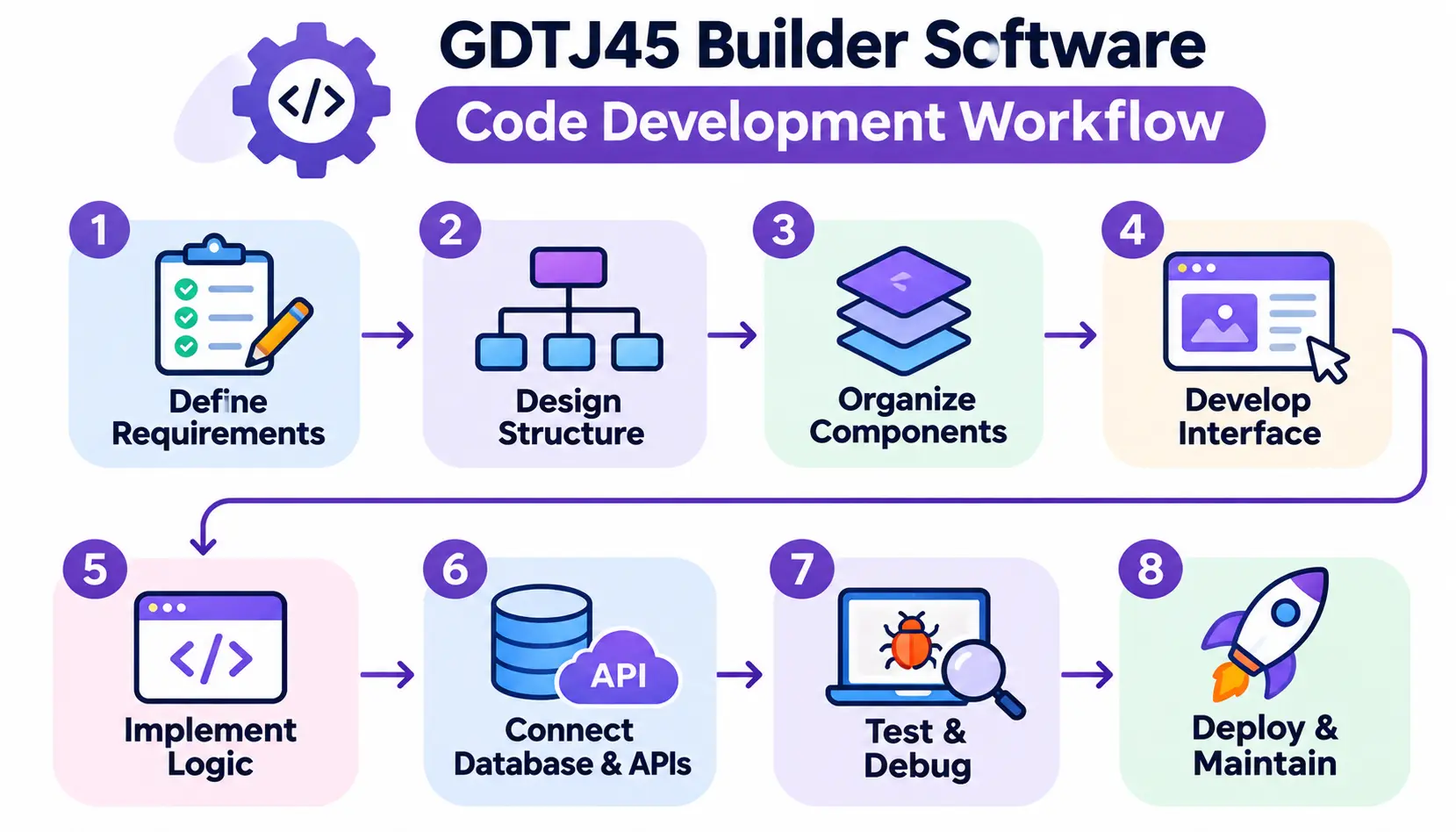
Quick answer: Define requirements, design the structure, organize components, build the interface, add logic, connect data, test, then deploy and maintain.
Step 1 – Define Project Requirements
Write down what the app must do, who uses it, and what “done” looks like. Keep the list short and specific. “Staff can add a customer and see their orders” is useful. “Make it good” is not.
Step 2 – Design the Application Structure
Map the pages and how users move between them. Decide what data each page reads and writes. A simple diagram on paper is enough.
Step 3 – Organize Reusable Components
Spot the parts you will use more than once, like a search bar or a status badge. Build them first. This keeps your design consistent and your code shorter.
Step 4 – Develop the User Interface
Lay out each screen visually. Start with the most common task. Check it on a phone-sized screen too, since many users will open it there.
Step 5 – Implement Application Logic
Add the rules: what happens when someone clicks Save, how totals are calculated, who can see what. Write custom code only where the visual tools fall short.
Step 6 – Connect Database and APIs
Link the interface to your data source. Start with one table or endpoint and confirm it works. Then add the rest, one at a time.
Step 7 – Test and Debug the Application
Run through real tasks, not just the happy path. Enter blank fields, long text, and wrong formats. Fix what breaks, then test again.
Step 8 – Deploy and Maintain the Project
Release to a small group first. Watch for errors, collect feedback, and schedule regular updates. Software is never finished; it is maintained.
Example: Building a Simple Business Management Application
This is an illustrative example of a general software development process. It is not a documented GDTJ45 project.
Imagine a small repair shop that wants to track customers and jobs instead of using a paper notebook.
- Project requirements: Add customers, create repair jobs, update job status, and view a list of open jobs.
- User interface structure: A dashboard with open jobs, a customer form, a job form, and a customer detail page.
- Data storage: Two linked tables: Customers (name, phone, email) and Jobs (customer, description, status, price, date).
- Application logic: Require a phone number or email, mark jobs as Open, In Progress, or Done, and total the price of completed jobs each month.
- Testing process: Add a test customer, create three jobs, change statuses, try an empty form, and check the monthly total by hand.
- Expected outcome: The owner finds any job in seconds, sees what is overdue, and stops losing paper notes.
Benefits of Hybrid Builder Software Development
The benefits below belong to the hybrid approach in general. They are potential advantages, not measured GDTJ45 results.
Faster Development Workflows
Pre-built components cut the time spent on repetitive work like forms and tables. You reach a working prototype sooner.
Improved Code Organization
A structured workspace nudges you to keep files and components tidy. That makes the project easier to read later.
Greater Development Flexibility
You are not locked into either visual tools or code. When a standard block does not fit, you write your own.
Easier Component Reusability
Build once, reuse often. Changes to a shared component update every place it appears.
Better Collaboration Between Developers
Designers can adjust layouts visually while developers handle logic. Both work in the same project, which reduces handoff delays.
Simplified Project Management
Keeping design, code, and settings in one place can cut the tool switching that slows teams down.
Support for Different Development Approaches
Beginners can start visually, while experienced developers dig into code. The same tool can serve both, depending on how it is built.
GDTJ45 Builder Software vs Traditional Software Development
The comparison below treats “GDTJ45” as a stand-in for a hybrid builder approach, since its real specifications are unverified.
Differences in Development Workflow
Traditional development uses separate tools for design, coding, testing, and deployment. A hybrid builder may combine several of those into one workspace.
Visual Editing vs Manual Coding
Manual coding gives you total control but takes longer. Visual editing is faster for layouts but can limit fine details.
Code Customization and Flexibility
In traditional work, you control everything. In a builder, flexibility depends on how much code access the platform gives you.
Project Management and Collaboration
Traditional teams usually combine Git, a task tracker, and chat tools. Builders may bundle some of this, but often you still need external version control.
Development Complexity and Maintenance
Builders reduce early complexity. However, you depend on the platform for updates, and moving away later can be hard. This is called vendor lock-in.
| Comparison factor | Traditional development | Hybrid builder approach |
| Coding | Primarily manual | Visual tools and coding |
| Interface design | Code-driven | May include visual editing |
| Customization | High control | Depends on code access |
| Reusability | Developer-managed | May use reusable components |
| Workflow | Multiple development tools | Potentially unified workspace |
| Maintenance | Depends on architecture | Depends on architecture and platform |
Common GDTJ45 Builder Software Problems and Solutions
I cannot confirm which problems users of GDTJ45 face, because I found no verified user base or support forum. The issues below are common in builder and development tools in general.
Installation and Setup Errors
These often come from missing permissions, a wrong operating system version, or a corrupted download. Re-download from the official source and read the install notes.
Configuration and Compatibility Problems
A tool may need a certain runtime version or browser. Check the system requirements and update your environment.
Code Execution and Syntax Errors
A missing bracket or wrong variable name can stop everything. Read the error message first; it usually points to the exact line.
Missing Dependencies
Dependencies are outside libraries your code needs. If they are not installed, the project fails to run. Reinstall them from the project’s dependency file.
Slow Performance and Application Crashes
Large files, heavy images, and inefficient queries are frequent causes. Close extra programs, test with less data, and look for memory-hungry loops.
Version Control and Collaboration Conflicts
Two people editing the same file can overwrite each other. Use a version control system such as Git, and commit small changes often. See version control on Wikipedia for the basics.
Debugging and Testing Challenges
Bugs get harder to trace when logic is buried in many visual blocks. Add clear names, log key values, and test one part at a time.
Practical Troubleshooting Checklist
| Symptom | Possible cause | Recommended diagnostic action |
| Software will not install | Corrupt file or unsupported OS | Re-download from the official source; check system requirements |
| Project will not open | Version mismatch or missing files | Check the project version; restore from a backup |
| Code throws errors | Syntax mistake or missing library | Read the error line; reinstall dependencies |
| App runs slowly | Heavy data or inefficient code | Profile the app; test with smaller data |
| App crashes at random | Memory issues or bad input | Check logs; try to reproduce the steps |
| Data does not load | Wrong API key or endpoint | Test the endpoint separately; verify credentials |
| Team changes overwrite each other | No version control | Adopt Git; use branches and reviews |
Is GDTJ45 Builder Software Safe and Reliable?
I cannot call it safe, and I cannot call it unsafe. There is not enough verified information. The right move is to check it yourself before installing anything.
Quick answer: Treat GDTJ45 as unverified. Confirm the developer, the official download source, the documentation, and the license before you install it.
How to Verify Software Authenticity
Look for the same name, logo, and version on multiple independent sources. Search the name together with words like “review,” “issue,” or “scam.” Community threads on sites like r/learnprogramming and r/webdev are good places to ask whether other developers have used a tool.
Checking the Official Developer and Distribution Source
Download only from the developer’s own site, a verified GitHub repository, or a trusted store. Avoid mirror sites and file-sharing pages.
Reviewing Permissions and Security Requirements
Ask what the software wants access to. A code builder rarely needs your contacts, microphone, or full disk. Run new tools in a virtual machine or test account first.
Understanding Data Privacy and Protection
Find a privacy policy. It should say what data is collected, where it is stored, and how you can delete it. If your project holds customer data, this matters even more. The OWASP Top Ten is a respected list of common web security risks.
Checking Licensing and Usage Rights
Confirm you are allowed to use the software for commercial work. Also check who owns the code or apps you create with it.
Evaluating Software Documentation and Support
Strong documentation and an active support channel signal a real, maintained product. Silence from the vendor is a warning sign.
Warning Signs of Unverified Software Downloads
- No named company or contact details.
- Download links on unrelated websites.
- Requests to disable antivirus protection.
- No documentation, changelog, or release history.
- Pressure to download right now.
- Reviews that read as if copied from each other.
Best Alternatives to GDTJ45 Builder Software
If you want a hybrid or visual workflow today, these established tools are well documented and widely used. They are not confirmed GDTJ45 competitors or integrations.
Visual Studio Code for Code Editing
Visual Studio Code is a free, popular code editor with thousands of extensions. It is a strong choice if you prefer to write most of your code.
Bubble for Visual Application Development
Bubble lets you build web apps visually without writing code. It suits beginners and founders testing an idea.
Retool for Internal Business Applications
Retool helps teams build dashboards and admin tools quickly, connecting to databases and APIs while still allowing custom code.
Appsmith for Low-Code Development
Appsmith is an open-source low-code platform for building internal apps. Developers can add JavaScript where needed.
Webflow for Visual Website Development
Webflow is built for designing and publishing websites visually with clean, exportable layouts.
IntelliJ IDEA for Professional Programming
IntelliJ IDEA is a full integrated development environment, especially strong for Java. Read about the concept on the IDE page on Wikipedia.
| Tool | Main purpose | Best suited for |
| Visual Studio Code | Code editing | Web and application developers |
| Bubble | No-code application building | Beginners and entrepreneurs |
| Retool | Internal application development | Business and technical teams |
| Appsmith | Low-code application development | Developers and businesses |
| Webflow | Visual website development | Designers and website creators |
| IntelliJ IDEA | Integrated development environment | Professional programmers |
Who Can Benefit From Builder Software Development?
Beginner Developers
Visual tools lower the entry barrier. You see results quickly and learn code gradually by peeking under the hood.
Website Designers and Developers
Designers can shape layouts visually, then hand off or edit code for finer control.
Freelancers and Independent Developers
Speed matters when you bill by project. Reusable components help you deliver more in less time.
Small Businesses and Startups
A small team can launch an internal tool or a first product without hiring a large engineering group.
Professional Software Development Teams
Teams can use builders for prototypes and internal tools, while keeping core products in traditional code. Developers who want practical experience with application architecture, coding practices, debugging, and real-world projects can explore a software development internship.
Best Practices for Successful Software Code Development
These habits work in any tool, builder or not.
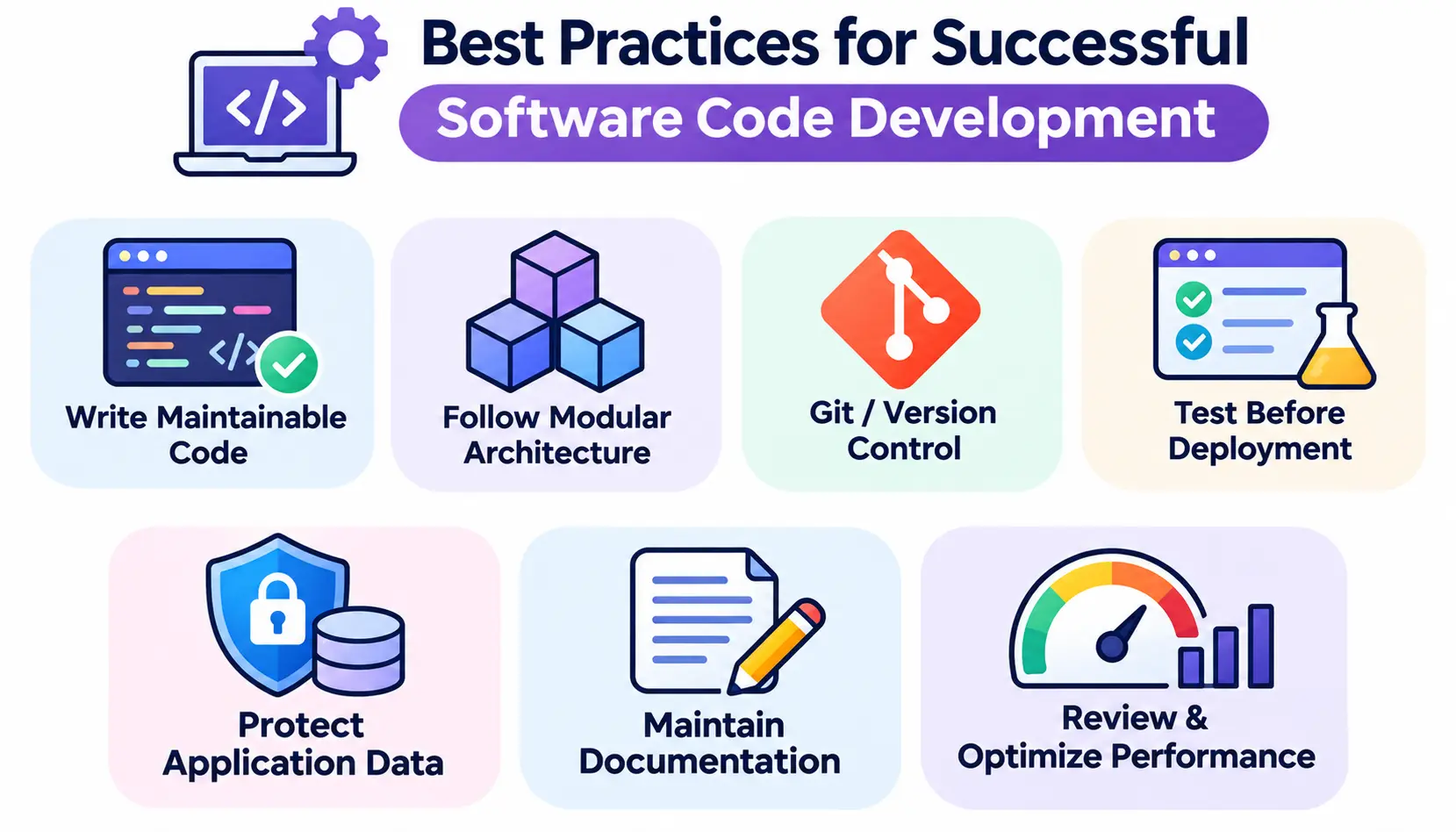
Write Clear and Maintainable Code
Use meaningful names and short functions. Comment on why you did something, not only what it does.
Follow Modular Architecture Principles
Keep each part focused on one job. Small modules are easier to test, replace, and reuse.
Use Version Control Systems
Use Git from day one. It gives you history, safe experiments, and a way to undo mistakes.
Test Code Before Deployment
Test the main flows and the edge cases. Automate repeatable tests when you can.
Protect Application Data
Never hard-code passwords or keys. Use environment variables, limit access, and encrypt sensitive data.
Maintain Technical Documentation
Write a short README and note key decisions. Your future self, and your teammates, will thank you.
Review and Optimize Application Performance
Measure before you optimize. Fix the slowest, most common problems first.
Frequently Asked Questions About GDTJ45 Builder Software Code Development
1. What is GDTJ45 Builder Software Code Development?
It is a term used online for a hybrid approach that blends visual app building with custom code. Its official product details are unverified.
2. Is GDTJ45 Builder Software a real development platform?
I could not confirm that. There is no verified developer, official documentation, or trusted download source. Treat it as unverified until proven otherwise.
3. What programming languages does GDTJ45 support?
No official list exists. Languages like JavaScript, Python, and Java are common in builder tools, but do not assume GDTJ45 supports them.
4. Can beginners use GDTJ45 Builder Software?
Hybrid builders are generally beginner-friendly, but I cannot confirm this for GDTJ45. Beginners are safer starting with a documented tool like Bubble or Webflow.
5. Does GDTJ45 support visual and traditional coding?
Online descriptions say so. Without official documentation, that remains a claim rather than a confirmed feature.
6. What are the main features associated with GDTJ45?
Descriptions mention visual editing, code customization, modular design, reusable components, testing tools, and team collaboration.
7. Is GDTJ45 Builder Software safe to download?
It cannot be confirmed as safe. Verify the developer and source, scan files, and test in an isolated environment first.
8. What are the common problems with GDTJ45 Builder Software?
No verified user reports exist. General builder-tool issues include setup errors, missing dependencies, compatibility problems, and slow performance.
9. What are the best alternatives to GDTJ45?
Visual Studio Code, Bubble, Retool, Appsmith, Webflow, and IntelliJ IDEA are established options, depending on your goal.
10. What is the difference between low-code and traditional development?
Low-code uses visual tools and prebuilt parts to speed up building, with some code for custom needs. Traditional development writes most of the code by hand, giving more control but taking more time.
11. How can developers verify unfamiliar software?
Check the developer’s identity, read the documentation, download from the official source, scan the file, review permissions, and ask other developers on communities like webdev or LinkedIn groups.
Conclusion
GDTJ45 Builder Software Code Development is best understood as a search term tied to a real and useful idea: combining visual building with custom code. The specific product behind the name, however, remains unverified, so approach it with care.
If the hybrid workflow appeals to you, start with a tool that has clear documentation and an active community. Plan your project, build in small steps, test often, and protect your data.
Whatever you choose, the rule is simple: verify first, install second. Good software earns trust with transparency, and good developers check before they run.