
Birthday videos are a collection of memories, fun, emotions, and festivities. A customized greeting card is more significant than a standard one because it is customized and mirrors the personality and interests of your friend. Dreamina AI can aid in converting written ideas into animated scenes, inventive celebrations, and film-like birthday reveals. Generated visuals can be used alongside approved photographs, recorded messages, and meaningful memories. Even a short video can be a memorable birthday surprise, as long as it’s well thought out and clearly edited.
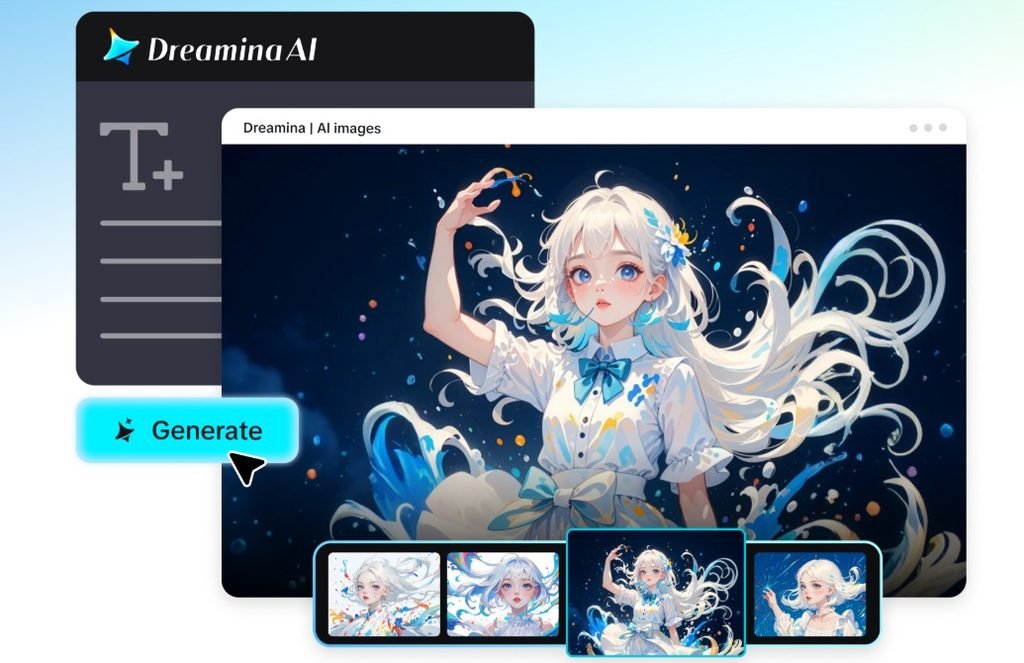
Choose a Birthday Video Concept That Feels Personal
AI video generator allows you to try various visual concepts and then choose a birthday one. Text to Video assists in bringing a written description to life by adding decorations, motion, lighting, and atmosphere to create an original scene. Here are some innovative ways you can plan your pal’s surprise.
- Confetti Reveal: Decorate a room, then reveal the room by filling the screen with confetti.
- Fantasy Celebration: Design and make a fantasy landscape using floating balloons, light fittings, and fantasy scenery.
- Retro Birthday Party: Celebrate the birthday party with vintage colors, nostalgic decorations, and fun graphics.
- Mini Adventure: Create an imaginative adventure through symbolic places, popular concepts, or fantasy locations.
- Animated Greeting: Incorporate characters, fun movements, and birthday decorations.
- Elegant Celebration: This is a simple way to welcome, with warm lighting, mild floral designs, and elegant colors.
Pick a direction that has to do with your friend’s hobbies, favourite colours, and preferred jokes. Dreamina AI can assist in visualizing these aspects without the need for sensitive personal data. This not only maintains a thoughtful vibe for the celebration but also grants the video a unique creative identity.
Plan a Surprise Clip With a Beginning, Reveal, and Finish
A good birthday clip sets up some anticipation before the main shock. Start with a wrapped present, a shut door, or a puzzling picture. As the scene is developing, add balloons, glowing lights, and decorations. Next, unveil a lively birthday scene in line with the theme you have selected. Allow for a personal note, authorized photos, or a prerecorded message. Keep building up excitement by adding some moving shapes or confetti before making a nice birthday wish at the end. Dreamina AI can create specific scenes, and editing aids in arranging them in a logical order.
Steps to Create Birthday Surprise Clips for Friends With Dreamina AI Text to Video
Step 1: Log in and describe the birthday moment
- First, sign up or log in to Dreamina to start making a birthday surprise clip.
- Next, move to the “Create” tab in the left menu and pick the “AI video” option.
- Later, enter a detailed prompt about how your friend’s surprise should look and feel.
- Share details on video elements, sound, background, theme, and concept, such as balloons and cheerful music.
Step 2: Choose a model and customize the clip
- Next, select a model from the choices displayed at the bottom of the dialogue box.
- You can use models like Dreamina Seedance 2.5, Dreamina Seedance 2.0, Dreamina Seedance 2.0 Fast, Dreamina Seedance 2.0 Mini, and Dreamina Seedance 1.0.
- Click “Omni reference” to guide the AI with multiple photos of your friend for accurate results.
- Set your preferred frame shape and quality from the “Aspect ratio” and “Resolution” tabs.
- Finally, click the “Generate” tab to begin creating the birthday surprise.
Step 3: Add final touches and share the surprise
- If the clip does not feel festive enough, try “Edit prompt” or “Regenerate” to refine it.
- You can also adjust the finished video with the “Edit video” option.
- Moreover, choose “Edit segment” to change only one scene, like the cake reveal.
- Make the celebration last longer with “Extend video”, or polish the visuals using “Creative upscale”.
- Dreamina offers complete freedom to edit the birthday clip exactly the way you like.
- Finally, click the “Download” tab at the top right to save the video on your local device.
Write Birthday Prompts That Bring Imagination to Life
Specific prompts provide Dreamina AI with better instructions on creating a birthday scene. Explain the background, decoration, appearance, movement, lights, and atmosphere. For instance, you might write: “Ballroom balloons gently floating through the air, a colorful array of balloons and flowers, a gift box opening up to release tons of glitter, warm golden lights, a smooth camera push-in, a happy movie atmosphere, the space cleared to deliver a birthday greeting at the end.” This cue marks the “environment,” the “primary action,” the “colors,” and the “camera movement.” Realistic, illustrated, retro, and fantasy-inspired imagery can all be set. Keep the main action simple, and only use space free from clutter for your friend’s name. Include detailed birthday information during editing, as the automatically created lettering might not be consistent.
Add Personal Touches Without Losing Visual Consistency
There are some important things to look out for when using familiar faces in a birthday video, but personal information is important. Experiment with approved photographs to make a separate memory sequence or direct the visual direction. If tools are available to support image-to-video workflows, they can be used to bring a specific image to life. But sometimes, just using text prompts won’t produce your friend’s look from time to time. Include real birthday greetings, significant dates, and inside jokes in the editing process. Use the same color, decoration, and typeface throughout scenes. Generated animations can be used to add some short transition pieces between real photographs and not affect the story. Ask permission for the use of familiar images and/or private recollections, particularly when the clip contains other individuals.
Polish the Final Clip for Sharing and Personal Privacy
Look at your birthday surprise before you post it to see if it’s framed, readable, has a good pace, and is visually consistent. Vertical video works well on mobile-first platforms; horizontal video works best with wide screens. Avoid placing names and greetings outside of safe margins, so that they don’t interfere with interface items. Check for distracting generation errors in faces, hands, decorations, and movements of objects. Use music and recorded messages with permission. Do not show private photos of, or information about, homes or private conversations without permission. Make sure the jokes are appropriate for your friend and don’t include anything embarrassing or deceptive. Before you send the video, preview the total length of the video to make sure the final reveal doesn’t look unnatural and the birthday greeting can still be seen.
Conclusion
Dreamina AI can transform mundane birthday concepts into captivating visual celebrations, dynamic birthday parties, and movie-like reveal surprises. The greatest clips are those that have something important going for them, not a ton of effects. Select a concept that is a true representation of your friend’s personality, give it a specific prompt, and carefully tweak the scenes that Google generates. Use those images with true sayings and approved photos, and make it personal. Your birthday video may provide a surprise that is sincere, creative, and memorable with thoughtful planning and careful editing.