
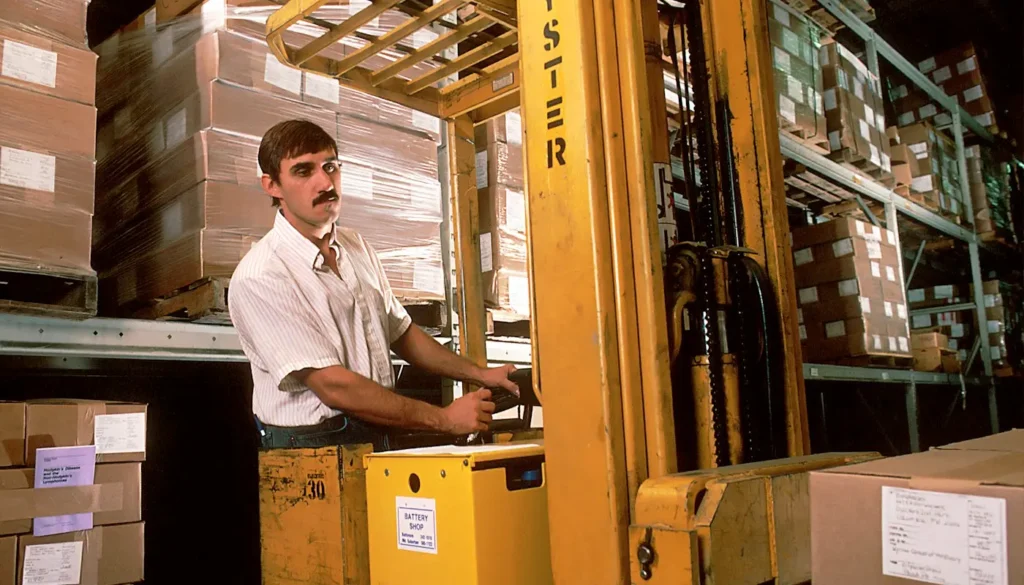
Sooner or later, every warehouse manager in Western Sydney faces the same debate. The forklift is getting old, the accountant wants a number and someone in the office says, “Why don’t we just buy one?” It is a great question, and a great first project for anyone learning business modeling in Excel.
In this guide, you will build a simple hire versus buy model from scratch. You will learn how to separate inputs from calculations, compare costs over time and find a break-even point. The skills apply far beyond forklifts, to anything from company cars to office printers.
Why This Decision Needs a Model
A quick comparison usually misleads you. Monthly hire looks expensive next to a one-off purchase, until you add servicing, repairs, downtime and what the machine is worth when you finish with it.
Tax can also pull people in the wrong direction. The ATO confirms that the $20,000 instant asset write-off became permanent from 1 July 2026 for eligible small businesses with turnover under $10 million. That limit applies per asset, so many forklifts sit above it. Ask your accountant how your purchase would be treated.
Timing matters too. A dollar spent today is worth more to you than a dollar spent in four years. That idea is called net present value, and it is the one concept that lifts this model above a basic spreadsheet.
Getting Real Forklift Hire Numbers for Sydney
Your model is only as good as the numbers going in, so get real quotes before you open Excel. Ask local suppliers for prices on both options. A Sydney firm such as All Lift Forklifts & Access Equipment offers short-term and long-term forklift hire, sales, rent-to-own and servicing from its base in Rydalmere, so one conversation can cover several scenarios.
Write down the machine type, the lift capacity and how many hours a week you will really use it. An electric forklift for narrow indoor aisles and an LPG unit for an outdoor yard are very different quotes.
Also ask what is included. Does the hire price cover servicing and breakdowns? Does a purchase come with a service plan? These details belong in your model.
Build the Model in Three Tabs
Good spreadsheets separate what you assume from what you calculate. Set up three tabs, and you can change any assumption without breaking a formula.
Tab 1: Inputs
List your assumptions in one column, with labels beside them. For this walkthrough we will use round example numbers, so please replace them with your own quotes:
- Purchase price: $45,000
- Weekly hire rate: $300, with servicing included
- Yearly service and repairs if you buy: $3,000
- Resale value after five years: $15,000
- Discount rate: 7%
Color these cells blue. That is a common habit that tells every reader what can be changed.
Tab 2: Buy
Lay out years 0 to 5 across the top. Put the purchase price in year 0, the service cost in years 1 to 5 and the resale value as a positive number in year 5.
Excel’s NPV function discounts cash flows that occur at the end of each period. Microsoft’s guidance explains that an upfront payment should sit outside the function and be added to the result. So your formula looks like this: the NPV of years 1 to 5, plus year 0.
With our numbers, the present cost of buying is about $46,600.
Tab 3: Hire and Break-Even
Now add a cell for weeks of use per year. Multiply it by the weekly rate to get your yearly hire cost, and use the same NPV approach across five years.
Here comes the useful part. At 7%, the present cost of hiring matches the cost of buying at about 38 weeks of use a year. Ignore discounting and the break-even looks like 30 weeks. Eight weeks is a big difference, and it shows why that one concept is worth learning.
So in this example, a forklift working year-round points toward buying. One needed for a three-month peak points toward hire.
Stress Test Your Answer
Never trust a single result. Use Excel’s Data Table feature, or simply change an input and watch the outcome. Try a higher resale value, a bigger repair bill or a lower hire rate.
Then think about what the spreadsheet cannot see. Can your team handle a breakdown if you own the machine? Will your floor plan change in two years? Is the operator licensed? In Australia, a TAFE course can prepare operators for the high risk work license that forklift work generally requires, and that cost belongs in the model whichever option you choose.
Rent-to-own is also worth adding as a fourth tab once you feel comfortable, since it blends the two approaches.
Presenting It to Your Manager
Your manager does not want to read three tabs. Add a short summary at the top of the first sheet with one clear sentence: “Buying is cheaper if we use the forklift more than 38 weeks a year.” Below it, add a simple line chart showing the total cost of each option as weeks of use rise.
A chart with two crossing lines tells the story at a glance, and it is the kind of work that gets noticed.
Common Mistakes to Avoid
Beginners often type numbers straight into formulas. Keep every assumption on the Inputs tab, so a new quote takes seconds to update.
Another trap is mixing timeframes, such as weekly hire rates with yearly service costs. Convert everything to the same period before you add it up. Keep your cash flow signs consistent too, with costs in one direction and income in the other.
Finally, label everything. Six months from now, you will not remember what cell F14 was meant to do. Neither will the person who inherits your spreadsheet.
Your Next Step
Open a blank workbook and build this model today, even with made-up numbers. Once it works, swap in real quotes. You will walk away with a useful business tool and a skill you can show in any interview: turning a messy question into a clear decision.