From the moment you unlock your phone in the morning to submitting a report at night, computers are running silently in the background. But what actually makes a computer so powerful, reliable, and indispensable? The answer lies in understanding the characteristics of computer systems, a set of defining traits that separate computers from all other tools humans have ever built.
Whether you are a student, teacher, or working professional, understanding these core characteristics of computer systems helps you appreciate how this machine works, make smarter purchasing decisions, and use technology more effectively.
In this guide, we cover 12 key characteristics of a computer, from speed and accuracy to portability and security, complete with real-world examples, analogies, and a quick-reference comparison table.
What Is a Computer System?
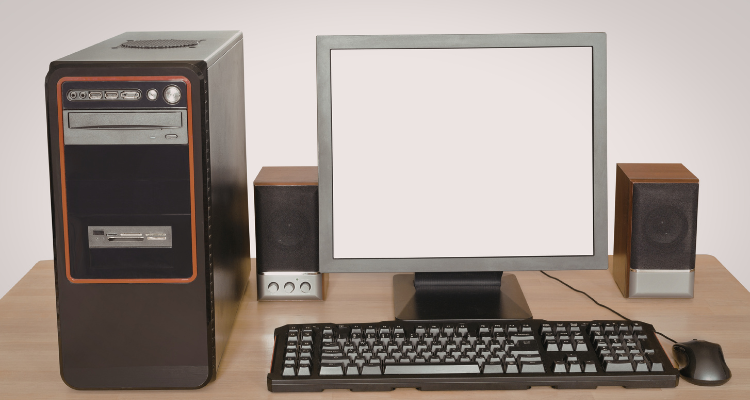
A computer system is an electronic device that accepts data as input, processes it according to a set of instructions, and delivers results as output. At its core sits the CPU (Central Processing Unit), the brain of the machine, which controls all operations.
A complete computer system includes:
- Hardware: physical components like the monitor, keyboard, mouse, and CPU
- Software: programs and operating systems that tell the hardware what to do
- Input/Output devices: for communicating data in and out of the system
- Memory & Storage: for holding current data and storing information long-term
Key Characteristics of Computer Systems
Below, we break down the 12 most important characteristics of computer systems, with simple explanations and practical examples for each.
1. Speed
Speed is perhaps the most recognized characteristic of a computer. Computers can execute millions, even billions, of instructions per second. Processing speed is measured in GHz (gigahertz) and MHz (megahertz).
A task that might take a human days to complete, such as sorting a database of one million records, takes a modern computer mere milliseconds. This makes computers an invaluable time-saving device in every industry.
Real-world example: A weather forecasting system processes terabytes of atmospheric data in seconds to predict tomorrow’s weather.
2. Accuracy
Computers perform computations with near-perfect accuracy. Unlike humans, they do not make calculation errors due to fatigue, distraction, or emotion. Errors that do occur in computer output are almost always the result of incorrect input data or flawed programming, not the machine itself.
This principle is known as GIGO: Garbage In, Garbage Out. If the input is correct, the output will be correct, every single time.
Real-world example: Banks rely on the accuracy of computers to process millions of transactions daily without arithmetic errors.
3. Diligence
A human worker tires after hours of repetitive work, leading to mistakes and reduced productivity. A computer, however, can perform the same task billions of times without losing concentration, accuracy, or performance.
This characteristic makes computers ideal for repetitive industrial, scientific, and data-processing tasks that would be impractical for humans to sustain.
Real-world example: A web server handles millions of page requests per day, every day of the year, without rest.
4. Versatility
Versatility refers to the ability of a computer to perform a wide variety of tasks. Unlike a calculator that can only solve math problems, a computer can simultaneously write documents, play music, browse the internet, run simulations, control machinery, and much more.
This multi-purpose nature is what makes computers the Swiss Army knife of the digital world.
Real-world example: A graphic designer uses the same computer to edit photos, manage client emails, and host video calls.
5. Memory
Computers use memory to temporarily store data currently being processed. This is called primary memory or RAM (Random Access Memory). The more RAM a computer has, the more tasks it can handle simultaneously without slowing down.
Memory capacity is measured in units:
- Byte (B): smallest unit
- Kilobyte (KB): 1,024 Bytes
- Megabyte (MB): 1,024 KB
- Gigabyte (GB): 1,024 MB
- Terabyte (TB): 1,024 GB
Real-world example: A gaming PC with 32 GB of RAM can run a game, stream music, and record gameplay simultaneously.
6. Storage Capacity
Beyond temporary memory, computers can store vast amounts of data permanently using secondary storage devices such as Hard Disk Drives (HDD), Solid State Drives (SSD), USB drives, and cloud storage.
Modern computers can store terabytes of data, the equivalent of millions of books, thousands of movies, and billions of records, all on a single device.
Real-world example: A hospital system stores decades of patient records, scans, and lab results on networked servers with petabytes of capacity.
7. Reliability

Computers are built to produce consistent, repeatable results. Given the same input and instructions, a computer will always produce the same output. This predictability makes computers trustworthy tools for critical applications like finance, healthcare, and aerospace.
Real-world example: Autopilot systems in aircraft rely on the reliability of computers to consistently execute flight corrections.
8. Automation
One of the most transformative characteristics of computer systems is automation, the ability to execute tasks without continuous human input. Once a program is written and triggered, the computer carries it out automatically.
Automation ranges from simple scheduled tasks (like a midnight system backup) to complex AI-powered processes that power self-driving cars and intelligent chatbots.
Real-world example: E-commerce platforms automatically send order confirmation emails, update inventory, and process refunds without human input.
9. Multitasking
Modern computers can run multiple programs and processes simultaneously, allocating CPU resources across tasks. This is called multitasking, and it is managed by the computer’s operating system.
Multi-core processors have dramatically improved multitasking capabilities, allowing users to run resource-heavy applications, like video editing software, browsers with dozens of tabs, and communication tools, all at once.
Real-world example: A developer runs a local server, edits code, monitors logs, and attends a video call at the same time.
10. Connectivity
Modern computers are rarely standalone devices. They connect to the internet, local networks, Bluetooth devices, printers, external drives, and cloud services. This connectivity allows computers to share resources, communicate globally, and access real-time information.
Real-world example: A remote worker in Jammu connects to their company’s London server through a VPN, sharing files and attending meetings in real time.
11. Portability
The days of room-sized computers are long gone. Today, powerful computing devices fit in your pocket. Laptops, tablets, and smartphones have made computers highly portable, enabling people to work, study, and communicate from anywhere in the world.
Real-world example: A journalist covers a breaking news story by reporting, editing, and publishing the article from a laptop at the event location.
12. Security
As computers store and transmit sensitive data, security has become a critical characteristic. Modern computers include built-in security mechanisms including firewalls, antivirus software, encryption, two-factor authentication, and biometric access control.
Users and organizations must actively maintain these protections to guard against cyber threats including malware, ransomware, phishing, and unauthorized access.
Real-world example: Online banking platforms use 256-bit encryption and multi-factor authentication to protect customer accounts.
Characteristics of Computer: Quick Reference Table
Use this table as a handy summary of all 12 characteristics of computer systems:
| Characteristic | Definition | Real-World Example | |
|---|---|---|---|
| 1 | Speed | Processes millions of instructions per second | Solves a math problem instantly vs. hours manually |
| 2 | Accuracy | Near-zero error rate on correct input | 2+2 always returns 4, without fail |
| 3 | Diligence | Works continuously without fatigue | Runs a server 24/7 without rest |
| 4 | Versatility | Performs many different types of tasks | Writing, gaming, and video calls on one device |
| 5 | Memory | Stores current working data temporarily | RAM holds open apps while you work |
| 6 | Storage Capacity | Holds large volumes of data long-term | HDD/SSD storing thousands of photos & videos |
| 7 | Reliability | Same input always produces same output | Running payroll software gives consistent results |
| 8 | Automation | Executes tasks without human intervention | Scheduled backups run automatically at midnight |
| 9 | Multitasking | Runs multiple programs simultaneously | Streaming music while writing a report |
| 10 | Connectivity | Communicates with other devices/networks | Wi-Fi connecting to the internet from anywhere |
| 11 | Portability | Can be carried and used anywhere | Laptops and tablets used in cafes, schools, travel |
| 12 | Security | Protects data from threats | Antivirus blocking malware before it causes damage |
Hardware vs. Software: The Two Pillars Behind Every Characteristic
Every characteristic of a computer system ultimately depends on the seamless interaction between hardware and software.
- Hardware is the physical infrastructure: the processor, RAM, storage drives, display, keyboard, and motherboard. Hardware determines the raw capability, how fast the processor runs, how much data can be stored, and how the computer connects to other devices.
- Software is the intelligence layer: the operating system, applications, and code that direct what the hardware does. Software determines how capabilities are used, whether a fast processor is running a spreadsheet, a game engine, or a medical imaging algorithm.
Neither is sufficient alone. A powerful CPU with no software is an expensive paperweight. The most sophisticated software cannot run on inadequate hardware. Together, they enable all the characteristics we have discussed above.
Limitations of Computers
While computers are extraordinarily capable, they are not without limitations. Understanding these helps set realistic expectations and highlights why human judgment remains essential.
| Limitation | Explanation | Example |
|---|---|---|
| No Common Sense | Cannot reason beyond programmed instructions | A chatbot may give irrelevant answers if confused |
| GIGO Principle | Garbage In = Garbage Out, bad input gives bad output | Wrong data entry causes incorrect payroll results |
| No Emotions/Creativity | Cannot feel, empathize, or create original ideas | AI art lacks true human creative intent |
| Vulnerable to Threats | Susceptible to viruses, hacking if unprotected | Unpatched software can be exploited by cybercriminals |
| Needs Electricity | Cannot function without a power source | A power outage halts all operations instantly |
Recognizing these limitations reminds us that computers are powerful tools, but tools nonetheless. The best results come from combining human creativity and judgment with computational power.
Frequently Asked Questions (FAQs)
Q1. What are the main characteristics of a computer?
The main characteristics of a computer include speed, accuracy, diligence, versatility, memory, storage capacity, reliability, automation, multitasking, connectivity, portability, and security. Together, these traits define what computers can do and why they are so widely used.
Q2. What is the most important characteristic of a computer?
While all characteristics are important, speed and accuracy are most commonly cited as foundational. Speed allows computers to process enormous amounts of data quickly, and accuracy ensures those results are correct. Without these two, the value of the other characteristics would be significantly reduced.
Q3. How does a computer maintain accuracy?
Computers maintain accuracy through deterministic processing, meaning the same input with the same instructions always produces the same output. Errors in output are not caused by the computer itself but rather by incorrect input data or flawed code, which reflects the GIGO (Garbage In, Garbage Out) principle.
Q4. What is the difference between speed and diligence in computers?
Speed refers to how fast a computer processes data, while diligence refers to the computer’s ability to perform tasks consistently over extended periods without fatigue or loss of accuracy. A computer is both fast and diligent — it processes data at billions of operations per second and can sustain that pace indefinitely.
Q5. Why is versatility a key characteristic of modern computers?
Versatility is key because it allows a single device to serve unlimited purposes. Unlike specialized tools (a calculator, a camera, a typewriter), a computer replaces all of them and more. This multi-purpose functionality is what makes computers the most universal tool in human history.
Q6. What does GIGO mean in relation to computer accuracy?
GIGO stands for Garbage In, Garbage Out. It means that if you enter incorrect, incomplete, or poor-quality data into a computer, the output will be equally incorrect or unreliable. This underscores that computer accuracy depends heavily on the quality of human input.
Q7. Is security a built-in characteristic of computers?
Modern computers come with built-in security features such as firewalls, encryption capabilities, and secure boot processes. However, maintaining security also requires active human involvement, installing updates, using strong passwords, enabling antivirus software, and following safe browsing habits.
Conclusion
The characteristics of computer systems are what make these machines so uniquely powerful and versatile. From executing a billion instructions per second to running autonomously for years without fatigue, computers have fundamentally changed how humanity works, learns, communicates, and solves problems.
Here is a quick recap of the 12 key characteristics covered in this guide:
- Speed: processes data millions of times faster than humans
- Accuracy: near-zero error rate with correct input
- Diligence: works indefinitely without fatigue
- Versatility: handles diverse tasks on a single device
- Memory: stores working data temporarily for fast access
- Storage Capacity: retains vast amounts of data permanently
- Reliability: consistent, repeatable results every time
- Automation: executes tasks without constant human input
- Multitasking: runs multiple programs simultaneously
- Connectivity: communicates with devices and networks globally
- Portability: powerful computing available anywhere
- Security: protects data from threats and unauthorized access
Understanding these characteristics not only deepens your appreciation for this remarkable technology, it also helps you use computers more effectively, choose the right hardware and software for your needs, and stay informed in an increasingly digital world.