
Video editing has become an important skill for creators, freelancers, students, and businesses. However, the way people approach editing can be very different depending on their goals and experience.
Some creators prefer traditional editing workflows where every step is completed manually. Others look for newer approaches that reduce repetitive work and allow more time for storytelling and creative decisions.
Invideo Editor, Lightworks, and Shotcut represent three different video editing approaches. Lightworks focuses on a professional manual editing workflow, Shotcut provides a free open-source editing experience, and invideo editor introduces an AI-assisted workflow that combines AI support with timeline-based editing.
Understanding these differences can help creators choose a workflow that matches their projects, skills, and editing goals.
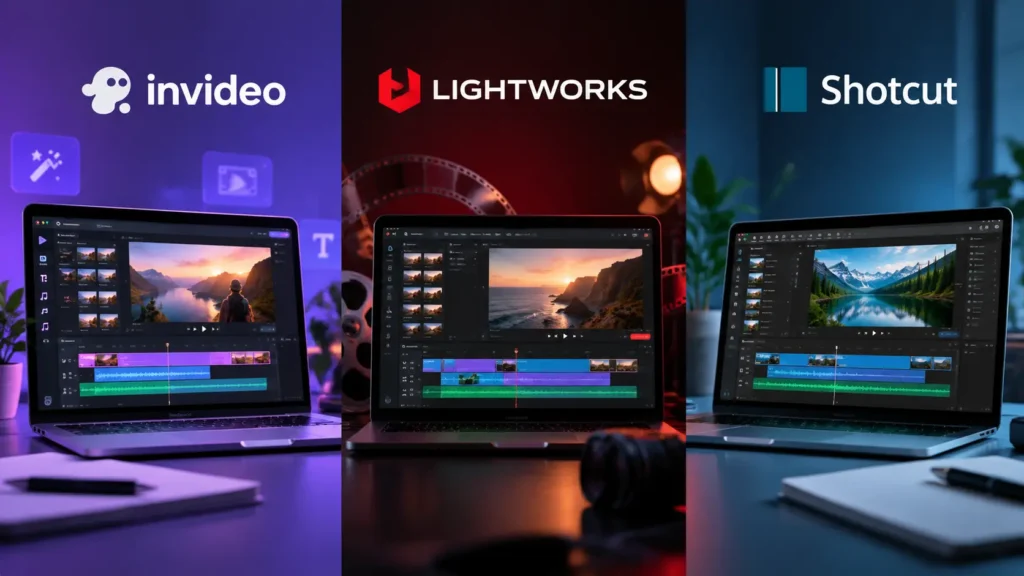
Quick Comparison: Invideo Editor vs Lightworks vs Shotcut
| Category | Invideo Editor | Lightworks | Shotcut |
| Editing approach | AI-assisted editing workflow | Traditional professional editing workflow | Open-source manual editing workflow |
| Main focus | Reducing repetitive editing tasks while keeping creative control | Detailed manual editing and professional controls | Learning video editing fundamentals |
| Workflow style | AI assistance combined with timeline refinement | Manual timeline-based editing | Manual editing with customization |
| Best suited for | Creators and editors handling raw footage and multiple versions | Editors who prefer traditional professional workflows | Beginners and learners exploring free editing tools |
| Project handling | AI-assisted footage review and editable timelines | Manual footage organization and editing | Manual footage organization and editing |
AI-Assisted vs Traditional Editing: Understanding the Difference
The biggest difference between modern editing workflows is not only the features available. It is how creators complete the editing process.
Traditional workflows usually require editors to manually handle each stage, including:
- Reviewing footage
- Selecting clips
- Arranging timelines
- Creating different versions
- Making adjustments
AI-assisted workflows introduce a different approach. Technology can support repetitive parts of editing while creators continue controlling the creative direction.
Modern AI tools allow creators to edit videos with AI by describing the type of changes they need and allowing AI assistance to handle repetitive editing tasks while keeping options available for timeline-based refinement.
This approach changes the role of the editor. Instead of spending most of their time on operational tasks, creators can focus more on storytelling, pacing, and improving the final viewing experience.
Invideo Editor: AI-Assisted Editing Workflow
Invideo Editor follows a workflow where AI editing agents support parts of the editing process while keeping the project available for further changes.
The workflow focuses on helping creators move from raw footage to a more organized starting point. AI agents can assist with reviewing footage, selecting usable material, removing unnecessary sections, and creating an editable base cut.
A base cut is the first complete timeline created from usable footage. It removes repeated takes, mistakes, and unnecessary sections while giving editors a starting point they can continue refining.
This approach can be useful for projects such as:
- Interviews
- Podcasts
- Long recordings
- Multi-camera videos
- Creator content
Invideo Editor combines AI assistance with a professional timeline, allowing creators to review results and continue making creative decisions throughout the editing process.
Lightworks: Traditional Professional Editing Workflow
Lightworks follows a traditional professional editing approach where editors manually control the complete editing process.
This workflow gives creators direct control over:
- Clip selection
- Timeline arrangement
- Transitions
- Effects
- Final adjustments
For editors who prefer hands-on control, this type of workflow provides a familiar environment where every creative decision is made manually.
Traditional editing tools also help creators develop strong editing fundamentals. Users learn how pacing, timing, storytelling, and visual choices affect the final result.
Lightworks can be suitable for editors who want to build experience with a professional timeline-based editing process.
Shotcut: Free and Open-Source Editing Workflow
Shotcut provides a free and open-source video editing experience.
It is often used by beginners, students, and creators who want to learn editing without investing in paid software.
The platform allows users to work with:
- Timeline editing
- Audio adjustments
- Video filters
- Basic effects
- Manual controls
For learners, Shotcut can be a useful way to understand the fundamentals of video editing.
However, many editing tasks require manual effort, which means larger projects may require more time for organizing footage, creating edits, and preparing different versions.
Comparing Key Editing Capabilities
Handling Raw Footage
Raw footage management is one of the biggest differences between these workflows.
Invideo Editor
AI-assisted workflows can support the early stages of editing by helping creators review footage and create a structured starting point.
Lightworks
Editors manually review footage, select clips, and build sequences based on their creative decisions.
Shotcut
Users manually organize footage and create timelines while learning the basics of editing.
Learning Experience
Each workflow offers a different learning path.
Invideo Editor
Creators can focus on directing edits, refining results, and improving storytelling while AI supports repetitive operations.
Lightworks
Editors learn professional editing techniques through detailed manual control.
Shotcut
Beginners can learn fundamental editing concepts through a free editing environment.
Creating Multiple Versions
Modern creators often need different versions of the same project.
Examples include:
- Social media clips
- Short videos
- Marketing content
- Platform-specific versions
Invideo Editor supports workflows where creators can continue refining projects and create different outputs from existing edits.
Traditional tools like Lightworks and Shotcut can also support multiple versions, but creators typically handle the process manually through timeline editing and adjustments.
How Video Editing Skills Are Changing
The growth of AI in video editing does not remove the importance of creative skills. Instead, it changes the way creators use technology.
Modern editors need a combination of:
- Storytelling skills
- Understanding of pacing
- Visual creativity
- Audio awareness
- Knowledge of new editing workflows
The future of video editing will involve creators combining human creativity with technology that supports repetitive production tasks.
Invideo Editor represents this shift by bringing AI editing assistance into a timeline-based environment where creators can review, adjust, and continue developing their projects.
Frequently Asked Questions
Is Invideo Editor different from traditional video editors?
Yes. Traditional editors usually require creators to manually complete most editing tasks, while invideo editor combines AI assistance with timeline-based editing.
Is Lightworks suitable for professional video editing?
Lightworks follows a traditional professional editing workflow and provides manual control over editing decisions.
Is Shotcut good for beginners?
Shotcut can be useful for beginners who want to learn video editing fundamentals through a free open-source tool.
Should creators learn AI-assisted editing?
AI-assisted editing is becoming part of modern video workflows. Learning both creative editing skills and new technologies can help creators adapt to changing production methods.
Conclusion
Invideo Editor, Lightworks, and Shotcut represent three different approaches to video editing.
Lightworks focuses on traditional professional editing control, Shotcut provides a free learning-focused environment, and invideo editor introduces an AI-assisted workflow designed to reduce repetitive editing work while keeping creative control available.
The right choice depends on the creator’s goals, experience level, and preferred way of working. Understanding different editing workflows helps creators choose tools that support their creative process and long-term learning goals.