
Yes, legitimate free online computer courses with certificates exist. Some platforms give you both the course and the certificate at no cost. Many others make the learning free but charge when you want the certificate.
That difference trips up many learners. You start a course, finish it, and only then see a payment page. This guide sorts the options into groups so you know what you’re getting before you start.
Course terms change often, so check the official page before you enroll. Where a policy tends to shift, I’ve said so.
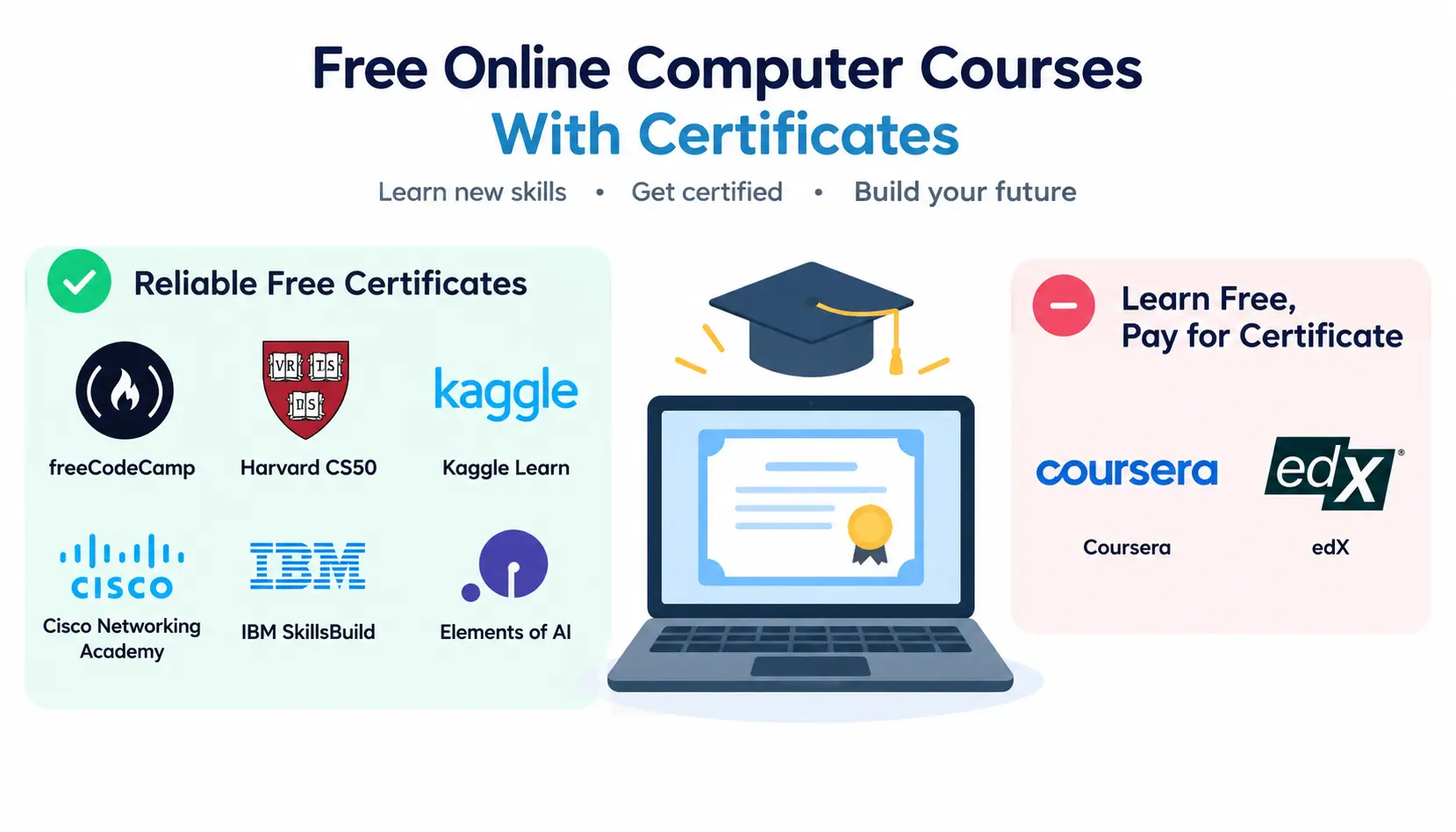
The most reliable free certificates come from freeCodeCamp, Harvard’s CS50 (through its own site), Kaggle Learn, Cisco Networking Academy, IBM SkillsBuild, and Elements of AI. Coursera and edX usually let you learn for free but charge for the verified certificate.
Best Free Online Computer Courses With Certificates
Best Overall Options
The table below lists strong starting points. Durations are rough estimates because most courses are self-paced.
| Course | Provider | Skill | Level | Duration (approx.) | Certificate | Cost | Best for |
| Responsive Web Design | freeCodeCamp | HTML, CSS | Beginner | Self-paced, project-based | Free certification after projects | Free | First website skills |
| Scientific Computing with Python | freeCodeCamp | Python | Beginner | Self-paced | Free certification after projects | Free | Learning Python by building |
| CS50x: Introduction to Computer Science | Harvard (CS50) | Computer science | Beginner | About 10–12 weeks | Free certificate via CS50 site after submitting work | Free (edX verified track is paid) | Serious CS foundations |
| Python, SQL, and ML micro-courses | Kaggle Learn | Data, Python, ML | Beginner | A few hours each | Free completion certificates | Free | Fast, practical data skills |
| Introduction to Cybersecurity | Cisco Networking Academy | Cybersecurity | Beginner | Around 15 hours | Free course completion badge/certificate | Free | Security basics |
| Elements of AI | University of Helsinki / MinnaLearn | AI fundamentals | Beginner | About 30 hours | Free certificate | Free | Non-technical AI overview |
| Azure and AI learning paths | Microsoft Learn | Cloud, AI | Beginner to intermediate | Varies by path | Free achievements and badges (exams are paid) | Free | Cloud career prep |
| SkillsBuild courses | IBM | AI, data, cloud, security | Beginner to intermediate | Varies | Free digital credentials | Free | Career-focused learners |
Not every offer stays the same forever, so confirm the certificate details on each provider’s page.
Free Programming Courses
Programming is the most popular route, and it has the best free options.
Python
Python is the friendliest first language for most people. Its syntax reads close to plain English.
- freeCodeCamp offers Python certifications built around projects.
- CS50P (Harvard’s Python course) is free, and it offers a free certificate when you complete the problem sets.
- Kaggle Learn has a short Python course with a free completion certificate.
- Cisco Networking Academy has run Python Essentials courses.
Java
Free Java certificates are harder to find than Python ones. The University of Helsinki’s MOOC.fi runs a well-regarded free Java programming course. Check its current certificate options before you begin.
JavaScript
freeCodeCamp’s JavaScript Algorithms and Data Structures certification is the standard free choice. You earn it by finishing exercises and building projects.
C/C++
Free certificates for C and C++ are rare. CS50x teaches C in its early weeks, which makes it a good way to learn the language properly. If you need a C++ credential specifically, expect to pay somewhere.
HTML and CSS
freeCodeCamp’s Responsive Web Design path is the clearest free option. You build real pages instead of just watching videos.
Free Computer Science Courses
Computer science courses teach how computers work: algorithms, memory, data structures, and problem-solving.
CS50x from Harvard is the best-known free option. It starts gently and moves into C, Python, SQL, and web development. Harvard also runs specialized follow-ups such as CS50 AI, CS50 SQL, and CS50W for web programming.
You can also audit university courses on edX and Coursera. MIT and Stanford also publish course materials online. These are great for learning, but they don’t always come with a free certificate.
Free Web Development Courses
A good web development path covers:
- HTML and CSS for structure and style
- JavaScript for behavior
- Front-end libraries such as React
- Basic back-end and database concepts for full-stack work
freeCodeCamp covers almost all of this in one place, with certifications at several stages. CS50W (Web Programming with Python and JavaScript) is a good next step after the basics.
Free Data and SQL Courses
Data skills are useful in almost every industry. You can learn SQL, databases, data analysis, and Python for data without paying.
- Kaggle Learn: Intro to SQL, Pandas, and data visualization micro-courses
- freeCodeCamp: Relational Database and Data Analysis with Python
- CS50 SQL: A focused course on databases
- IBM SkillsBuild: Data-focused learning paths
Free AI and Machine Learning Courses
AI has plenty of free entry points:
- Elements of AI explains AI concepts with almost no math.
- Kaggle Learn offers Intro to Machine Learning and related courses.
- freeCodeCamp has a Machine Learning with Python certification.
- CS50 AI covers search, knowledge, and neural networks.
- Microsoft Learn and IBM SkillsBuild provide AI fundamentals and generative AI content.
Free Cybersecurity Courses
Cybersecurity learning is easy to start at no cost:
- Cisco Networking Academy: Introduction to Cybersecurity and related courses
- IBM SkillsBuild: Security fundamentals
- freeCodeCamp: Information Security certification
- CS50 Cybersecurity: A newer CS50 course on security basics
For ethical hacking practice, platforms like TryHackMe offer free beginner rooms. These are hands-on labs, so don’t expect a formal certificate from every one.
Free Cloud and IT Courses
For cloud and IT work, look at:
- Microsoft Learn for Azure fundamentals
- AWS Skill Builder for cloud basics (many digital courses are free)
- Google Cloud Skills Boost (some content is free)
- Cisco Networking Academy for networking basics
- Linux Foundation intro courses on edX, free to audit
A lot of these give badges or completion records, not formal certifications. Official certification exams from Microsoft, AWS, and others cost money.
Which Free Computer Courses Actually Include a Free Certificate?
The word “free” covers four different situations. Knowing which one you’re in saves frustration.
Completely Free Course + Free Certificate
These are the strongest matches. You learn for free and earn a certificate without paying.
Examples include freeCodeCamp’s certifications, CS50’s free certificates through its own site, Kaggle Learn certificates, and Elements of AI. Cisco Networking Academy and IBM SkillsBuild also offer free completion credentials on many courses.
Free Course but Paid Certificate
This is the common model for massive open online courses (MOOCs). You can watch lectures and sometimes do assignments for free. If you want the shareable, verified certificate, you pay.
Coursera and edX both work this way for many courses.
Free Course + Free Badge
A digital badge is an online record showing you completed a course or skill. Microsoft Learn, IBM SkillsBuild, and Cisco often use badges.
A badge can still be useful. It just isn’t the same as a formal certificate.
Free Course With Financial Aid
Coursera and edX have financial aid or assistance programs for some courses. If approved, you may get the certificate for free or at a reduced price.
Approval isn’t guaranteed. You usually apply and wait, so start early if you need the certificate for a deadline.
Free Online Computer Courses by Skill Level
Beginner
Start here if you’re new to computers or coding:
- Computer fundamentals
- Office tools such as spreadsheets and documents
- Introductory programming (Python or CS50x)
- Basic web development (HTML and CSS)
Intermediate
Once you’re comfortable with the basics, move to:
- Python projects
- SQL and databases
- Web development with JavaScript
- Networking
- Data analysis
Advanced
Advanced paths usually take more time and more prior knowledge:
- Machine learning
- Cybersecurity
- Cloud architecture
- Advanced databases
- Software engineering practices
Free options exist at this level, but formal certificates get rarer. Projects and hands-on labs matter more here.
Free Computer Courses by Career Goal
For IT support: Cisco Networking Basics, Microsoft Learn fundamentals, and Linux introductions build the core skills.
For software development: Start with CS50x or freeCodeCamp’s Python and JavaScript, then learn Git and build projects.
For web development: Follow freeCodeCamp from HTML to JavaScript, then add CS50W or front-end libraries.
For data analysis: Combine Kaggle Learn (Python, Pandas, SQL) with freeCodeCamp’s data certifications.
For AI and machine learning: Learn Python first. Then take Elements of AI for concepts, followed by Kaggle’s ML courses or CS50 AI.
For cybersecurity: Learn networking and Linux first. Then take Cisco’s cybersecurity courses and practice on hands-on labs.
For cloud computing: Use Microsoft Learn, AWS Skill Builder, or Google Cloud Skills Boost, along with networking basics.
For students and beginners: CS50x is a strong choice. It’s well taught, widely used, and supported by a large community.
Best Platforms for Free Computer Courses With Certificates
freeCodeCamp
freeCodeCamp is a nonprofit. Its certifications are project-based. You complete lessons, then build required projects to earn the certificate.
The certificate is free. Its value comes from the projects you can show, not from a big-name brand.
Coursera
Coursera partners with universities and companies. Many courses let you enroll or audit for free, though some features are limited. Graded assignments and the certificate often require payment or approved financial aid.
Always check the enrollment page to see what your free option includes.
edX
edX offers courses from universities and institutions. The audit track is free and usually gives access to course materials for a limited time. The verified track costs money and gives you a certificate.
Stanford Online
Stanford Online has a catalog that includes some free courses and materials. Certificate options vary by course, so read each course page. Many free offerings are for learning, not credentials.
Harvard / CS50
The CS50 model is unusual. You can take the course free through CS50’s own site. It offers free certificates when you submit the required work.
The edX verified certificate is a separate, paid option. Neither one is a Harvard degree or academic credit.
Microsoft Learn
Microsoft Learn offers free learning paths, modules, and achievements. It’s especially good for Azure, AI, and Microsoft tools. Official Microsoft certification exams are paid, and passing them is a separate step from finishing free training.
IBM SkillsBuild
IBM SkillsBuild provides free courses in areas such as AI, data, cloud, and cybersecurity. Many courses come with digital credentials. It also includes career-skills content, such as workplace and professional development lessons.
Cisco Networking Academy
Cisco Networking Academy is a strong source for networking and cybersecurity basics. Many introductory courses are free. Higher-level certification exams, such as CCNA, cost money.
NPTEL and SWAYAM
NPTEL provides courses from the IITs and IISc. SWAYAM is India’s national platform for online courses. Learning is free, and certificates usually require you to register for and pass a proctored exam for a modest fee.
For Indian learners, these carry weight because of the institutions behind them. Check the current exam fees and dates on each course page.
Free Certificate vs Paid Certificate: What’s the Difference?
| Feature | Free certificate | Paid verified certificate |
| Course access | Usually free | Usually available |
| Certificate cost | No cost | Fee required |
| Identity verification | Depends on provider | More likely |
| Assessment | Depends on provider | Often required |
| Credential type | Completion certificate or badge | Verified credential |
| Résumé use | Depends on issuer | Depends on issuer |
Paid does not automatically mean better. A free freeCodeCamp certification with strong projects can help you more than a paid certificate with nothing behind it.
How to Check Whether a Computer Course Certificate Is Really Free
Before you invest time, run through this checklist.
Check the official course page. Read the provider’s own page, not a third-party list. Lists get outdated quickly.
Look for certificate pricing. If a price appears near the enroll button or in an FAQ, the certificate isn’t free.
Check whether assessment is required. Some certificates need graded assignments or a proctored exam. Those can carry fees.
Check certificate eligibility. Some courses only give certificates to certain enrollment types or regions.
Check whether the offer is temporary. Providers sometimes run limited-time free programs. For example, ISC2 has run free training and exam offers in the past. Don’t assume they last.
Confirm the issuing organization. Make sure the certificate comes from the provider you expect, not a reseller.
Check whether the credential is shareable. You should be able to get a link or PDF to add to LinkedIn or a résumé.
How to Choose the Right Free Computer Course
Start with your career goal. A future web developer and a future network technician need different skills.
Match the course to your level. A beginner in an advanced course quits fast. So does an expert in a basic one.
Check the curriculum. Look for the topics that match your goal, not just a catchy title.
Check the certificate type. Is it a completion certificate, a badge, or a verified credential?
Check the time commitment. Be realistic about weekly hours. A 100-hour course at five hours a week takes about five months.
Look for projects and assessments. Projects prove you can apply what you learned.
Check whether the course is current. Technology moves quickly. Look at the last update date.
Verify the provider. Stick with universities, nonprofits, and well-known technology companies.
What Computer Skills Should Beginners Learn First?
Follow a simple progression:
Computer fundamentals → digital productivity → programming basics → databases → specialized skill
First, understand files, browsers, and how operating systems work. Next, learn documents and spreadsheets. Then try programming, move to databases, and finally pick a specialty.
Routes differ by goal:
- Programming: Python, then Git, then a project
- IT: Computer basics, networking, Linux, then support skills
- Data: Spreadsheets, SQL, Python, then visualization
- Web development: HTML, CSS, JavaScript, then a portfolio site
- Cybersecurity: Networking, Linux, security basics, then labs
- AI: Python, basic statistics, machine learning, then projects
Can Free Online Computer Courses Help You Get a Job?
They can help, but the certificate alone rarely does the job.
What a Certificate Can Demonstrate
A certificate shows initiative. It also shows that you finished a structured course and covered certain topics.
What a Certificate Cannot Demonstrate
It doesn’t prove you can solve real problems under pressure. It doesn’t replace experience, and it isn’t the same as a professional certification.
Why Projects Matter
Hiring managers want to see what you can build. Picture two candidates with the same certificate. One has a small app on GitHub, and the other has nothing. The first one is easier to trust.
Discussions on communities like r/cscareerquestions and r/learnprogramming often make the same point: employers care more about skills and projects than course certificates.
How to Build a Portfolio Alongside Your Course
Build something small after each module. Here are practical ideas:
- A personal website with HTML, CSS, and JavaScript
- A to-do or budget tracker app in Python
- A data analysis of a public dataset with charts
- A simple SQL database for a small business, such as a bookstore
- A home network diagram with notes on security settings
- A small machine learning model, such as a spam classifier
Put the code on Git hosting such as GitHub, and write a short README explaining what each project does.
How to Put a Free Computer Course Certificate on Your Résumé
Where to List It
Use a “Certifications” or “Courses and Training” section. If you’re early in your career, put it near the top, after your projects.
How to Write the Credential
Be specific and honest. For example:
CS50x: Introduction to Computer Science, Harvard University (CS50), online course completion certificate, 2026
Add the provider, the course name, and the year.
What Not to Claim
Don’t say you have a Harvard degree or a “Microsoft certification” when you completed a free course. Don’t call a completion badge a professional certification.
The difference is real. A professional certification usually requires passing an exam given by an official body. A course certificate shows you completed learning.
Adding It to LinkedIn
On your LinkedIn profile, add it under “Licenses & Certifications.” Fill in the name, issuing organization, dates, and the credential URL if you have one. You can find the current steps in the LinkedIn Help Center.
Free Computer Course Learning Paths
Here are five paths you can follow in order.
Beginner Programming Path
Computer basics → Python → SQL → Git → project
Take a short computer basics course, then CS50P or freeCodeCamp’s Python. Add SQL, learn Git, and finish with a small project.
Web Development Path
HTML → CSS → JavaScript → Git → portfolio website
freeCodeCamp covers this whole path. Publish the final portfolio site online.
Data Path
Excel → SQL → Python → data visualization → portfolio project
Start with spreadsheets, then learn SQL and Python. Finish by analyzing a real dataset and sharing your findings.
AI Path
Python → statistics → machine learning → AI projects
Learn Python first, since most AI tools use it. Add basic statistics, then take a machine learning course and build a small project.
Cybersecurity Path
Networking → Linux → security fundamentals → hands-on labs
Understand how networks work, get comfortable with the Linux command line, and then learn security basics. Practice in safe lab environments.
Common Mistakes to Avoid
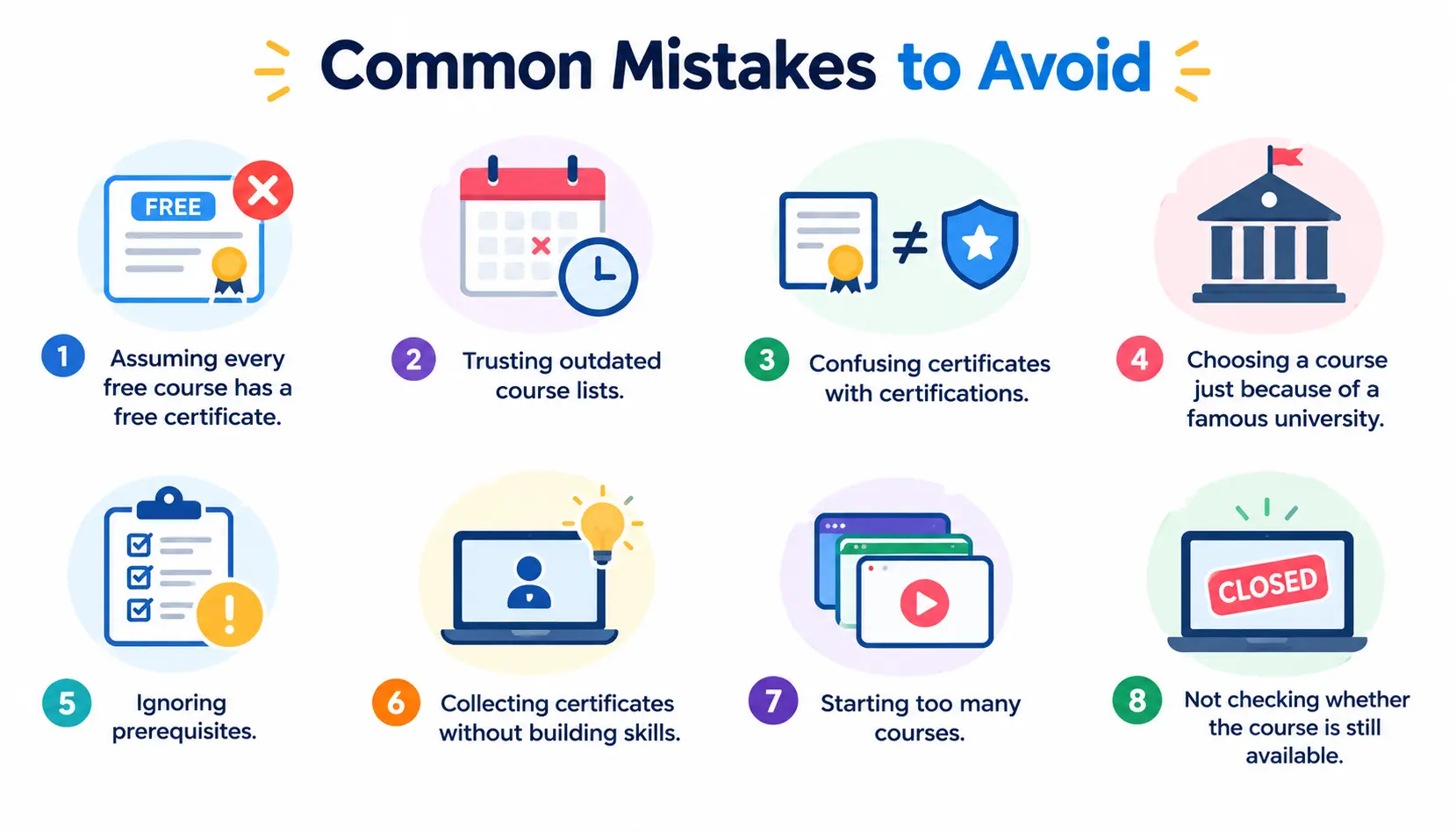
- Assuming every free course has a free certificate. Many don’t.
- Trusting outdated course lists. Offers change. Always verify.
- Confusing certificates with certifications. They aren’t the same.
- Choosing a course solely because of a famous university. Fit and quality matter more.
- Ignoring prerequisites. Skipping them leads to frustration.
- Collecting certificates without building skills. Five certificates and no projects won’t stand out.
- Starting too many courses. Finish one before you begin another.
- Not checking whether the course is still available. Enrollment can close or change.
Are Free Online Computer Certificates Worth It?
They’re worth it when you use them well. On their own, they have limits.
When They Are Useful
- You’re learning a new skill and want structure
- You need proof of effort for a career change
- You’re building a portfolio and want guided practice
- You’re testing whether a field suits you before spending money
When They Have Limited Value
- The certificate is the only thing on your résumé
- The provider isn’t well known
- The job requires a formal certification or degree
- You collected the certificate without doing the work
How to Increase Their Value
Certificate + skills + project + portfolio + practical experience.
Pair each course with something you can show. Contribute to a small open-source project, do freelance work, or volunteer your skills for a local group. Ask for feedback in communities such as r/learnprogramming or r/learnpython.
Final Thoughts on Free Online Computer Courses With Certificates
Free online computer courses with certificates are real, and some are excellent. The key is to know what you’re getting: a free certificate, a paid one, or just a badge. Then choose a course that fits your goal and back it up with projects.
Pick one path from this guide, start with a single course, and finish it. That will do more for your career than any list of certificates.
FAQs About Free Online Computer Courses With Certificates
1. Can I get a computer certificate online for free?
Yes. Providers such as freeCodeCamp, CS50, Kaggle Learn, Cisco Networking Academy, IBM SkillsBuild, and Elements of AI offer free certificates or credentials on selected courses. Terms change, so confirm on the official course page.
2. Which website offers free computer courses with certificates?
freeCodeCamp is one of the best-known. Kaggle Learn, CS50, IBM SkillsBuild, and Cisco Networking Academy also offer free completion credentials on many courses.
3. What is the best free computer course for beginners?
CS50x is a strong choice if you want a full introduction to computer science. If you’d rather start with coding by building, freeCodeCamp’s Responsive Web Design or Python paths are good options.
4. Are free online computer certificates recognized?
It depends on the issuer and the employer. They show initiative and completed learning, but they carry less weight than degrees or professional certifications. Pair them with projects for the best results.
5. Can I learn computer programming for free?
Yes. Platforms such as freeCodeCamp, CS50, Kaggle Learn, and MOOC.fi teach programming at no cost. You may need to pay only if you want certain verified certificates.
6. Can I learn Python for free with a certificate?
Yes. freeCodeCamp, CS50P, and Kaggle Learn all offer free Python courses with free certificates or completion credentials.
7. Can I learn computer science for free online?
Yes. CS50x from Harvard is the most popular free option. Many universities also publish course materials online, though certificates for those aren’t always free.
8. Are Coursera computer certificates free?
Usually not. Many Coursera courses let you learn for free, but the certificate typically requires payment or approved financial aid. Check the specific course page.
9. Are edX computer certificates free?
Usually not. edX generally offers a free audit track and a paid verified track. Financial assistance may be available on some courses.
10. Does freeCodeCamp offer free certificates?
Yes. freeCodeCamp provides free certifications that you earn by completing the course projects.
11. Can I put a free online course certificate on my résumé?
Yes, as long as you describe it accurately. List it as a course completion, include the provider and year, and don’t present it as a professional certification or a degree.
12. Do free computer courses require a degree?
No. Most free computer courses have no degree requirement. Some advanced courses expect background knowledge, such as programming or math, so read the prerequisites first.
Conclusion
Free online computer courses with certificates can be a smart way to start or grow a tech career. But “free” means different things on different platforms. Some give you a free course and a free certificate. Others give you free lessons and charge for the credential.
Before you enroll, check the official course page. Look for certificate pricing, assessment rules, and whether the offer is temporary. A few minutes of checking can save you weeks of frustration.
Also keep in mind that the certificate is only part of the picture. Employers care most about what you can do. Pair each course with a project, put your work on GitHub, and be honest about what your credential is on your résumé.
Your next step is simple. Pick one path from this guide, such as CS50x, freeCodeCamp’s Python or web development track, or Cisco’s cybersecurity basics. Finish it, build something with what you learned, and then choose your next course.