
Every time you turn on a laptop that boots in seconds and runs a dozen programs at once, you’re benefiting from a breakthrough that happened over 60 years ago. That breakthrough was the integrated circuit, and it gave rise to what we now call third generation computers.
This generation covers roughly 1964 to 1971, and it sits right in the middle of the broader Generations of Computers story. If you’ve already read about vacuum tubes and transistors, this is the natural next stop. Third generation computers followed Second Generation Computers and set the stage for the microprocessor-driven Fourth Generation Computers that came after them.
In this guide, we’ll walk through what made this era different, how the technology actually worked, and why machines like the IBM System/360 still get mentioned in computer science classrooms today.
What Are Third Generation Computers?
Third generation computers are computing machines built using integrated circuits (ICs) instead of individual transistors. An integrated circuit packs many transistors, resistors, and other electronic components onto a single small chip of silicon.
This one change made computers smaller, faster, cheaper to produce, and far more reliable than anything before them.
Why They Are Called Third Generation Computers
Computer history is usually divided into generations based on the core technology used to build the machine. First generation computers used vacuum tubes. Second generation computers used transistors. When engineers figured out how to put multiple transistors onto a single chip, that innovation defined the third generation.
Each generation shift wasn’t just a hardware update. It changed how fast computers could run, how much they cost, and who could actually afford to use one.
Time Period (1964–1971)
Most historians mark the start of this era with the launch of the IBM System/360 in 1964 and its close with the arrival of the first commercial microprocessor, the Intel 4004, in 1971. That seven-year window saw computing shift from something only large corporations and government agencies could afford to something universities, mid-sized businesses, and research labs could realistically use.
History of Third Generation Computers
Limitations of Second Generation Computers
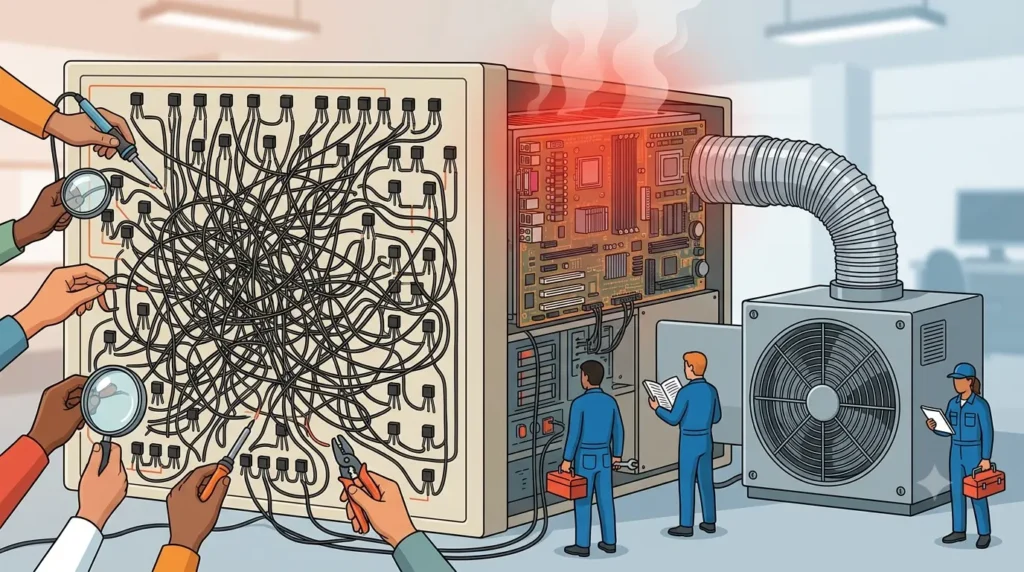
Transistor-based computers were a huge leap forward from vacuum tubes, but they had real limits. Assembling thousands of individual transistors by hand was slow, expensive, and left plenty of room for wiring errors. Machines were also still bulky and generated a lot of heat, which meant they needed dedicated cooling systems and maintenance staff.
Engineers needed a way to shrink the components and reduce the number of individual parts that had to be wired together by hand.
Invention of the Integrated Circuit
The answer came from two engineers working independently. In 1958, Jack Kilby at Texas Instruments built the first working integrated circuit, proving that multiple electronic components could exist on a single piece of germanium. A year later, Robert Noyce at Fairchild Semiconductor developed a more practical version using silicon, which became the design that manufacturers actually adopted at scale.
Kilby later received the Nobel Prize in Physics in 2000 for this work, and his invention is widely documented on Wikipedia’s integrated circuit history page.
Transition from Transistors to ICs
Moving from discrete transistors to integrated circuits wasn’t instant. Manufacturers had to develop new fabrication techniques, and early ICs were expensive to produce in bulk. But once production scaled up, the cost per chip dropped fast, and the benefits were obvious enough that every major computer maker jumped on board within a few years.
Commercial Adoption of Integrated Circuit Computers
By 1964, IBM had bet its entire product line on integrated circuit technology with the System/360. That gamble paid off. Businesses that once viewed computers as a luxury started treating them as a practical tool for payroll, inventory, and record keeping.
How Third Generation Computers Worked
What Is an Integrated Circuit (IC)?
Think of an integrated circuit as a tiny city built on a chip of silicon, where transistors act like switches controlling traffic. Instead of wiring hundreds of separate switches together by hand, engineers could now etch that entire network directly onto one small piece of material.
How Integrated Circuits Work
An IC is manufactured by layering thin films of conducting and insulating material onto a silicon wafer, then using a photographic process to etch circuit patterns into those layers. This process, called photolithography, allowed manufacturers to fit far more components into far less space than manual assembly ever could.
Early ICs used two levels of integration:
- SSI (Small-Scale Integration): a handful of transistors per chip, used in the earliest third-generation machines.
- MSI (Medium-Scale Integration): dozens to hundreds of transistors per chip, which appeared later in the era and pushed performance even higher.
Semiconductor Technology
Silicon became the material of choice because it’s abundant, relatively cheap, and behaves predictably as a semiconductor, meaning it can act as either a conductor or an insulator depending on how it’s treated. This is the same basic material still used in chips today, just manufactured at a scale Kilby and Noyce could never have imagined.
Memory and Storage Devices
Third generation computers moved away from magnetic drum storage and leaned more heavily on magnetic core memory for main storage, along with magnetic tape and early disk drives for long-term data. Storage capacity grew significantly compared to the second generation, which meant computers could handle larger databases and more complex programs.
Input and Output Devices
Punch cards were still common, but this generation also introduced keyboards and monitors as more computers moved toward interactive use. Line printers became standard for producing reports, which mattered a lot to the business customers IBM and its competitors were now chasing.
Time-Sharing and Multiprogramming
Perhaps the most important software shift of this era was the move toward multiprogramming, where a computer could hold multiple programs in memory and switch between them efficiently. This led directly to time-sharing, a setup where multiple users could access the same computer at the same time through separate terminals, each getting a slice of processing time.
If you’ve ever used a cloud server that multiple people log into remotely, you’re using a direct descendant of this idea.
Characteristics of Third Generation Computers
Smaller Size
Because integrated circuits replaced racks of individual transistors, computers shrank dramatically. Machines that once filled a room could now fit into something closer to a large cabinet.
Faster Processing Speed
Shorter electrical paths between components meant signals traveled faster, which translated into processing speeds measured in microseconds and, by the end of the era, nanoseconds.
Higher Reliability
Fewer hand-soldered connections meant fewer points of failure. IC-based machines broke down far less often than their transistor-based predecessors.
Lower Power Consumption
Integrated circuits used less electricity than equivalent transistor assemblies, which lowered operating costs for businesses running computers around the clock.
Reduced Heat Generation
Less power draw also meant less heat, which reduced the need for the heavy-duty cooling systems that second generation machines required.
Better Memory Capacity
Magnetic core memory and improved storage devices gave third generation computers noticeably more working memory than their predecessors, allowing for more complex software.
Support for Operating Systems
This was the first generation to widely run genuine operating systems capable of managing multiple tasks and multiple users, rather than running one program at a time.
Features of Third Generation Computers
- Built using integrated circuits rather than individual transistors
- Supported high-level programming languages like FORTRAN, COBOL, and BASIC
- Introduced multiprogramming and time-sharing operating systems
- Used magnetic core memory alongside early disk storage
- Enabled remote access through terminals connected to a central mainframe
- Significantly more affordable to manufacture and operate than earlier generations
Advantages of Third Generation Computers
- Smaller footprint: IC-based machines took up far less physical space than vacuum tube or transistor computers.
- Improved speed: Shorter circuit paths meant calculations happened much faster.
- Better reliability: Fewer manual connections meant fewer hardware failures.
- Lower cost of ownership: Reduced power and cooling needs cut operating expenses.
- Multi-user capability: Time-sharing let several people use one machine at once, which made computing far more accessible to universities and businesses.
- Easier programming: High-level languages meant programmers no longer had to write in machine code for every task.
Disadvantages of Third Generation Computers
- Still expensive for individuals: Even with cost reductions, these machines were priced for organizations, not households.
- Required specialized environments: Many systems still needed controlled temperature and humidity to run reliably.
- Air conditioning and maintenance needs: Large installations still required dedicated technical staff.
- Limited by today’s standards: Processing power and memory were tiny compared to even a basic modern smartphone.
- Manufacturing complexity: Producing integrated circuits required precision equipment that only a handful of companies could manage at the time.
Programming Languages and Operating Systems
FORTRAN
Short for Formula Translation, FORTRAN was widely used for scientific and engineering calculations and remained popular throughout this era for numerical computing.
COBOL
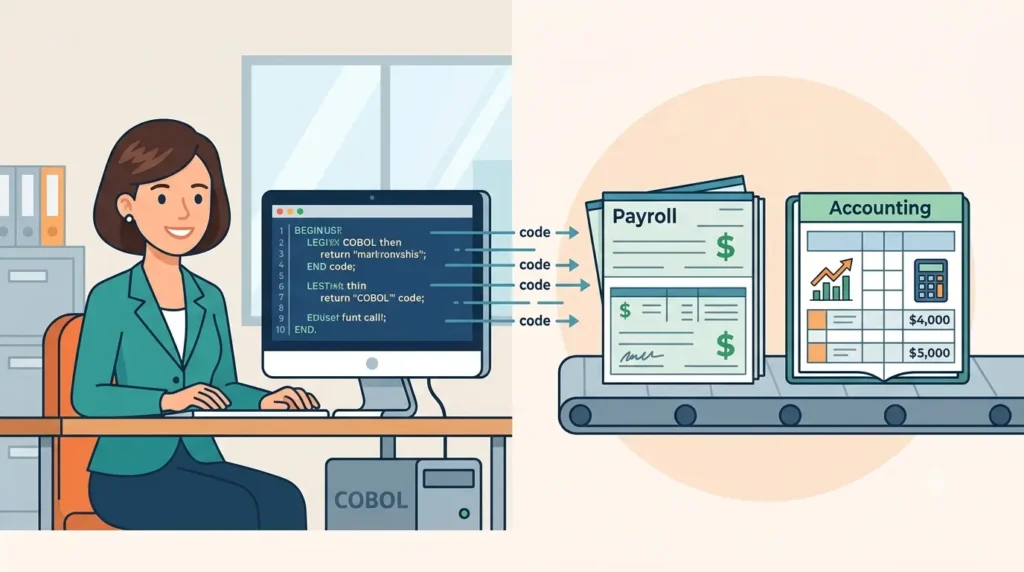
Common Business-Oriented Language became the go-to choice for business applications like payroll and accounting, thanks to its readable, English-like syntax.
BASIC
Developed in 1964, BASIC was designed to be simple enough for students to learn, and it played a major role in making programming accessible outside of specialist engineering circles.
Multiprogramming
Operating systems in this generation could load several programs into memory simultaneously and switch the processor’s attention between them, which kept expensive hardware busy instead of sitting idle waiting for input.
Time-Sharing Operating Systems
Time-sharing systems, such as those developed for the CTSS project at MIT, let multiple users interact with a computer through terminals in near real time. This concept quietly laid the groundwork for the multi-user systems and cloud computing we rely on now, a connection worth exploring further in discussions on communities like r/computerscience on Reddit, where enthusiasts frequently trace modern computing concepts back to this exact era.
Examples of Third Generation Computers
IBM System/360
Features
The System/360 was actually a family of compatible computers rather than a single machine, ranging from small business models to powerful scientific systems, all able to run the same software.
Applications
Businesses used it for accounting, inventory management, and payroll, while research institutions used larger models for scientific computing.
Historical Significance
Led by chief architect Gene Amdahl, the System/360 is widely regarded as one of the most important computers ever built because it introduced the idea of a compatible product family, meaning customers could upgrade hardware without rewriting all their software. IBM’s own historical archive documents this shift in detail, and it remains a common reference point in computing history discussions on Wikipedia.
PDP-8
Released by Digital Equipment Corporation (DEC) in 1965, the PDP-8 is often credited as the first successful commercial minicomputer. It was small and inexpensive enough that individual departments and labs could own one, rather than sharing time on a single mainframe.
CDC 6600
Designed by legendary engineer Seymour Cray at Control Data Corporation, the CDC 6600 is often called the first true supercomputer. It was built for heavy scientific and numerical workloads and outperformed every other computer of its time.
Honeywell 6000
Honeywell’s 6000 series competed directly with IBM’s mainframes and was widely used in government and large enterprise settings throughout the late 1960s and into the 1970s.
ICL 1900 Series
Built by International Computers Limited in the UK, the 1900 Series became one of the most widely used mainframe families in Britain, serving businesses, universities, and government departments.
Applications of Third Generation Computers
Business Data Processing
Companies used these machines for payroll, billing, and inventory tracking, tasks that had previously required large teams of clerks.
Banking
Banks adopted third generation computers for account management and transaction processing, which laid the groundwork for the automated banking systems we use today.
Education
Universities used time-sharing systems to give students and researchers hands-on access to computing resources, often for the first time.
Scientific Research
Machines like the CDC 6600 handled complex simulations and calculations for physics, meteorology, and engineering research.
Government
Government agencies used these systems for census data, defense projects, and administrative record keeping.
Aerospace
NASA and aerospace contractors relied on third generation computers for trajectory calculations and systems monitoring during the early space program, including parts of the Apollo missions.
Second Generation vs Third Generation Computers
Comparison Table
| Feature | Second Generation | Third Generation |
|---|---|---|
| Core Technology | Transistors | Integrated Circuits |
| Size | Large, but smaller than first gen | Significantly smaller |
| Speed | Microseconds | Microseconds to nanoseconds |
| Reliability | Improved over vacuum tubes | Much higher |
| Programming | Assembly and early high-level languages | FORTRAN, COBOL, BASIC |
| Operating System | Batch processing | Multiprogramming, time-sharing |
| Cost | High | Lower, more accessible |
Major Improvements
The jump from transistors to integrated circuits reduced manufacturing complexity, improved reliability, and made multi-user computing practical for the first time. This is the generation where computing started shifting from a specialist tool to something entire organizations could build workflows around.
Third Generation vs Fourth Generation Computers
Key Differences
Fourth generation computers, which began around 1971, took integration even further with Large-Scale Integration (LSI) and eventually Very-Large-Scale Integration (VLSI), packing thousands or even millions of transistors onto a single chip.
Why Microprocessors Replaced Integrated Circuits
The invention of the microprocessor, starting with the Intel 4004 in 1971, combined an entire central processing unit onto one chip. This eliminated the need for multiple separate ICs to handle processing tasks, which paved the way for personal computers and, eventually, the devices we all carry in our pockets today.
Timeline of Third Generation Computer Development
| Year | Innovation | Importance |
|---|---|---|
| 1958 | Jack Kilby invents the integrated circuit | Proved multiple components could work on a single chip |
| 1959 | Robert Noyce develops a practical silicon IC | Made mass production of ICs feasible |
| 1964 | IBM launches the System/360 | Marked the commercial start of the third generation |
| 1964 | BASIC programming language introduced | Made programming accessible to non-specialists |
| 1965 | PDP-8 released by DEC | Popularized the minicomputer |
| 1965 | Gordon Moore outlines what becomes Moore’s Law | Predicted the pace of chip miniaturization |
| 1971 | Intel 4004 microprocessor released | Signaled the shift toward the fourth generation |
Legacy of Third Generation Computers
Rise of Commercial Computing
This era proved that computers could be practical business tools, not just research curiosities, which opened the door for the enterprise computing industry we recognize today.
Foundation for Modern Operating Systems
Multiprogramming and time-sharing concepts developed in this generation are still core to how modern operating systems, including the ones on your phone, manage multiple apps and background processes at once.
Influence on Fourth Generation Computers
Every improvement in integration during this period, from SSI to MSI, set the technical foundation for LSI and VLSI chips, which made personal computers possible just a few years later.
Frequently Asked Questions About Third Generation Computers
What are third generation computers?
They are computers built using integrated circuits instead of individual transistors, roughly spanning 1964 to 1971.
What technology was used in third generation computers?
Integrated circuit technology, along with magnetic core memory and, later in the era, early disk storage.
What are integrated circuits (ICs)?
Small chips that combine multiple transistors and other electronic components onto a single piece of semiconductor material, usually silicon.
Why did integrated circuits replace transistors?
ICs were smaller, faster, more reliable, and cheaper to produce at scale once manufacturing techniques matured.
What are the characteristics of third generation computers?
Smaller size, faster speed, higher reliability, lower power consumption, and support for multiprogramming operating systems.
What are the advantages of third generation computers?
Reduced size and cost, improved speed and reliability, and the ability to support multiple users at once through time-sharing.
What are the disadvantages of third generation computers?
They were still expensive for individuals, required specialized environments, and were far less powerful than modern devices.
Which operating systems were introduced in the third generation?
Time-sharing and multiprogramming operating systems, including early systems like MIT’s CTSS, became widely used during this period.
What programming languages were used in third generation computers?
FORTRAN, COBOL, and BASIC were among the most widely used.
What are examples of third generation computers?
The IBM System/360, DEC’s PDP-8, the CDC 6600, the Honeywell 6000, and the ICL 1900 Series.
What is IBM System/360?
A family of compatible computers launched by IBM in 1964, known for letting customers upgrade hardware without rewriting their software.
What is PDP-8?
A minicomputer released by Digital Equipment Corporation in 1965, widely credited as the first commercially successful small computer.
What is the difference between second and third generation computers?
Second generation computers used transistors, while third generation computers used integrated circuits, resulting in smaller size, faster speed, and better reliability.
Why were third generation computers replaced?
The invention of the microprocessor in 1971 allowed an entire processor to fit on a single chip, making computers even smaller and more powerful, which defined the fourth generation.
What was the impact of third generation computers on businesses?
They made computing affordable and practical enough for everyday business tasks like payroll, banking, and inventory management, moving computers from research labs into offices.
Conclusion
Third generation computers mark the point where computing stopped being a novelty for scientists and government agencies and started becoming a genuine business tool. The shift from transistors to integrated circuits, driven by the work of Jack Kilby and Robert Noyce, made machines smaller, faster, and reliable enough for banks, universities, and manufacturers to depend on every day.
Landmark systems like the IBM System/360 and the PDP-8 didn’t just sell well. They changed how organizations thought about computing, and they laid the technical groundwork that led directly to the microprocessors and personal computers of the fourth generation. Understanding this generation gives you a clearer picture of how we got from room-sized machines to the device you’re reading this on right now.