
A construction project can have some of the most seasoned employees, a nicely organized schedule, and reliable suppliers, but that still doesn’t mean that everything will function smoothly, because problems of any kind can occur due to the fact that the information that’s necessary to keep everything moving is frequently hard to find.
The newest plans might be in an email, a subcontractor could be working from an outdated drawing, and the project manager may be waiting for someone to send them an update that a person on site has sent.
These kinds of situations are pretty common in many construction businesses. They are hardly ever caused by a massive failure. This is one reason construction companies are more focused on their digital infrastructure.
Technology isn’t restricted solely to the office computer employed for estimates and invoices. For modern job sites, upgrading digital systems isn’t as much about embracing state-of-the-art technology on the market, as much as it is about making everyday tasks easier to coordinate.
When the right people receive information simultaneously, teams can make wise decisions much faster and, concurrently, refrain from making mistakes that are too difficult to correct.
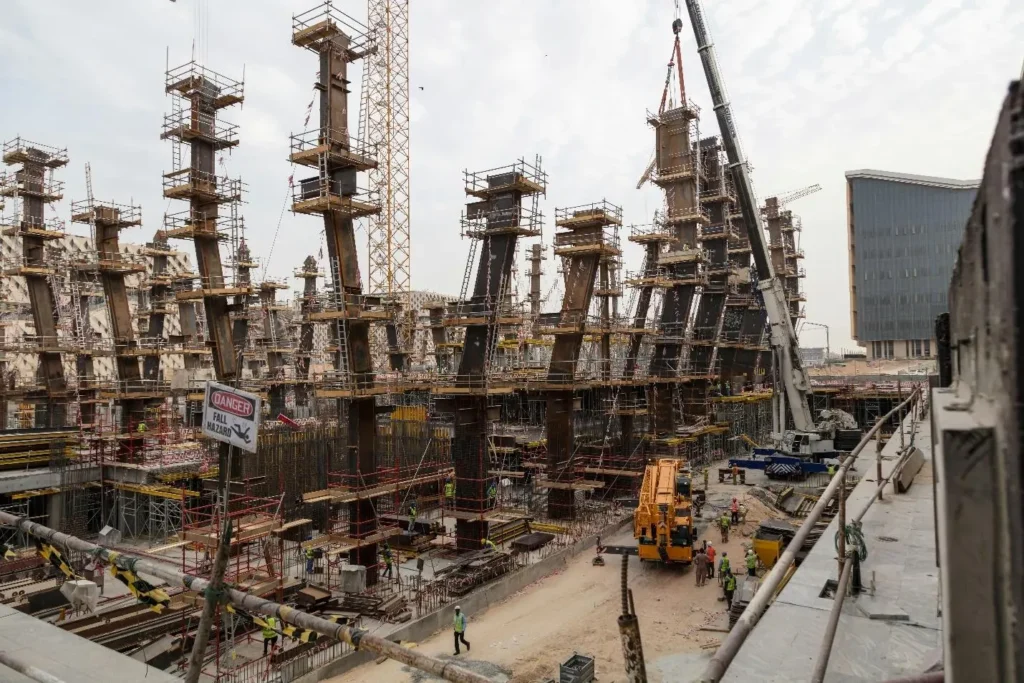
Construction Work Depends On Reliable Information
Construction projects involve a large number of moving parts. Architects, engineers, general contractors, subcontractors, suppliers, inspectors, and clients may all need access to different pieces of project information.
Even on a relatively small job, keeping everyone informed can become difficult once work begins. Consider a project where an engineer revises a structural detail after a site inspection. The updated drawing needs to reach the project manager, the relevant subcontractor, and the workers responsible for carrying out the installation.
If one person continues using the previous version, the team may have to stop work, remove completed work, or order replacement materials. A shared digital environment can make this process easier to manage.
Updated drawings and project documents can be stored in a central location, with access permissions and version histories helping teams identify the current information. Instead of searching through messages or relying on printed copies that may have been left in a vehicle, workers can consult the appropriate files from a connected device.
Of course, digital access does not eliminate the need for proper procedures. Workers still need to know which drawings apply to their tasks, and important revisions should be communicated clearly.
The benefit is that the company has a more dependable way to distribute and track that information. As projects become larger and more teams get involved, having a consistent system becomes a lot more beneficial.
Outside IT Support Is At Times Necessary
Not every construction business has the means to make use of an internal IT team. A company that is relatively small might have one person who handles any computer and software-related issues, and so on.
That arrangement is acceptable for a while, but it’s not a good idea in the long run, especially if the firm decides to hire more people, opens new sites, etc. These problems won’t occur overnight, but gradually.
A brand-new project needs more user accounts, an office moves to an entirely new location, or the workforce starts employing a new application that must merge with current software. A person who’s responsible for IT may be capable of handling individual requests but cannot properly plan upgrades, handle security, and so on.
And that’s something that can seriously disrupt organizational operations. In these instances, construction managed IT services may be something that you’ll take into account. Depending on the provider, this kind of support can encompass device management, system monitoring, cybersecurity, backup arrangements, troubleshooting, etc.
Its main purpose is to provide construction enterprises with ongoing technical support without forcing them to build a large internal IT department. You need to ask yourself if the service accommodates the business’s working practices.
A provider is supposed to understand that a construction team may need assistance outside ordinary office hours, that losing access to project documents may affect work in a flash, and many other things that shouldn’t be taken for granted.
Aside from that, companies should determine what is included in an agreement. Response times, support for mobile devices, backup responsibilities, security monitoring, etc. must be clear before further steps are taken, as far as work goes.
But don’t forget that external support isn’t the only solution. Certain businesses have a solid amount of internal expertise to manage their own systems, and then there are those that love mixing an internal IT employee with specialist outside assistance.
There’s no such thing as one-size-fits-all, because it all comes down to the size of the business, how complex its systems are, and the level of support its projects need.
Paper-Based Processes Aren’t Easy To Maintain
Paper documents are still useful on construction sites. Printed plans are handy during inspections, and some workers like having physical copies when talking through technical details.
Problems start when paper is the main way to share, update, and record information. For example, someone might have to bring a printed form back to the office before entering the details into a spreadsheet.
A delivery receipt might sit in a vehicle for days. Daily progress notes can be hard to find when a manager needs to check what happened during a shift. These delays add extra work for people who already have busy schedules.
These issues also make it harder to get a full view of the project while work is happening. Digital forms and mobile reporting tools can help reduce some of this paperwork. For example, a site supervisor can record an inspection result on a tablet, add photos of an issue, and send the report to the right team without going back to the office.
Project managers can check updates as they arrive instead of waiting for paperwork to be gathered and processed. The switch to digital does not need to happen overnight. Companies can start with the processes that cause the most delays, like daily reports, delivery records, safety documents, or requests for information.
Once those are easier to manage, more tasks can move into the same digital systems, not to eliminate paper simply for the sake of modernization. It is to reduce the time spent moving information from one person to another.
The Benefits Of Connectivity
What’s worth reminding is that a construction site isn’t just an ordinary office. How come, you probably wonder? Well, that’s because employees may be “scattered” across different floors, working in temporary structures or residing in areas where you cannot always have a stable internet connection.
This makes connectivity an essential part of digital infrastructure planning. The workforce must access the systems they employ without needing to return to a site office each time they need a document or decide to report an issue.
Depending on the location, a firm may use a mixture of fixed internet, safe wireless networks, offline-capable applications, and such. Temporary construction offices are a little bit different than conventional ones.
They normally require a different setup from a permanent headquarters, while large projects can come with different coverage requirements in divided parts of the site. The practical details are really crucial.
A network that works great in the site office may not function well in a basement or behind thick concrete walls. Devices are supposed to be suitable for the working environment, and staff are supposed to be familiar with all the steps that need to be taken when a connection isn’t available.
Offline access can be of huge importance where connectivity is inconsistent. Employees can finish specific tasks without a live connection and upload the results when service is “live” again. Now, before you buy new equipment, it would be advisable to first evaluate where connectivity problems happen and which applications your workers really need.
Securing Project Data And Business Systems
Construction companies now manage much more digital information than before. Their project files can include things like detailed drawings, contracts, payment records, employee details, supplier agreements, and client emails.
Some of these records are sensitive, and losing them can disrupt a whole project. This risk is not just for big companies. Smaller contractors can also face problems if email accounts are hacked, devices are stolen, malware is installed, or important files are accidentally deleted.
If a business uses only a few laptops and shared passwords, it may not have many ways to fix things when problems happen.
Simple security steps can stop many common issues. Every employee should have their own account, only get access to what they need for their job, and use multifactor authentication on important systems when possible.
Software and devices should be updated regularly, and backups need to be kept and tested instead of just assuming they work. Construction companies should also think carefully about who they let access their systems.
Subcontractors and outside consultants might need access to certain project folders, but they should not get access to everything. As projects move forward and outside relationships change, permissions should be checked and updated.
It’s safe to say that modern job sites are heavily reliant on a lot of different things, not just skilled employees, materials, and tools. And that’s exactly why it’s pivotal to focus on upgrading digital infrastructure, because that’s something that’s going to help you navigate even the most complicated tasks.