
Choosing an enterprise resource planning system is not like subscribing to another productivity app. An ERP platform can influence how a company handles accounting, inventory, customer relationships, purchasing, reporting, and everyday operations for years.
That is why an ERP trial should involve more than clicking through menus or admiring a polished dashboard.
A useful NetSuite trial is a structured business evaluation. It allows your team to test realistic workflows, identify configuration requirements, uncover potential limitations, and determine whether the platform can support future growth.
The challenge is time. Even a free 14-day NetSuite ERP trial can pass quickly when several departments, business processes, and technical questions are involved.
The following ten-step framework will help you use that limited evaluation period effectively and reach a more informed ERP decision.
1. Define the Questions the Trial Must Answer
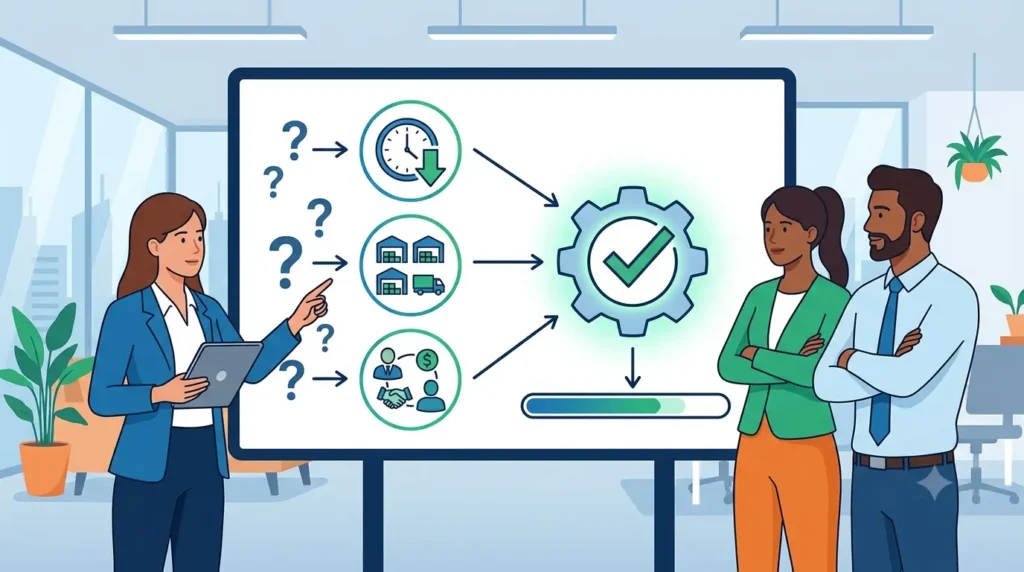
Do not begin an ERP trial by randomly exploring features. Start by identifying the business questions that must be answered before your company can move forward.
A practical approach is to create three to five evaluation questions connected to your most important operational challenges. For example:
- Can the system reduce the time required to complete month-end close?
- Can it track inventory across multiple warehouses?
- Can sales and finance teams access the same customer information?
- Can management generate reports without relying on spreadsheets?
- Can the platform integrate with the company’s current e-commerce system?
Clear questions prevent the trial from turning into an unfocused software tour. They also give your team measurable criteria for judging what it sees.
Create a Simple Success Statement
For every question, define what a successful outcome would look like.
Instead of writing:
We need better reporting.
Use:
A finance manager should be able to generate a current profit-and-loss report by location without exporting data to another application.
This level of specificity makes the final decision much easier. It also keeps participants focused when the trial contains more features than they can realistically examine in two weeks.
The goal is to replace vague expectations with specific, testable outcomes.
2. Make Sure You Receive a Hands-On Trial, Not Just a Presentation
A NetSuite demo and a NetSuite trial are related, but they are not the same experience.
A demo is normally a guided presentation in which a consultant shows selected capabilities. It is useful for understanding the platform’s overall structure and seeing how an experienced user navigates it.
A trial account gives your team login credentials and the ability to explore the software directly. Users can open dashboards, enter sample transactions, examine reports, and test workflows at their own pace.
A strong evaluation often combines both. The guided demonstration provides context, while hands-on access reveals how intuitive and practical the system feels during actual use.
Businesses that want to move beyond a standard product demonstration can request a free 14-day NetSuite ERP trial and explore a live ERP environment with features related to financial management, CRM, inventory, reporting, orders, and operational processes.
Before starting, confirm:
- Which NetSuite modules are available
- Whether you will receive independent login access
- Which user roles are included
- Whether the environment can reflect your industry
- Whether expert support is available during the evaluation
- Whether sample data or workflows will be preconfigured
The closer the trial environment is to your actual business, the more valuable the evaluation will be.
3. Involve People From Every Affected Department
ERP decisions should not be made by one executive, one IT specialist, or one finance manager.
NetSuite connects processes across departments. A change made by a salesperson may affect order management, inventory availability, fulfillment, invoicing, revenue reporting, and customer service. Your evaluation team should reflect that interconnected reality.
Consider including representatives from:
- Finance and accounting
- Sales
- Purchasing
- Inventory or warehouse operations
- Customer support
- E-commerce
- Information technology
- Senior management
Each participant should test the system from the perspective of their daily responsibilities.
For example, a chief financial officer may focus on consolidated reporting and cash visibility. A warehouse manager may care more about stock levels, transfer orders, and fulfillment accuracy. A sales manager may evaluate customer records, pipeline visibility, and quote creation.
Assign Role-Based Testing Tasks
Rather than asking everyone to “look around,” give each participant two or three tasks.
A controller might test:
- Creating a customer invoice
- Reviewing accounts receivable
- Running a financial report
An operations manager might test:
- Checking available inventory
- Processing an order
- Reviewing fulfillment status
Role-based testing produces more meaningful feedback than a general group discussion. It also prevents senior decision-makers from evaluating the system without considering the employees who will use it every day.
4. Walk Through a Complete Order-to-Cash Process
The order-to-cash process covers everything that happens from the moment a customer places an order until the business receives payment.
It is one of the most useful workflows to evaluate because it crosses several departments and exposes how well an ERP system connects data.
A simplified order-to-cash test could include:
- Creating or locating a customer
- Preparing a sales quote
- Converting the quote into an order
- Checking inventory availability
- Approving the order
- Recording fulfillment
- Generating an invoice
- Recording payment
- Reviewing the transaction in financial reports
Watch closely for duplicate data entry. If users repeatedly enter the same information on different screens, the process may require configuration, integration, or redesign.
Also note whether relevant information moves automatically. When the warehouse fulfills an order, can finance immediately see the updated status? When payment is received, does the customer balance change without a separate reconciliation process?
Test an Exception, Not Only the Ideal Scenario
Standard transactions rarely reveal the most important limitations. Include an unusual but realistic event, such as:
- A partial shipment
- A backordered product
- A customer credit
- A cancelled order
- A returned item
- A disputed invoice
ERP systems are often judged by how they handle exceptions and operational disruptions, not by how they process perfect transactions.
5. Examine Purchasing and Inventory Management
For product-based businesses, inventory management can determine whether an ERP implementation succeeds or fails.
During the trial, examine whether the system provides useful visibility into:
- Current stock levels
- Inventory by warehouse or location
- Committed and available quantities
- Reorder points
- Incoming purchase orders
- Lot or serial information
- Inventory transfers
- Fulfillment status
- Product profitability
You should also test a basic procure-to-pay workflow, which follows a purchase from the initial request through supplier payment.
A sample process might involve:
- Creating a purchase request
- Routing it for approval
- Generating a purchase order
- Receiving the goods
- Entering the supplier bill
- Matching the bill to the order and receipt
- Recording payment
This exercise can reveal whether the platform offers adequate purchasing controls, approval workflows, and transaction visibility.
Look for Decision-Ready Information
Simply showing the number of units in stock is not enough. The system should help users answer operational questions such as:
- Which products need to be reordered?
- Which warehouse can fulfill this order?
- How much inventory is already committed?
- Which items have been sitting too long?
- What is the expected effect of incoming orders?
The purpose of ERP inventory management is not merely to store data. It is to support faster, more accurate operational decisions.
6. Test Financial Reporting and Month-End Close
Financial management is one of NetSuite’s central ERP capabilities. A trial should therefore include more than opening a prebuilt income statement.
Ask your finance team to test the activities that consume the most time under the current system.
Possible scenarios include:
- Creating journal entries
- Reviewing accounts receivable
- Reviewing accounts payable
- Tracking expenses
- Running profit-and-loss statements
- Comparing actual results with budgets
- Examining cash flow
- Viewing results by department, location, or business unit
- Consolidating multiple entities
- Preparing month-end reports
Pay attention to how easily users can move from summary information to transaction-level details.
For example, when a manager sees an unusually high expense total, can that person drill down into the underlying entries without requesting a separate report from accounting?
Separate Availability From Usability
A platform may technically provide a report without making it easy to use.
Evaluate reporting using three questions:
- Can the system produce the information?
- Can the right employee access it without technical assistance?
- Can the report be adapted when business requirements change?
This distinction matters. A powerful report that requires constant consultant support may not solve the organization’s reporting problem.
The best ERP reporting tools make information accessible, customizable, and actionable.
7. Evaluate Dashboards and Real-Time Visibility
ERP dashboards are often impressive during sales demonstrations. The real question is whether they help people make decisions.
When exploring a free 14-day NetSuite ERP trial, ask each participant to identify the information they need at the beginning of a typical workday. Then determine whether the system can present that information clearly through a role-specific dashboard.
A finance leader may want:
- Cash position
- Receivables aging
- Revenue against budget
- Outstanding approvals
- Financial performance by entity
A sales manager may want:
- Open opportunities
- Quotes awaiting action
- Sales by representative
- Customer activity
- Orders at risk
An operations manager may need:
- Inventory shortages
- Late purchase orders
- Unfulfilled sales orders
- Warehouse performance
- Products approaching reorder levels
After identifying these needs, determine whether the dashboards can display them clearly without overwhelming the user.
Use the Five-Second Test
Open a role-specific dashboard and ask the user:
Within five seconds, can you identify what requires attention?
A useful dashboard should make exceptions, delays, and performance issues visible. It should not force users to interpret dozens of unrelated charts.
Real-time data is valuable only when the information is relevant, understandable, and connected to an action.
8. Investigate Integrations, Data Migration, and Customization
An ERP platform rarely operates alone. It may need to exchange information with e-commerce platforms, payroll software, banking systems, shipping applications, customer portals, tax tools, and industry-specific software.
Create an integration inventory before the trial begins.
For each current application, document:
- What information it sends or receives
- How frequently data moves
- Which department owns the system
- Whether an integration already exists
- What would happen if the connection failed
- Whether the application could eventually be replaced by NetSuite
You may not be able to build every integration during a 14-day trial. However, you can evaluate the proposed approach and identify areas requiring further discovery.
Ask Data-Migration Questions Early
ERP data migration is frequently underestimated. Clarify which information would need to move into the new system, including:
- Customer records
- Supplier records
- Products and inventory
- Open orders
- Outstanding invoices
- Chart of accounts
- Historical transactions
- Pricing information
- Custom fields
The company may not need to migrate every historical record. Some information can be archived, summarized, or retained in the old system for reference.
Distinguish Configuration From Customization
Configuration uses built-in settings to change how the system behaves.
Customization adds or modifies functionality beyond standard settings, often through scripts, workflows, integrations, or custom records.
Configuration is generally easier to maintain. Customization may be necessary, but every custom feature adds implementation effort, cost, and long-term maintenance responsibility.
During the trial, record every request as one of the following:
- Available as standard
- Available through configuration
- Requires customization
- Requires an integration
- Not yet confirmed
This creates a much clearer implementation picture and helps prevent hidden costs later.
9. Assess Ease of Use and the Quality of Expert Support
ERP usability is not about whether the interface looks modern. It is about whether employees can complete important tasks accurately, efficiently, and consistently.
Observe users instead of relying only on their final opinions.
Look for moments when they:
- Cannot find the next step
- Misunderstand a field
- Need to open several screens
- Enter the same information twice
- Ask for help
- Create an incorrect transaction
- Discover a useful shortcut
These observations can inform future training, permissions, dashboard design, and workflow configuration.
Evaluate the Partner as Carefully as the Software
The people guiding the trial may also support implementation, customization, training, or optimization later.
Use the evaluation period to determine whether they:
- Understand your business model
- Ask detailed process questions
- Explain limitations honestly
- Connect features to business outcomes
- Respond clearly and promptly
- Distinguish standard functionality from custom work
- Help nontechnical users understand the system
A good ERP advisor should not simply demonstrate as many features as possible. The advisor should help your team determine which capabilities are relevant and what would be required to implement them successfully.
The quality of the guidance provided during a free 14-day NetSuite ERP trial can also offer an early indication of the support experience your business may receive during implementation.
Strong trial support should include clear answers, realistic expectations, and business-specific recommendations.
10. Score the Results and Document the Next Steps
Do not rely on memory or general impressions at the end of the trial.
Create an ERP evaluation scorecard before testing begins and ask every participant to complete it independently.
Possible scoring categories include:
- Functional fit
- Reporting
- Ease of use
- Workflow automation
- Inventory capabilities
- Financial management
- Integration readiness
- Scalability
- Implementation complexity
- Quality of support
Use a simple five-point scale:
- 1 — Major gap
- 2 — Significant concern
- 3 — Acceptable with changes
- 4 — Strong fit
- 5 — Excellent fit
Participants should also provide comments explaining their scores. A number without context is rarely useful.
Classify Every Finding
At the end of the trial, place each requirement into one of four categories:
Confirmed: The team successfully tested the capability.
Configurable: The capability appears achievable through settings or workflow design.
Needs validation: The answer depends on additional technical or implementation discovery.
Gap: The platform does not currently meet the requirement in an acceptable way.
This framework keeps unresolved questions from being mistaken for confirmed functionality.
Use a Structured 14-Day Schedule
A practical evaluation calendar could look like this:
Days 1–3: Orientation and setup
- Confirm objectives
- Assign user roles
- Attend the guided walkthrough
- Review dashboards and navigation
- Prepare sample scenarios
Days 4–10: Workflow testing
- Test financial processes
- Walk through sales and purchasing
- Evaluate inventory
- Review reporting
- Investigate integrations
- Record issues and questions
Days 11–14: Validation and decision-making
- Retest important workflows
- Meet with the NetSuite advisor
- Review configuration requirements
- Complete scorecards
- Document gaps, costs, risks, and next steps
A structured trial process is more likely to produce decision-ready evidence than unplanned exploration.
Turn a Short ERP Trial Into a Confident Business Decision
A NetSuite trial should not be treated as a temporary software account. It is an opportunity to examine how an integrated ERP platform could change the way departments share information, complete work, and make decisions.
The most effective evaluations begin with clear questions, involve employees from across the organization, and test complete business processes rather than isolated features.
Focus on realistic scenarios. Include unusual transactions, reporting challenges, integration requirements, and role-specific tasks. Just as importantly, document what worked, what requires configuration, and what still needs validation.
Although a free 14-day NetSuite ERP trial offers a limited evaluation window, it can provide enough time to determine whether NetSuite deserves further consideration. With a structured plan and the right participants, the trial becomes more than a product demonstration—it becomes a practical test of operational fit, implementation readiness, and long-term ERP value.