
Software failures can be really bad for businesses. They can lose millions of dollars because of this. It also hurts the trust that customers have in them.. It can make their systems not secure.
Imagine you are using an app and it stops working when you are trying to pay for something.. You are looking at your account on a banking website and the information is wrong. These are examples of what can go wrong when there are problems with the software.
This is where software testing comes in.
Software testing is an important part of making software. It helps make sure that the software works the way it should. It also makes sure that the people using the software are happy with it.. It helps keep the software safe and working well in different situations.
If you are new to making software or just want to know more about how to make sure software is good, this guide will tell you everything you need to know about the basics of software testing. It will cover the basics of software testing and software quality.
What Is Software Testing?
Software testing is the process of evaluating and verifying that a software application performs as expected and meets specified requirements.
The primary goal of testing is to identify defects, bugs, security vulnerabilities, and performance issues before software is released to users.
In simple terms:
Software testing ensures that software works correctly, reliably, securely, and efficiently.
Testing involves executing software under controlled conditions and comparing actual results with expected outcomes.
Why Is Software Testing Important?
Without proper testing, software products can suffer from:
- Application crashes
- Security breaches
- Data loss
- Poor user experiences
- Financial losses
- Compliance violations
- Reputation damage
Key Benefits of Software Testing
- Improves software quality
- Reduces development costs
- Enhances customer satisfaction
- Identifies defects early
- Increases security
- Ensures regulatory compliance
- Improves system performance
Organizations that prioritize Effective Software Testing Services for QA often deliver more stable products and experience fewer post-release issues.
How Does Software Testing Work?
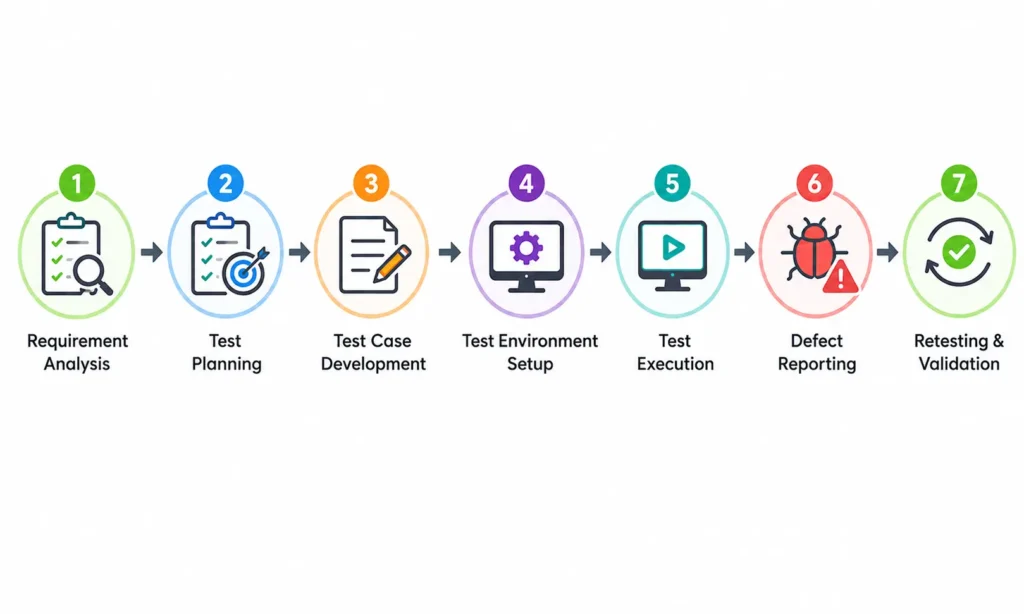
The software testing process typically follows several steps:
1. Requirement Analysis
Testers review business and technical requirements to understand expected functionality.
2. Test Planning
A testing strategy is created, including:
- Scope
- Objectives
- Resources
- Timeline
- Testing tools
3. Test Case Development
Detailed test cases are written to verify different software features.
4. Test Environment Setup
A controlled environment is prepared to execute tests.
5. Test Execution
Test cases are executed manually or automatically.
6. Defect Reporting
Issues discovered during testing are documented and shared with developers.
7. Retesting and Validation
Once fixes are implemented, tests are rerun to verify corrections.
Types of Software Testing
Understanding testing categories helps teams choose the right testing approach.
Functional Testing
Functional testing verifies whether software features work according to requirements.
Examples include:
- Login functionality
- Search features
- Shopping cart operations
- Payment processing
Common Functional Testing Types
Unit Testing
Tests individual code components or functions.
Example:
A calculator application’s addition function is tested independently.
Integration Testing
Tests interactions between modules.
Example:
Verifying communication between a payment gateway and an e-commerce platform.
System Testing
Tests the complete application as a whole.
Example:
Validating an entire banking application workflow.
User Acceptance Testing (UAT)
Ensures software meets business requirements and user expectations.
Typically performed before production release.
Non-Functional Testing
Non-functional testing evaluates system characteristics beyond functionality.
Performance Testing
Measures software speed, responsiveness, and stability.
Key metrics:
- Response time
- Throughput
- Resource utilization
Load Testing
Determines system behavior under expected user loads.
Example:
Testing an online store during holiday sales.
Stress Testing
Evaluates performance under extreme conditions.
Example:
Simulating thousands of concurrent users.
Security Testing
Identifies vulnerabilities and security weaknesses.
Tests include:
- Authentication validation
- Authorization checks
- Data protection
- Penetration testing
Usability Testing
Evaluates user experience and interface effectiveness.
Questions addressed:
- Is the interface intuitive?
- Can users complete tasks easily?
- Are navigation elements clear?
Manual Testing vs Automated Testing
One of the most common questions beginners ask is:
What Is the Difference Between Manual and Automated Testing?
Manual Testing
Manual testing involves human testers executing test cases without automation tools.
Advantages
- Better for exploratory testing
- Easy to start
- Flexible for changing requirements
Limitations
- Time-consuming
- Repetitive
- More prone to human error
Automated Testing
Automated testing uses software tools and scripts to execute tests automatically.
Advantages
- Faster execution
- Improved accuracy
- Supports continuous integration
- Ideal for repetitive tests
Limitations
- Initial setup costs
- Maintenance requirements
- Requires technical skills
Quick Comparison
| Feature | Manual Testing | Automated Testing |
| Speed | Slower | Faster |
| Accuracy | Moderate | High |
| Cost | Lower initially | Higher initially |
| Scalability | Limited | Excellent |
| Best For | Exploratory testing | Regression testing |
Popular Software Testing Methodologies
Different development models require different testing approaches.
Waterfall Testing
Testing occurs after development phases are completed.
Characteristics:
- Sequential process
- Extensive documentation
- Suitable for stable requirements
Agile Testing
Testing occurs continuously throughout development.
Benefits:
- Faster feedback
- Early defect detection
- Improved collaboration
DevOps Testing
Testing is integrated into continuous delivery pipelines.
Advantages:
- Faster releases
- Higher automation
- Improved software quality
Software Testing Life Cycle (STLC)
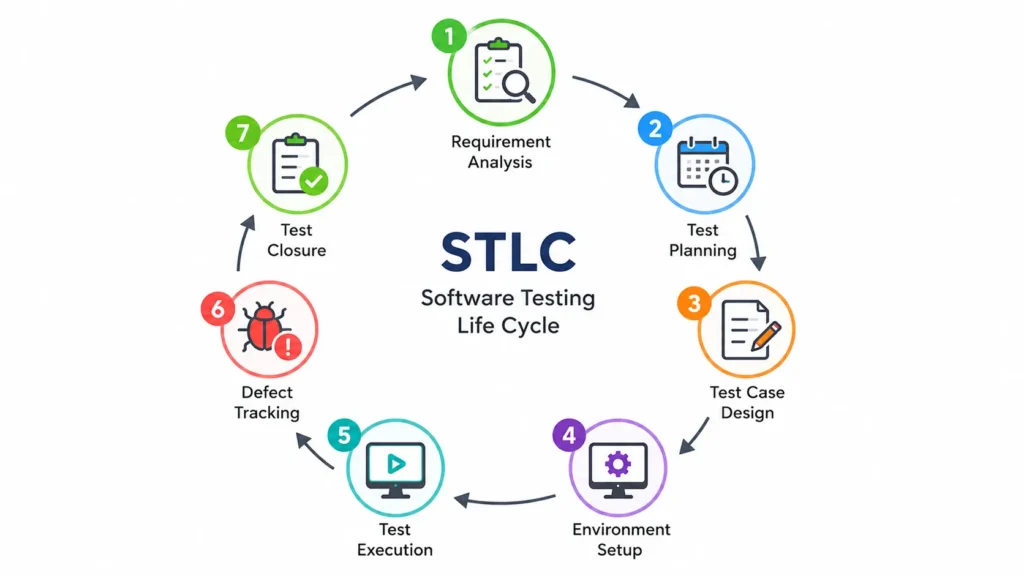
The Software Testing Life Cycle is a structured process used to ensure testing quality.
STLC Phases
- Requirement Analysis
- Test Planning
- Test Case Design
- Environment Setup
- Test Execution
- Defect Tracking
- Test Closure
Following STLC helps teams maintain consistency and improve testing effectiveness.
Common Software Testing Tools
Modern testing relies heavily on specialized tools.
Selenium
One of the most widely used automation testing frameworks.
Best for:
- Web application testing
- Browser automation
JUnit
Popular framework for Java unit testing.
TestNG
Advanced testing framework commonly used alongside Selenium.
Postman
Useful for API testing and validation.
JMeter
Designed for performance and load testing.
Cypress
Modern end-to-end testing framework for web applications.
Software Testing Best Practices
Successful testing requires more than simply executing test cases.
Test Early
Finding defects earlier reduces fixing costs significantly.
Automate Repetitive Tasks
Automation improves efficiency and consistency.
Maintain Clear Documentation
Well-documented test cases simplify maintenance and audits.
Focus on Risk Areas
Prioritize critical business functions.
Continuously Improve Test Coverage
Regularly review testing strategies and coverage gaps.
Integrate Testing into Development
Testing should be a continuous activity, not an afterthought.
Common Software Testing Challenges
Even experienced teams encounter testing difficulties.
Changing Requirements
Frequent requirement changes can invalidate existing test cases.
Limited Test Coverage
Some defects remain undetected due to insufficient coverage.
Tight Deadlines
Short release cycles may reduce testing time.
Environment Issues
Production-like environments can be difficult to replicate.
Automation Maintenance
Automated scripts require ongoing updates.
Understanding these challenges helps teams proactively address them.
Real-World Example of Software Testing
Imagine a food delivery application.
Before release, testers validate:
Functional Areas
- User registration
- Login process
- Restaurant search
- Order placement
- Payment processing
Non-Functional Areas
- App performance during peak hours
- Security of payment information
- Mobile responsiveness
- User experience
By testing these scenarios, businesses reduce the likelihood of failures affecting customers.
How to Start Learning Software Testing
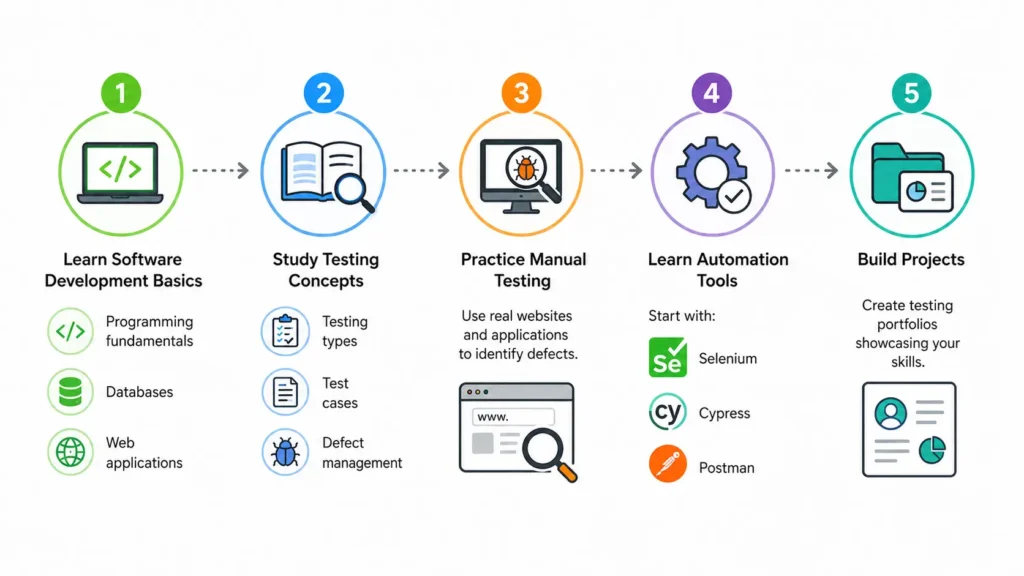
If you’re interested in a career in software testing, begin with:
Step 1: Learn Software Development Basics
Understand:
- Programming fundamentals
- Databases
- Web applications
Step 2: Study Testing Concepts
Focus on:
- Testing types
- Test cases
- Defect management
Step 3: Practice Manual Testing
Use real websites and applications to identify defects.
Step 4: Learn Automation Tools
Start with:
- Selenium
- Cypress
- Postman
Step 5: Build Projects
Create testing portfolios showcasing your skills.
Conclusion
Software testing is crucial for ensuring that software applications work properly, remain secure, and perform efficiently. It helps identify bugs, defects, and security vulnerabilities before the software is released, ensuring the final product is reliable and meets both user expectations and business requirements.
Various testing methods, including functional testing, non-functional testing, manual testing, and automated testing, work together to improve software quality. These approaches help verify that applications function correctly, deliver a good user experience, and maintain performance under different conditions.
As software becomes increasingly complex, effective testing is more important than ever. Organizations that prioritize software testing can reduce risks, improve customer satisfaction, and confidently deliver high-quality software. Ultimately, software testing plays a vital role in helping businesses succeed by ensuring their applications are dependable, secure, and ready for real-world use.
Frequently Asked Questions (FAQs)
What is software testing in simple words?
Software testing is the process of checking whether software works correctly, meets requirements, and performs as expected before users access it.
Why is software testing important?
Software testing helps identify defects, improve quality, enhance security, and reduce business risks before software deployment.
What are the main types of software testing?
The primary categories are functional testing and non-functional testing, including unit testing, integration testing, performance testing, and security testing.
What is the difference between QA and software testing?
Quality Assurance (QA) focuses on preventing defects through process improvement, while software testing focuses on detecting defects in software products.
Is software testing a good career?
Yes. Software testing remains a high-demand field offering opportunities in manual testing, automation testing, performance testing, security testing, and quality engineering.
Can software testing be automated?
Yes. Many repetitive tests can be automated using tools such as Selenium, Cypress, Playwright, and TestNG.