
In most textbooks and exam references, COMPUTER is expanded as Common Operating Machine Purposely Used for Technological and Educational Research.
This is why students, teachers, and exam-focused learners often search for the “full form of computer.” That said, this expansion is not a formal technical definition. The word computer was not originally created as an acronym; it comes from the term compute, which means to calculate.
So, if you’re looking for a quick, exam-ready answer, the expanded form above is what you’ll commonly use. If you want to understand where the term really comes from and how computers actually work, the rest of the article explains it step by step.
What Is a Computer? (Simple Definition)
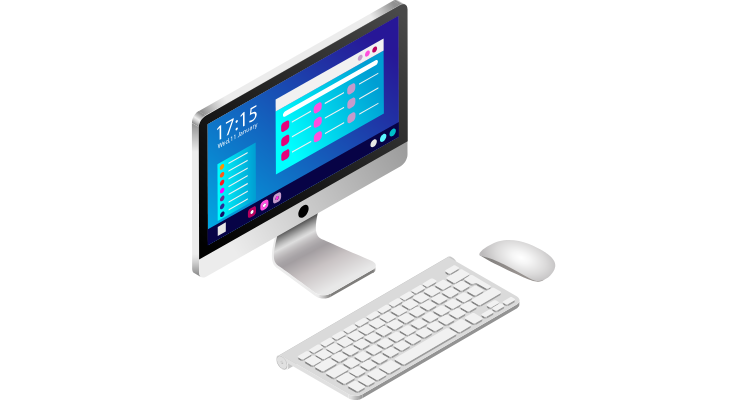
A computer is an electronic device that takes input, processes information, and produces output in a useful form. In simple terms, it helps people store data, perform calculations, and complete tasks faster and more accurately.
From a technical perspective, a computer works by processing data using a combination of hardware and software.
- Hardware refers to the physical parts of a computer, such as the keyboard, monitor, CPU, and storage devices.
- Software refers to the programs and instructions that tell the hardware what to do, such as operating systems and applications.
For example, when you type text using a keyboard (input), the computer processes that data using software and displays the text on the screen (output).
How Computers Work (High-Level Overview)

Computers work by following a basic cycle known as Input → Processing → Output → Storage.
- Input: Data is entered into the computer using devices like a keyboard, mouse, or microphone.
- Processing: The computer’s processor (CPU) works on the input data by following instructions given by software.
- Output: The processed information is shown as results through devices like a monitor, printer, or speakers.
- Storage: The data and results can be saved for future use in memory or storage devices like a hard drive.
Simple analogy:
Think of a computer like a kitchen. Ingredients are the input, cooking is the processing, the prepared dish is the output, and the refrigerator stores the food for later use.
Types of Computers (Classification)
Computers can be classified in different ways based on their size, purpose, and functionality.
1. Based on Size
- Supercomputers:
Extremely powerful computers used for complex calculations, such as weather forecasting, scientific research, and space studies. - Mainframe Computers:
Large computers used by big organizations to process and manage huge amounts of data, such as in banks and government offices. - Personal Computers:
Computers designed for individual use, including desktops commonly used at home or in offices. - Laptops:
Portable personal computers that offer the same functions as desktops but are easy to carry and use anywhere.
2. Based on Use Case
- Business Computers:
Used in offices for tasks like accounting, data management, communication, and reporting. - Personal Computers:
Used for everyday activities such as browsing the internet, watching videos, and personal work. - Educational Computers:
Used in schools and colleges for learning, teaching, research, and online education.
3. Based on Functionality
- Analog Computers:
Work with continuous data and are mainly used for measuring physical values like temperature or pressure. - Digital Computers:
Process data in binary form (0s and 1s) and are the most commonly used computers today. - Hybrid Computers:
Combine features of both analog and digital computers and are used in specialized fields like medical equipment and scientific instruments.
Components of a Computer

A computer is made up of several key components that work together to process data and perform tasks.
- Input Devices:
These devices are used to enter data and instructions into the computer. Common examples include a keyboard, mouse, scanner, and microphone. - Processing Unit (CPU):
The Central Processing Unit is the brain of the computer. It processes input data, performs calculations, and controls all other parts of the system. - Output Devices:
Output devices display the results of processing. Examples include a monitor, printer, speakers, and projector. - Storage Devices:
Storage devices are used to save data and programs for future use. Examples include hard drives, SSDs, and USB drives. - Memory (RAM/ROM):
Memory stores data temporarily or permanently. RAM holds data that is currently in use, while ROM stores essential instructions required to start the computer.
Importance of Computers in Daily Life
Computers play an essential role in almost every part of modern life. They help people work faster, learn better, and stay connected.
- Education:
Computers are widely used for online learning, research, assignments, and virtual classrooms. They make education more accessible and interactive for students and teachers. - Business & Offices:
In workplaces, computers are used for accounting, data management, communication, and reporting. They help businesses operate efficiently and manage large amounts of information. - Healthcare:
Computers are used in hospitals for maintaining patient records, diagnosing diseases, medical imaging, and managing appointments, improving accuracy and patient care. - Communication & Entertainment:
Computers enable communication through emails, video calls, and social media. They are also used for entertainment such as watching movies, listening to music, gaming, and browsing the internet.
Advantages of Computers
Computers offer several advantages that make tasks easier, faster, and more efficient.
- Speed and Accuracy:
Computers can process large amounts of data in seconds with high accuracy, reducing human errors in calculations and tasks. - Data Storage and Retrieval:
Computers can store huge volumes of data and retrieve information quickly whenever needed, saving time and physical space. - Communication Efficiency:
Computers enable fast communication through emails, messaging apps, and video calls, making it easier to share information instantly across the world.
Limitations of Computers
Despite their advantages, computers also have certain limitations.
- No Independent Thinking:
Computers cannot think or make decisions on their own. They only work according to the instructions given to them by humans. - Dependence on Electricity and Maintenance:
Computers require a constant power supply and regular maintenance to function properly. Power failures or technical issues can interrupt work. - Vulnerability to Malware:
Computers are prone to viruses and malware, which can damage data, affect performance, or compromise security if proper protection is not used.
Fun Facts / History Snapshot
Computers have evolved over centuries, starting from simple tools to advanced machines we use today.
- Early Devices:
Before modern computers, people used tools like the abacus and mechanical calculators to perform basic calculations. - First Computers:
Charles Babbage is known as the “Father of the Computer” for designing the Analytical Engine. Later, the first electronic computers, such as ENIAC, marked the beginning of modern computing. - Evolution in Brief:
Computers evolved from large, room-sized machines to desktops, laptops, and now powerful smartphones and cloud-based systems.
Conclusion
The commonly used full form of COMPUTER is Common Operating Machine Purposely Used for Technological and Educational Research, which is widely accepted in schools and exam contexts.
However, in real technical terms, the word computer is not an official acronym. It comes from the word compute, meaning to calculate, and refers to a machine that processes data using hardware and software.
Quick takeaway:
- The full form is useful for learning and exams
- The actual meaning of a computer is based on its function, not an acronym
- Computers are electronic devices designed to process, store, and manage data
FAQs – Computer Full Form
What is the full form of computer?
The commonly used full form of COMPUTER is Common Operating Machine Purposely Used for Technological and Educational Research. This form is mainly used in schools and exams.
Is computer originally an acronym?
No. The word computer is not originally an acronym. It comes from the word compute, which means to calculate. The full form is a popular expanded version, not a technical definition.
What is a computer in simple words?
A computer is an electronic machine that takes input, processes data, and gives output to help people perform tasks easily and quickly.
Who invented the first computer?
Charles Babbage is known as the Father of the Computer for designing the Analytical Engine, which laid the foundation for modern computers.
What are the main parts of a computer?
The main parts of a computer include input devices, the CPU (processing unit), memory (RAM/ROM), storage devices, and output devices.
Why do we use computers today?
Computers are used to make work faster and easier. They help in education, business, healthcare, communication, data storage, and entertainment.