
Backlinks still shape how search engines judge a site’s authority. But a backlink is not a “set it and forget it” asset. Links get removed, pages get redirected, and outreach threads go cold.
That is why people search for the best backlink management software. They want one place to see which links they have, which ones they lost, and which ones they are still chasing.
The tricky part is that “backlink management” covers four different jobs: analysis, monitoring, outreach, and reporting. Few tools do all four well. This guide shows you the top options, what each one is really good at, and how to pick the right setup for your budget and team.
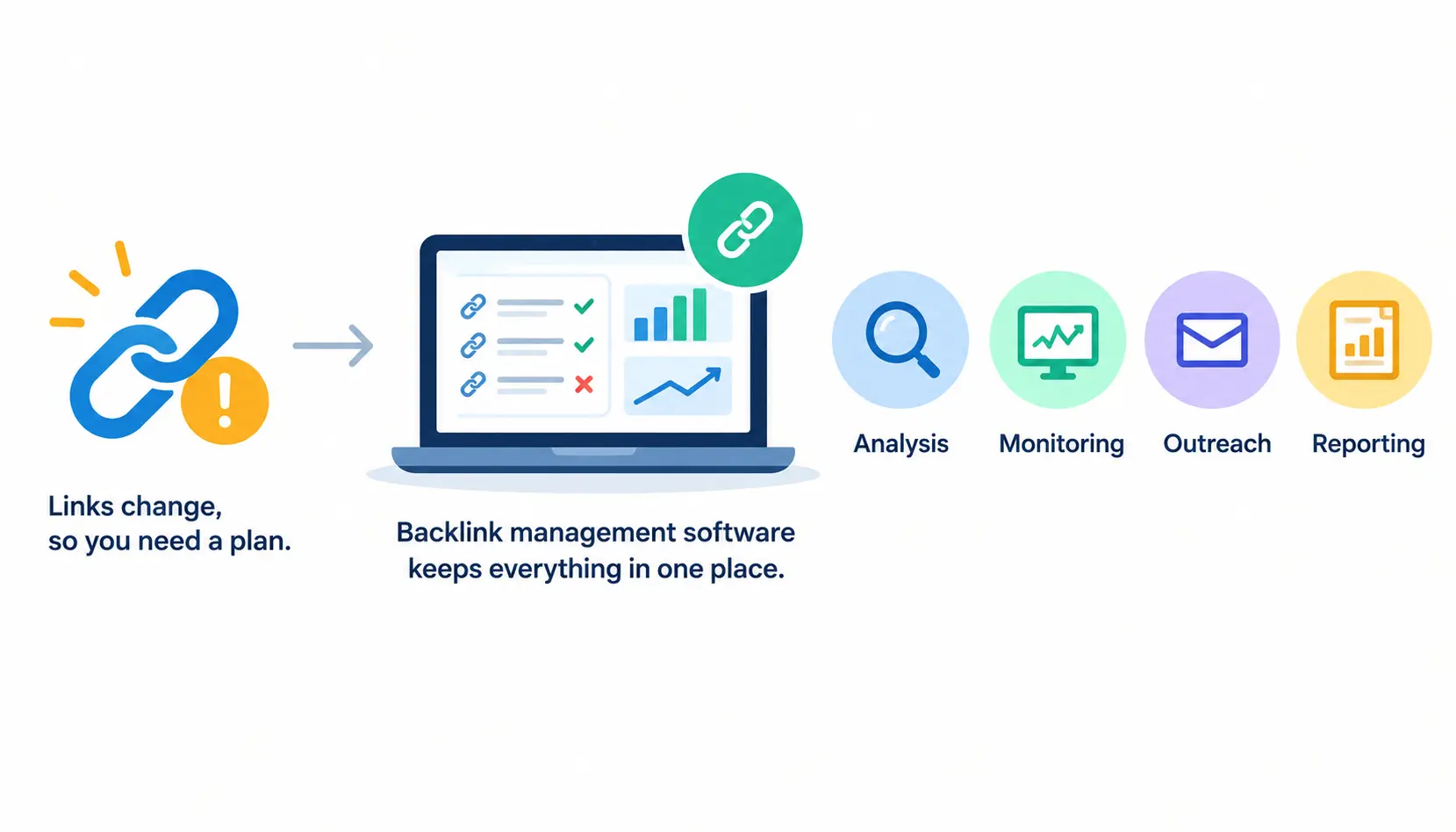
The Best Backlink Management Software at a Glance
If you are short on time, start here. These picks are based on what each tool is best known for, not on a claim that it wins at everything.
Quick picks by use case
- Best for backlink analysis: Ahrefs
- Best for all-in-one SEO workflows: Semrush
- Best for backlink monitoring: Linkody
- Best for link-building outreach: Pitchbox
- Best for agency campaign management: Pitchbox or BuzzStream, depending on team size and process
- Best for budget-conscious teams: SE Ranking, plus free tools like Google Search Console
Backlink management software comparison table
| Tool | Category | Backlink analysis | Link monitoring | Outreach and CRM | Best for |
| Ahrefs | SEO suite | Strong | Limited to alerts and reports | Not a core feature | Research and competitor gaps |
| Semrush | SEO suite | Strong | Backlink Audit tool | Link-building tool with outreach features | Broad SEO workflows |
| Moz Pro | SEO suite | Good (Link Explorer) | Basic | Not a core feature | Teams that use Moz metrics |
| SE Ranking | SEO suite | Good | Backlink monitoring included | Limited | Smaller teams and agencies |
| Linkody | Monitoring | Basic | Core strength | No | Tracking known links |
| Pitchbox | Outreach platform | Limited | Some tracking | Core strength | Scaled outreach |
| BuzzStream | Outreach CRM | Limited | Some tracking | Core strength | Relationship management |
Editorial note: I have kept the ratings above general on purpose. Pricing, plan limits, and feature sets change often. Check each vendor’s pricing page and trial before you publish or buy. If a feature is missing on the plan you need, treat it as unavailable.
What Is Backlink Management Software?
Backlink management software helps you find, track, evaluate, and build links that point to your website. Some tools focus on one job. Others bundle several into a single platform.
The term is loose. Vendors use it for everything from backlink checkers to outreach CRMs. So it helps to know what the category actually covers.
What backlink management software does
Most tools in this category handle some mix of the following:
- Discover backlinks and referring domains. They show who links to you and to your competitors.
- Assess backlink profiles. They score link quality, anchor text, and link types.
- Monitor live links. They alert you when a link disappears or changes.
- Organize outreach. They store prospects, contacts, emails, and follow-ups.
- Report on results. They show links gained, links lost, and progress over time.
Backlink management vs. backlink analysis vs. link building
These three terms overlap, but they are not the same thing.
- Backlink analysis is research. You study a site’s existing links to understand its strengths, weaknesses, and gaps compared with competitors.
- Backlink management is the ongoing work of tracking, protecting, and organizing your links.
- Link building is the act of earning new links, usually through outreach, content, or digital PR.
A good example: an agency researches a client’s competitors (analysis), emails 50 sites (link building), then tracks which links went live and stayed live (management). That is three workflows, and often two or three tools.
This is why many teams use more than one product. A research-heavy suite rarely replaces a proper outreach CRM, and an outreach tool rarely replaces a deep link index.
The Best Backlink Management Software in Detail
I use the same template for each tool: what it does, where it shines, where it falls short, and who should consider it. For pricing, I point you to the vendor rather than quote numbers that may be out of date.
1. LinkColab: Best for Backlink Management and Collaboration
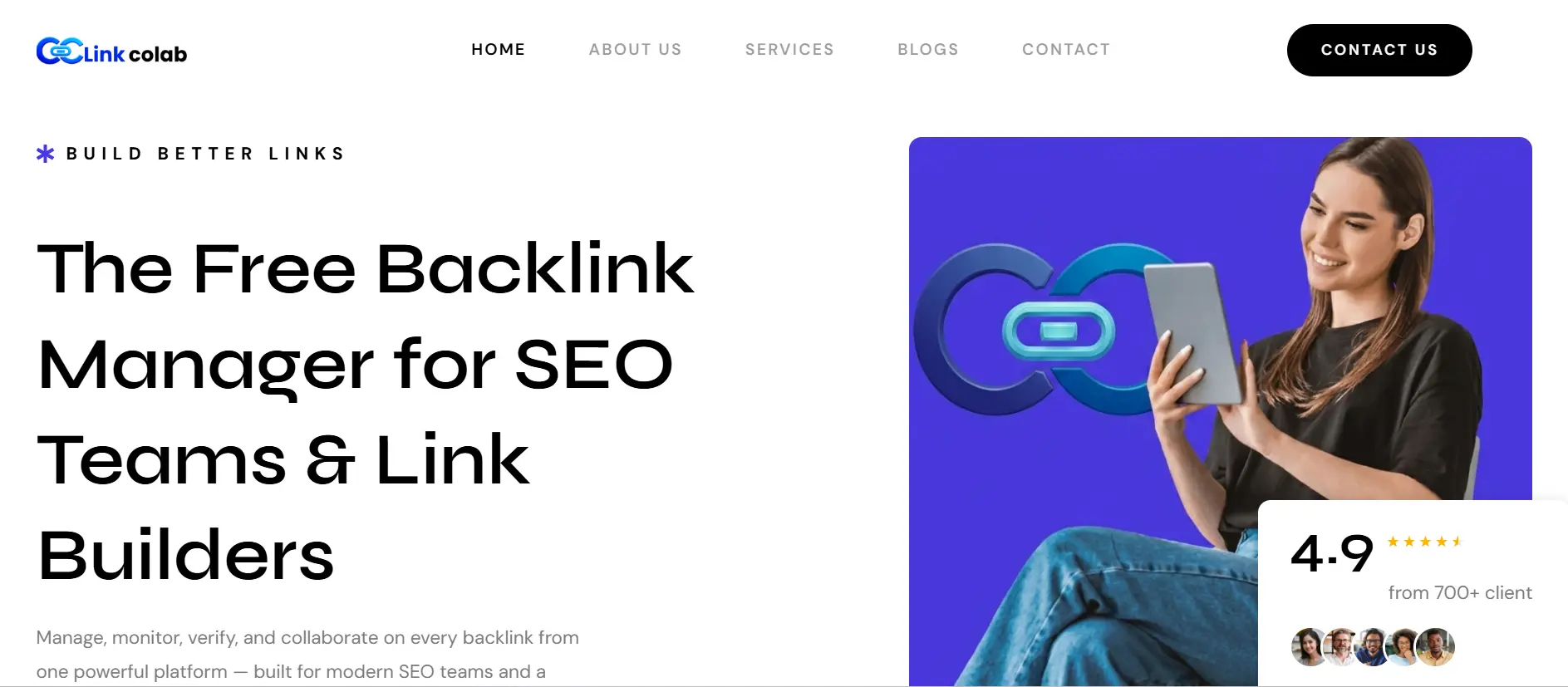
LinkColab is a backlink management platform designed to help SEO teams organize backlinks, monitor link status, review link quality, and collaborate with other link builders.
Backlink management and monitoring. The platform provides a centralized workspace for backlink records, campaigns, partners, and link details. Its website advertises monitoring for removed, broken, redirected, or changed links, helping teams identify backlinks that may need attention.
Collaboration features. LinkColab also promotes a link-builder community where SEO professionals can discover opportunities and work with other link builders.
Strengths:
- Centralized backlink organization.
- Advertised monitoring for backlink status changes.
- Link-quality checking features.
- Collaboration opportunities for SEO teams and link builders.
- A free backlink management experience advertised on its website.
Limitations:
- Verify backlink database coverage and competitor research capabilities before relying on it as a replacement for a full SEO suite.
- Confirm monitoring frequency, usage limits, integrations, and available reporting features.
- Assess the platform’s collaboration options against your team’s actual workflow.
Pricing and plan restrictions: LinkColab advertises a free backlink management experience. Check its official website for current access, features, and any plan limitations.
Best-fit users: Freelancers, in-house SEO teams, agencies, and link builders who want to organize and monitor backlinks and collaborate with other professionals.
2. Ahrefs: Best for Backlink Research
Ahrefs is widely known for its large backlink index and fast research workflows. Its Site Explorer lets you enter any domain and see referring domains, linked pages, anchor text, and new or lost links.
Competitor backlink analysis. This is where Ahrefs earns its reputation. You can compare your link profile with competitors and find sites that link to them but not to you. That list of link gaps becomes your outreach target list.
Strengths:
- Deep backlink data and filtering
- Clear competitor and link-gap research
- Alerts for new and lost backlinks
Limitations:
- It is a research tool first. It does not manage outreach campaigns.
- Pricing sits at the higher end for solo users and small teams.
- Like every provider, its index will not match others exactly.
Pricing and plan restrictions: Plans are tiered by usage, projects, and data access. Check the current pricing page, and note that Ahrefs also offers a free tool for verified site owners, called Ahrefs Webmaster Tools.
Best-fit users: SEO professionals, agencies, and in-house teams that do heavy competitor research.
3. Semrush: Best for Broader SEO Workflows
Semrush combines backlink research with keyword research, site audits, rank tracking, and content tools. If you want one subscription for most of your SEO work, it is a strong candidate.
Backlink analytics and competitor research. You can analyze any domain’s links, compare competitors, and use a Backlink Audit tool to review link quality and spot risky links. Its link-building tool also helps you build prospect lists and send outreach emails from within the platform.
Strengths:
- One platform for many SEO tasks
- Backlink audit and outreach features in the same account
- Good reporting options
Limitations:
- The interface has a lot of features, so new users can feel lost.
- Some link features sit behind higher plans or add-ons.
- Its outreach tools are lighter than dedicated outreach platforms.
Pricing and plan restrictions: Pricing is tiered, and some tools may be sold separately. Confirm what your plan includes before you subscribe.
Best-fit users: Marketers and agencies who want analysis, audits, and basic outreach under one login.
4. Moz Pro: Best for Teams Using Moz’s SEO Metrics
Moz Pro includes Link Explorer, which lets you view backlinks, referring domains, and anchor text. Moz is also the company behind Domain Authority (DA), a score many SEOs use as a quick comparison.
Authority metrics and their limits. DA is a prediction tool built by Moz. It is not a Google ranking factor. Use it to compare sites, not as proof that a link is good.
Strengths:
- Clean, approachable interface
- Familiar metrics many clients already recognize
- Useful for reporting to non-technical stakeholders
Limitations:
- Link monitoring and outreach features are not as deep as specialist tools.
- Link data coverage differs from competitors, so numbers will not match.
Pricing and plan restrictions: Plans vary by limits on campaigns, reports, and queries. Review them on Moz’s site.
Best-fit users: Teams and agencies that already rely on Moz metrics in client reports.
5. SE Ranking: Best for Integrated SEO Management
SE Ranking bundles rank tracking, site audits, backlink analysis, and backlink monitoring into one platform. It tends to appeal to smaller teams that want broad coverage without paying for a large enterprise suite.
Backlink analysis and monitoring. You can check a site’s backlinks and set up monitoring to watch for changes in your important links. Reporting tools make it easier to share progress with clients.
Strengths:
- Wide feature set for the price tier
- Built-in monitoring and white-label style reporting options
- Friendly for freelancers and small agencies
Limitations:
- Link data depth may not match the largest research tools.
- Outreach features are limited compared with dedicated platforms.
Pricing and plan restrictions: Plans scale with the number of projects, keywords, and data limits. Compare them carefully against your needs.
Best-fit users: Freelancers, small businesses, and growing agencies looking for value.
6. Linkody: Best for Dedicated Backlink Monitoring
Linkody focuses on one job: keeping watch over your links. You add the backlinks you care about, and the tool checks them regularly and alerts you to changes.
Link-status monitoring and alerts. It can flag when a link goes missing, changes attributes, or points to a page that no longer works. That makes it handy for protecting links you worked hard to earn.
Strengths:
- Simple, focused interface
- Alerts and reports aimed at link tracking
- Easier to learn than a full suite
Limitations:
- It is not a full research or outreach tool.
- You will likely still need another tool for competitor analysis.
Pricing and plan restrictions: Pricing generally depends on how many backlinks and domains you track. Check the current limits.
Best-fit users: Site owners and SEOs who mainly want to know when valuable links disappear.
7. Pitchbox: Best for Scaled Link-Building Outreach
Pitchbox is an outreach platform built for teams that send a lot of emails. It helps with finding prospects, finding contacts, sending personalized sequences, and tracking replies.
Prospecting and outreach workflows. You build lists, send templated but personalized emails, and automate follow-ups. Team members can share campaigns and see status in one place.
CRM, collaboration, and link tracking. Pitchbox includes relationship and pipeline tracking, plus ways to confirm placed links. Verify the exact monitoring features on the plan you consider.
Strengths:
- Built for high-volume campaigns
- Strong workflow and team collaboration
- Good fit for agencies with repeatable processes
Limitations:
- Often priced for teams rather than solo users
- It does not replace a deep backlink research tool
- Automation can hurt results if you skip prospect review
Pricing and plan restrictions: Pricing is typically quote-based or tiered by usage. Ask for a demo and a clear breakdown.
Best-fit users: Agencies and larger in-house teams running regular outreach campaigns.
8. BuzzStream: Best for Outreach Relationship Management
BuzzStream works like a CRM made for link builders and digital PR teams. It keeps prospects, contacts, notes, and email history in one place.
Prospect and contact organization. You can save sites and contacts as you research, track every conversation, and set follow-up reminders. This matters when several people email the same publisher.
Strengths:
- Clear history of every conversation
- Good for relationship-based outreach
- Supports team collaboration
Limitations:
- It is not a backlink index or research tool.
- You will need another product for competitor link analysis.
Pricing and plan restrictions: Plans are tiered by users and records. Check current limits and any contact or email caps.
Best-fit users: PR-driven teams and agencies that value organized relationships over mass sending.
Other backlink tools worth considering
- Majestic: A specialist link index known for metrics like Trust Flow and Citation Flow. Useful as a second data source.
- Hunter: A contact discovery tool for finding email addresses to support outreach.
- Responsa: An outreach platform that combines prospecting with email workflows.
- Google Search Console: Free, and it shows links Google has found to your site. It is not a full management tool, but every site owner should check it.
I keep this list short on purpose. A tool earns a spot only if its role and drawbacks are clear.
Backlink Analysis vs. Monitoring vs. Outreach Software
Most buyers get confused here, so let’s separate the jobs.
When you need backlink analysis
Choose analysis software when you need to understand a link profile. It helps you audit your own site and study competitors. The big payoff is link-gap research: finding sites that link to rivals but not to you.
When you need backlink monitoring
Choose monitoring when you already have valuable links and want to protect them. Monitoring alerts you to lost links, changed link attributes, and broken destination pages. It saves you from finding out months later that a great link vanished.
When you need outreach management
Choose outreach software when you contact many sites. You will need prospect lists, contact records, follow-up reminders, and campaign reports. Without this, outreach lives in messy spreadsheets and inboxes.
When to use a combined tool stack
Most teams do best with a small stack, not a pile of overlapping subscriptions.
- Freelancers: One affordable suite such as SE Ranking, plus Google Search Console.
- Small businesses: One suite for analysis and monitoring, plus a spreadsheet or lightweight CRM for outreach.
- Agencies: A research suite such as Ahrefs or Semrush, plus an outreach platform such as Pitchbox or BuzzStream.
Before adding a tool, ask what job it does that your current stack cannot. If the answer is “not much,” skip it.
Essential Features to Look for in Backlink Management Software
Backlink discovery and competitor analysis
Look for filters, link-gap reports, and clear data on referring domains. You want to find real opportunities quickly.
Link-status monitoring and lost-link alerts
Check how often the tool re-checks links and how it notifies you. Email or Slack alerts save time. Ask whether it detects nofollow changes, redirects, and removed pages.
Link quality, relevance, and anchor-text analysis
A good tool shows anchor text distribution and link type. Remember that nofollow, sponsored, and UGC attributes affect how a link is treated, so look for tools that show them.
Outreach CRM and contact management
You need contact records, email history, templates, and follow-up reminders. Bonus points for team notes and status labels.
Reporting, exports, and integrations
Can you export data to CSV or Google Sheets? Can you build client-ready reports? If you hit a wall at export time, the tool will slow you down.
Team access, permissions, and collaboration
Agencies need user roles, shared campaigns, and client access. Check how many seats each plan includes.
Data freshness, coverage, and accuracy limitations
No backlink index is complete. Each provider crawls the web differently, so counts vary. Pick a tool based on how well it finds the links you already know exist.
How to Choose the Best Backlink Management Software
Here is the process I would follow.
Define your primary backlink workflow
Write down your top job: research, monitoring, outreach, or reporting. Pick tools that are strong at that job first.
Set a realistic software budget
Decide what you can spend per month. Remember that a cheap tool can cost more if it wastes your time.
Match features to your team size and campaign volume
A solo SEO does not need enterprise permissions. A ten-person agency does. Match the tool to how many people and campaigns you run.
Check integrations and reporting requirements
If clients expect monthly reports, test the reporting tools. If you use Google Sheets or Slack, check for those integrations.
Review plan limits, contracts, and data exports
Read the fine print. Look for caps on tracked links, projects, users, and exports. Also check the cancellation terms.
Test shortlisted products before committing
Use free trials or demos on a real project. Do not judge a tool from its marketing page alone.
Questions to ask during a software trial
- Can the tool find backlinks I already know exist?
- How quickly does it detect changes?
- Can I export the data I need?
- Are essential features locked behind a higher tier?
- Does it fit how my team actually works?
How to Manage Backlinks Step by Step
This is the workflow I recommend, whichever tools you pick.
Step 1: Audit your existing backlink profile
Start with what you have. Export your links from Google Search Console and one third-party tool, then combine them. This gives you a fuller picture than either source alone.
Step 2: Identify important referring domains and pages
Find the sites that send the most valuable links, and the pages on your site that earn them. These are the links you most need to protect.
Step 3: Review link relevance and quality
Look at topic match, editorial context, and link placement. A relevant link inside real content usually matters more than a random sidebar link.
Step 4: Find competitor link opportunities
Run a link-gap report. Look for sites that link to two or three competitors but not you. These are often your warmest prospects.
Step 5: Organize outreach and link reclamation
Build a prospect list and track each contact. Also look for unlinked brand mentions and lost links you can win back with a polite email.
Step 6: Verify newly acquired backlinks
When someone says they added your link, check it. Confirm the URL, anchor text, link attributes, and that the page is indexable.
Step 7: Monitor link losses and changes
Set alerts for your most important links. Review them on a regular schedule so problems do not pile up.
Step 8: Report results and refine your strategy
Track links gained, links lost, and the pages they point to. Then tie the results to traffic and leads, and adjust your plan.
How to Evaluate Backlink Quality Without Relying on One Metric
No single score can tell you if a link is good. Use several signals together.
Check topical and contextual relevance
Ask if the linking page covers a topic close to yours. A link from a relevant article beats a link from an unrelated site with a bigger score.
Assess the linking page and its editorial purpose
Check whether the page has real content, real readers, and a reason to link to you. Pages built only to hold links are a red flag.
Understand DR, DA, and other proprietary metrics
Domain Rating (Ahrefs), Domain Authority (Moz), and similar scores come from the tool makers. They are useful for comparing sites, but Google does not use them. Treat them as rough guides.
Review anchor text and link attributes
A natural mix of branded, URL, and descriptive anchors looks normal. Many exact-match commercial anchors can look manipulative. Also check for nofollow, sponsored, or UGC attributes.
Look for spam signals and manipulative link patterns
Watch for sudden spikes of links, irrelevant foreign-language sites, and link networks. Google’s spam policies describe link schemes in detail.
Understand when a lost link needs action
Not every lost link deserves a reaction. Act when the link was valuable, the page was removed by mistake, or a redirect broke. Ignore losses from low-quality pages.
Free vs. Paid Backlink Management Software
What free backlink tools can do
Free options such as Google Search Console and free webmaster tools show your own links. They are great for basic audits and for checking whether new links appear.
Where free plans become limiting
Free plans often limit competitor research, data depth, exports, and monitoring. Many only show your own site.
When a paid subscription makes sense
Pay when backlinks drive real revenue, you manage several sites, or you spend hours on manual tracking. Time saved can justify the cost.
How to compare total cost rather than starting price
Add up seats, add-ons, extra projects, and overlapping tools. The cheapest starting price can become the most expensive stack.
Common Backlink Management Mistakes to Avoid
Choosing a tool based only on domain metrics
A tool that shows pretty authority scores is not always the one that finds the links you need.
Assuming backlink counts will match across tools
They will not. Each index crawls differently. Compare trends inside one tool instead of arguing over exact numbers.
Ignoring lost links and broken destination pages
A great link pointing to a 404 page does nothing for you. Fix it or redirect it.
Automating outreach without reviewing prospects
Automation saves time, but sending generic emails to poor-fit sites burns your reputation. Review every list.
Paying for overlapping features you do not use
Audit your subscriptions every quarter. Cancel what you do not use.
Disavowing links without proper investigation
Google says the disavow tool is an advanced feature and should be used with care. Most sites do not need it.
How to Measure the Value of Backlink Management Software
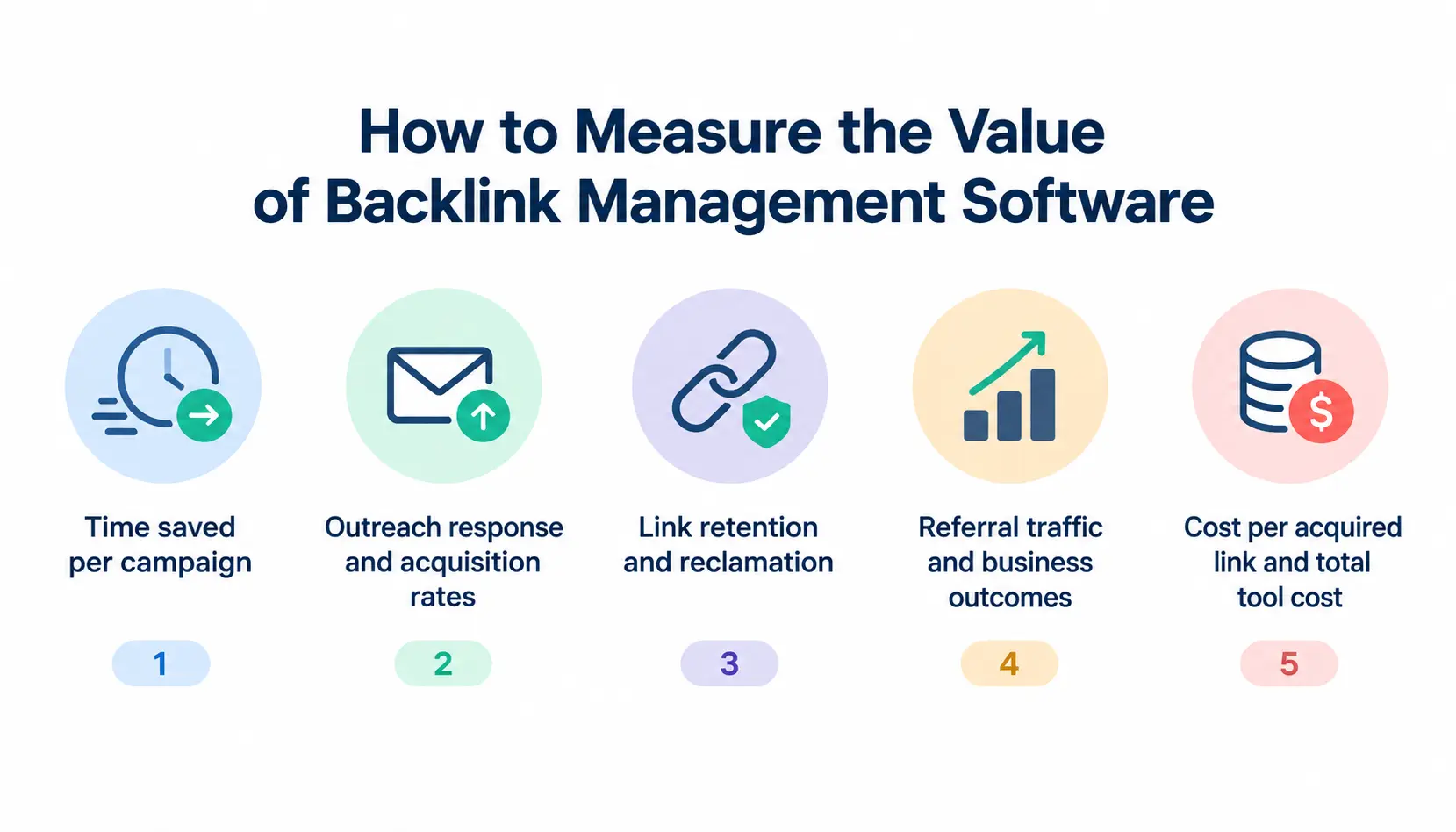
Time saved per campaign
Compare how long tasks took before and after the tool. Tracking, reporting, and follow-ups are usually where you save the most.
Outreach response and acquisition rates
Track how many emails get replies and how many become links. This shows whether your process is improving.
Link retention and successful reclamation
Measure how many links stay live after 3, 6, and 12 months. Also count the links you recover.
Referral traffic and business outcomes
Links matter most when they bring visitors, leads, or sales. Check referral traffic in your analytics tool.
Cost per acquired link and total tool cost
Divide your total spend, including software and staff time, by the number of links you earned. It is a blunt number, but it keeps you honest.
Frequently Asked Questions
1. What is the best backlink management software?
There is no single winner. Ahrefs and Semrush are strong for analysis, Linkody for monitoring, Pitchbox and BuzzStream for outreach, and SE Ranking for value. Pick based on your main workflow.
2. What is the best free backlink checker?
Google Search Console is the best free source for your own site’s links. Some vendors also offer free tools for verified site owners, but they have limits.
3. Can backlink software track lost links?
Yes. Most major SEO suites and dedicated tools like Linkody can alert you when links are lost or changed. Check how often each tool re-crawls.
4. Is backlink management software worth it?
It is worth it when links drive meaningful traffic or revenue, or when manual tracking eats your time. For small hobby sites, free tools may be enough.
5. How often should you monitor backlinks?
Check your most important links weekly or monthly, depending on how critical they are. Use automatic alerts so you are not relying on memory.
6. Is a high domain authority score enough to judge a backlink?
No. DA and similar scores are third-party estimates. Also judge relevance, content quality, and link context.
7. Can one platform handle backlink analysis and outreach?
Some can, at a basic level. Semrush, for example, offers both. Heavy outreach teams often still prefer a dedicated platform.
8. Should you disavow every toxic backlink?
No. Many “toxic” labels come from tool scoring and are not proof of harm. Investigate first, and use disavow only when you have a real problem, such as a manual action or a clear spam attack.
Conclusion
Choosing the best backlink management software depends on your SEO goals, budget, and team size. Tools like Ahrefs and Semrush are useful for backlink analysis, Linkody focuses on monitoring, while Pitchbox and BuzzStream support outreach and relationship management. LinkColab is another option for organizing backlinks, monitoring link status, and collaborating with link builders.
Before choosing a tool, compare its features, pricing, data coverage, and reporting options. Test your shortlisted tools on a real project to see whether they fit your workflow. The right software should help you manage backlinks efficiently, protect valuable links, and measure results without paying for features you do not need.