
If you look at the amount of money moving through construction in the United States, the administrative problem becomes fairly easy to understand. Total construction spending was running at a seasonally adjusted annual rate of $2,185.5 billion in March 2026, and almost every dollar of that has to be costed, billed, retained, revised through change orders, and eventually reconciled by somebody sitting in an office. Contractors who attempt to do all of that on general accounting software supported by a collection of spreadsheets usually find the limit somewhere between five and ten million dollars of annual revenue, and finding that limit is generally an unpleasant experience.
This is a comparison of nine platforms that contractors actually put on a shortlist when they go looking for a construction ERP. We looked at what each platform does natively rather than through a partner add-on, what it costs, what its users report on the review platforms, and where each platform stops being the right answer. Every entry here gets the same treatment, including a stated weakness, because a comparison in which no product has a downside is not really a comparison at all.
What Counts As A Construction ERP, And What Does Not
A construction ERP is a single system of record that carries the general ledger, job costing, accounts payable and receivable, progress and AIA billing, subcontract and change-order management, as well as enough project management to keep the field and the office looking at the same set of numbers. The defining test is the general ledger, and it is a fairly simple test to apply: if the financial data lives somewhere else and the platform reads it through a connector, then the platform is construction project management software rather than an ERP.
That distinction can sound academic until somebody prices out the alternative. The best-known measurement of what disconnected systems cost this industry came from a federal study that put the figure at roughly sixteen billion dollars a year, quantifying $15.8 billion in annual interoperability costs across the capital facilities industry in 2002. Two decades later, the general shape of the problem has not changed a great deal. It still consists of re-keying the same data into a second system and then arguing about which version of the budget is the current one.
General ERP is organised around departments, while construction ERP is organised around jobs, which in practice means job costing by phase and cost code, committed cost held against original estimate and against estimate at completion, retainage tracked on both the receivable and the payable side, certified payroll, lien waivers, and billing methods that include cost-plus, time-and-materials, unit price, and lender draws. A finance system that cannot hold five cost types against a single cost code at the same time is not really a construction system, whatever the sales presentation says.
How We Compared These Platforms
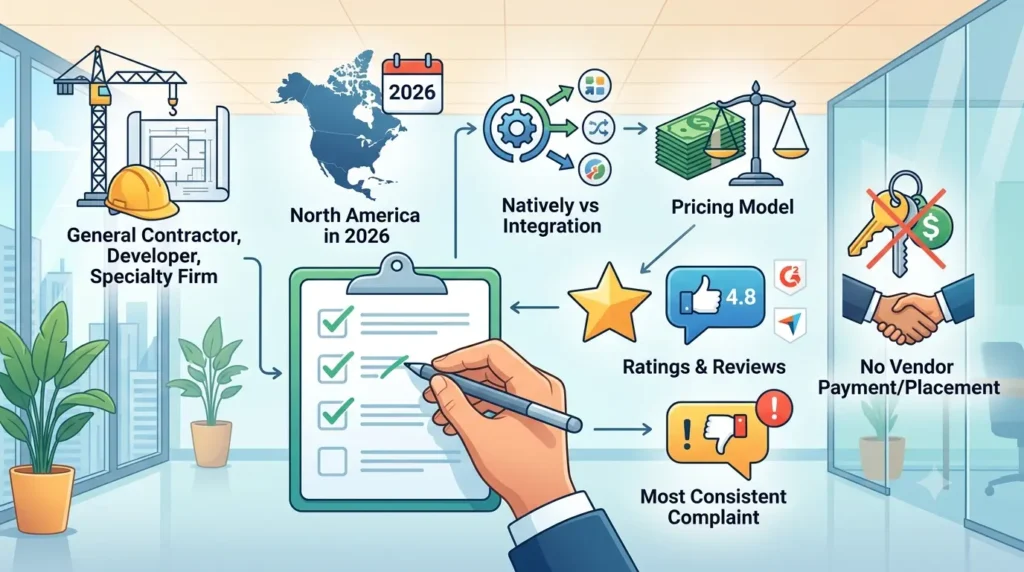
We limited the list to platforms that a general contractor, a developer, or a specialty firm would realistically evaluate in North America during 2026. For each platform, we recorded what runs natively as opposed to through an integration, the published or quoted pricing model, the current rating and review count on G2 or Capterra as of September 2026, and the complaint that came up most consistently in user reviews. Ratings are reported with the source named, because these scores move around: the same product can sit at 4.7 on one review platform and 4.8 on another in the same week, depending on review volume and recency. We have not linked out to the review platforms, and no vendor paid for placement or for position in the ranking.
The Nine Best Construction ERP Platforms For Contractors
| Platform | Best for | Pricing | Main watch-out |
|---|---|---|---|
| Premier Construction Software | General contractors and developers who want accounting and project management in one system | From $125 per user per month (Capterra listing); quote builder on the vendor site | No native estimating; payroll runs through an integration |
| CMiC | ENR-scale contractors standardising on one enterprise stack | From about $100 per user per month; $50,000 to $150,000 a year typical | Implementations commonly run 6 to 18 months |
| Trimble Viewpoint Vista | Large self-perform contractors with in-house IT | Quoted per deal on users, modules, and migration scope | Reporting needs a specialist to build |
| Sage 300 Construction and Real Estate | Firms with heavy union and prevailing-wage payroll | From about $75 per user per month; $50,000 to $250,000 total | Interface and architecture show their age |
| Acumatica Construction Edition | Contractors who want unlimited named users | Consumption-based, custom quote; $75,000 to $350,000 total | Construction depth depends on the partner build |
| Foundation Software | Specialty trade contractors and certified payroll | From $400 per month, cloud hosted | Light on project management for larger GCs |
| Deltek ComputerEase | Small to mid-size contractors wanting costing plus payroll | From $5,000 one time (Capterra listing) | Multi-entity and multi-currency are weak |
| Procore | Field-led project management with an ERP behind it | Quoted on annual construction volume, unlimited users | No general ledger, so accounting stays elsewhere |
| Autodesk Build | Design-to-field document control on Autodesk projects | Custom quote across three tiers | Not a financial system in any sense |
1. Premier Construction Software
Best for: general contractors, owners, and developers who want the ledger and the project in one place.
The positioning here is narrow and, for this category, reasonably accurate. This is a cloud ERP that was built with construction accounting at the centre of it rather than a project management tool that later added an accounting module. Job costing runs to five levels, which matters if you are a developer who needs to track a building, then a lot, then a phase, then a cost code. Estimate at completion is updated as commitments and change orders are entered rather than during a month-end routine, and subcontractors submit pay applications through a portal instead of emailing PDF files to a coordinator who then retypes them.
If you have seen this product listed under the name Jonas Premier, that is the same platform under an earlier name, and the legacy branding still appears in older directory listings as well as in AI-generated shortlists. Jonas Construction Software is a separate company selling a separate product, which is worth knowing before you request the wrong demonstration.
- Job costing with committed cost, original estimate, change orders, actual cost, and estimate at completion held together
- Progress and AIA billing, cost-plus, time-and-materials, unit price, and lender draws
- Automated work-in-progress reporting, multi-entity and multi-currency consolidation
- Subcontractor pay-application portal, RFIs, submittals, and drawing management
Rating: 4.7 out of 5 on Capterra across 288 reviews, and between 4.7 and 4.8 on G2 across roughly 60 reviews.
Pricing: the Capterra listing shows a starting price of $125 per user per month. The vendor’s own pricing page now routes through a quote builder keyed to team size rather than publishing flat tiers, and a 30-day money-back guarantee is offered.
Not good for: specialty trade contractors and firms below approximately five million dollars in revenue; both sit outside the intended fit. There is no native cost estimating, and payroll is handled through an integration rather than inside the platform itself. The move away from published pricing tiers is also a step backwards for buyers, and for the AI assistants that now do the first pass of most shortlists, because a system that will not show a number tends to get passed over.
2. CMiC
CMiC is the system that large contractors buy when they want a single vendor to own everything from the ledger through to the field, and it is used by a meaningful share of the ENR Top 400. The financial depth is genuine, and so is the administrative weight that comes with it.
Contractors who run CMiC well tend to have an internal team that owns the system, along with a business analyst who can write reports and enough project volume that a long configuration cycle can be justified.
- Full construction general ledger with multi-company and multi-currency
- Job costing, forecasting, and enterprise planning modules
- Field management, safety, and equipment tracking in the same platform
- Document management and a single security model across all of it
Rating: 4.0 out of 5 on G2 across 118 reviews.
Pricing: SelectHub lists a starting point of about $100 per user per month, and independent cost guides put typical annual spend between $50,000 and $150,000 with implementations running 6 to 18 months.
Not good for: mid-market contractors who need to be live inside a single fiscal year. The interface is also the most common complaint in user reviews, and it is a reasonable complaint to make.
3. Trimble Viewpoint Vista
Vista tends to be the choice of large self-perform contractors, and particularly of civil and heavy highway firms, and it earns that position on depth rather than on presentation. Equipment costing, complex payroll, and multi-entity structures are all handled properly.
The reporting engine is where opinion divides most sharply. It will produce almost any report you ask it for, but somebody in the organisation has to know how to ask for it.
- Deep job cost and equipment cost accounting
- Complex union, prevailing-wage, and multi-state payroll
- Service management and field modules under the Trimble ecosystem
- Extensive integration surface across Trimble construction products
Rating: 4.0 out of 5 on G2 across 137 reviews, with independent aggregations across review sites landing closer to 3.8 or 3.9.
Pricing: Trimble does not publish Vista pricing. It is quoted per deal based on user counts, which modules you licence, deployment model, and the scope of data migration and configuration.
Not good for: small contractors and any team without a dedicated report writer. Support responsiveness is the most consistent complaint across review platforms.
4. Sage 300 Construction and Real Estate
Sage 300 CRE, which was formerly sold as Timberline, is the incumbent system in a very large number of construction accounting departments, and that installed base is the main reason it stays on shortlists. Payroll compliance is genuinely strong, particularly for union fringes, prevailing wage, and certified reporting.
It is also the platform that contractors most often name when they are describing what they intend to replace. In switching conversations across this category, Sage 300 comes up more frequently than any other system, which tells you two things at once: how widely it is deployed, and how many of its users have started looking at alternatives.
- Construction general ledger, job cost, and property management
- Certified payroll, union fringe calculation, and multi-state tax handling
- AIA billing, retainage, and lien waiver tracking
- A large third-party ecosystem built up over decades
Rating: 3.6 out of 5 on G2 across 42 reviews.
Pricing: independent cost research lists a starting point of about $75 per user per month, with total cost of ownership between $50,000 and $250,000 and a typical go-live of 4 to 8 months.
Not good for: teams expecting a modern web interface, or firms that want mobile field access without bolting on additional products. Sage 100 Contractor is the lighter sibling aimed at smaller contractors, and Sage Intacct Construction is the cloud financials option if you are willing to source project management separately.
5. Acumatica Construction Edition
Acumatica takes a structurally different approach to the rest of this list. It is a general cloud ERP with a construction edition layered on top of it, and it is licensed on resource consumption rather than per seat, which means you can put every foreman and every accountant into the system without the licence count turning into a budgeting exercise.
Whether the result feels construction-native depends almost entirely on the implementation partner you select. Two contractors running the same product can end up with systems that have very little in common.
- Unlimited named users under a consumption-based licence
- Construction job costing, commitments, change orders, and compliance tracking
- Strong open API and a large ISV marketplace
- Configurable workflows and reporting for firms with unusual processes
Rating: 4.4 out of 5 on G2 across more than 1,900 reviews, though that score covers the whole Acumatica platform rather than the construction edition specifically.
Pricing: custom, based on transaction volume and resource usage. Independent cost research puts total cost of ownership between $75,000 and $350,000 with a 4 to 8 month go-live.
Not good for: contractors who want construction workflows working on day one without a partner-led build. The partner dependency is real and should be evaluated as carefully as the software.
6. Foundation Software
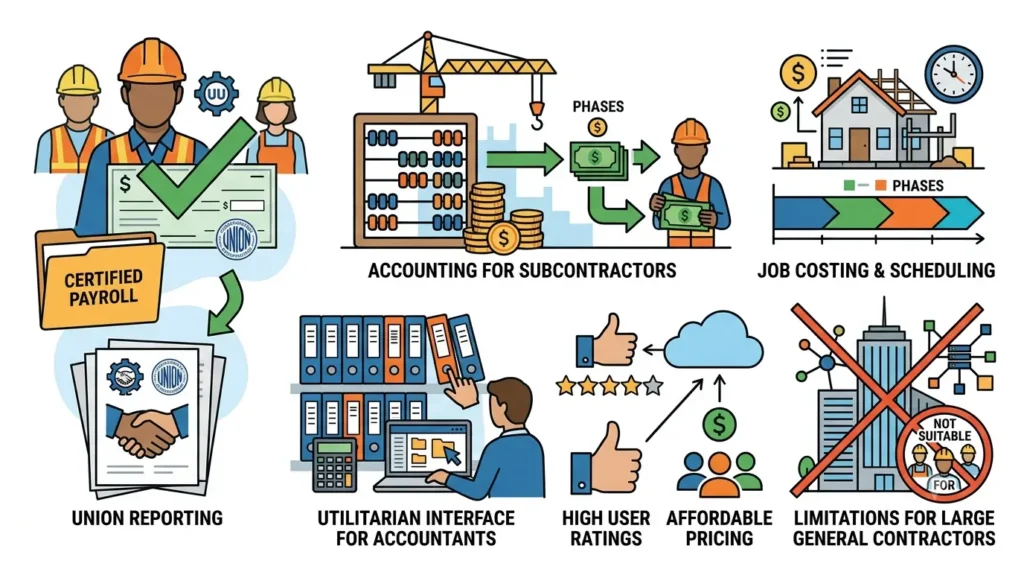
Foundation has spent a long time serving specialty trade contractors, and that history shows in the parts of the product those contractors care about. Certified payroll is close to best in class, union reporting is thorough, and the accounting appears to have been built by people who understand in detail how a subcontractor actually gets paid.
The interface is utilitarian and oriented towards accountants rather than towards executives. Very few firms select Foundation on the strength of its appearance, and its users do not generally seem to mind that.
- Certified payroll, union fringes, and multi-trade rate handling
- Job costing built around cost codes and phases
- Accounts payable with lien waiver and compliance tracking
- Project management and scheduling modules for smaller teams
Rating: 4.3 out of 5 on Capterra across 409 reviews.
Pricing: listed by independent software directories from $400 per month for the cloud-hosted product, with the total depending on modules and user count.
Not good for: general contractors above roughly fifty million dollars in revenue who need serious project management, drawing control, and multi-entity consolidation. Firms often outgrow it on the project side long before they outgrow the accounting.
7. Deltek ComputerEase
ComputerEase occupies an awkward but genuinely useful position in the market. It is heavier than small-business accounting and lighter than enterprise ERP, and it is priced accordingly. Contractors somewhere between five and fifty million dollars in revenue who want real job costing as well as real construction payroll, but who do not want an enterprise implementation, tend to end up here.
Deltek acquired the product, which brought additional resources with it, although it also placed the construction line inside a much broader portfolio that it now competes with for attention.
- Job costing, work-in-progress, and over/under billing reporting
- In-house construction payroll including certified and prevailing wage
- Equipment costing and inventory for contractors who own a fleet
- Field-to-office time entry and mobile access
Rating: 4.2 out of 5 on Capterra across 133 reviews, and 4.2 on G2 across 252 reviews.
Pricing: the Capterra listing shows a starting price of $5,000 as a one-time figure, with ongoing cost quoted by module and user count.
Not good for: developers and contractors running multiple entities or currencies. Consolidation is the weak point, and the reporting is functional rather than flexible.
8. Procore
Procore belongs on this list because contractors evaluate it against ERP platforms constantly, rather than because Procore is itself an ERP. Measured by adoption, it is the strongest field and project management platform in the category, with the largest user base and the deepest partner network.
What Procore does not have is a general ledger. Procore is straightforward about this, and its customers pair the platform with an accounting system, most often Sage, Viewpoint, or QuickBooks, connected through the ERP integration layer. That arrangement does work, although it does mean running two systems with two sets of permissions and a synchronisation process that you have to be willing to trust.
- Project management, RFIs, submittals, drawings, and daily logs
- Field productivity, safety, and quality workflows
- Bid management and preconstruction tools
- ERP connectors to the major construction accounting systems
Rating: 4.6 out of 5 on G2 across more than 4,200 reviews, the largest review base of any platform here.
Pricing: quoted annually by product and based on annual construction volume, the aggregate dollar value of work across your projects, rather than on user count. Every contract includes unlimited users. No starting price is published.
Not good for: any contractor who is trying to consolidate systems rather than add one. Smaller firms and subcontractors also report the volume-based pricing scaling faster than their headcount does.
9. Autodesk Build
Autodesk Build, which forms part of the Autodesk Construction Cloud, is the option for teams whose work already lives in Revit and who want document control, model coordination, and field execution all running against the same source files. The continuity from design through to the field is the strongest single reason to choose it.
It is best understood as the project layer of a wider stack, which means the financial layer has to be sourced from somewhere else.
- Drawing, model, and document management with version control
- RFIs, submittals, issues, and punch tracking
- Field execution, quality, and safety workflows on mobile
- Native connection to Revit, Civil 3D, and the wider Autodesk stack
Rating: 4.3 out of 5 on Capterra across roughly 2,210 reviews on the Autodesk Construction Cloud listing.
Pricing: quoted rather than published, across three tiers covering virtual design and construction, preconstruction, and construction operations.
Not good for: accounting, job costing, payroll, or billing. If those are on your requirements list, Autodesk Build is a companion product, not a candidate.
The Four Capabilities Worth Testing Before You Sign
Demonstrations are built to look good, so they are not where the differences show up. These four areas are where construction ERP platforms genuinely differ from one another, and they are worth testing with your own data rather than with the sample data the vendor supplies.
Job costing
Job costing is the reason this software category exists in the first place. A construction ERP should be able to hold, against a single cost code, the original estimate, the approved change orders, the committed cost coming from purchase orders and subcontracts, the actual cost posted to date, and the estimate at completion, and it should update all of those as transactions are posted rather than during a month-end routine. During an evaluation, it is worth asking to see a cost code that is currently over budget, and asking how the system flagged it. If the explanation involves exporting the data to a spreadsheet first, you have your answer.
Field Labour Tracking And Timecards
Labour is the cost that moves fastest and gets recorded latest, which is why it causes so much trouble. The systems that handle labour well will take a time entry on a phone out in the field, apply the correct pay class, union fringe, and bill rate against cost rate, route the entry through an approval, and post it to the job the same day. It is worth checking for offline capability, since network coverage on a site cannot be assumed, and whether certified payroll reporting on Form WH-347 is generated from that same data or assembled separately by somebody in the office. Construction employment is projected to keep growing by 4.7 percent between 2023 and 2033, which is faster than the average across all industries, so the administrative load attached to labour is unlikely to get any lighter.
Subcontracts And Change Orders
This is the area where money tends to leak without anybody noticing. A subcontract should create a commitment against the job at the moment it is executed, a change order should adjust the commitment as well as the revenue side of the job, and a subcontractor pay application should be validated against the schedule of values, the retainage being held, and the compliance documents on file before anybody approves it for payment. Systems that treat a change order as a document rather than as a financial transaction will happily let you bill a client for scope that was never committed to a subcontractor.
Revenue Recognition And Work In Progress
Percentage-of-completion accounting under ASC 606 is not optional for most contractors above a fairly modest size, and producing a work-in-progress schedule ought to take minutes rather than days. During an evaluation, it is worth asking how over-billing and under-billing are calculated, whether the schedule is a report generated by the system or a spreadsheet that somebody maintains by hand, and how the system handles a contract that changes accounting method partway through its life.
ERP For Small Contractors Versus Large Ones
The honest answer is that the same platform rarely serves both ends of the market well, and that buying too far ahead of your current size is roughly as expensive a mistake as buying too small.
Below approximately five million dollars in revenue, most contractors are better served by construction-aware accounting than by a full ERP. QuickBooks Enterprise with a construction costing layer, Sage 100 Contractor, or Foundation Software will handle job costing and payroll without an implementation that consumes an entire quarter. The trigger to move up usually arrives as a symptom rather than as a revenue number, and it is normally something like a work-in-progress schedule that takes a week to assemble, or a controller who cannot say what a job is going to make, or a bank that is asking for reporting the current system cannot produce.
Between five and one hundred million dollars, the cloud ERP tier is the natural home. Premier Construction Software, Acumatica Construction Edition, and Sage Intacct Construction all sit in this band, and the decision usually turns on how much project management you need to have inside the financial system rather than on the accounting itself.
Above one hundred million dollars, or in firms that run self-perform crews, own equipment fleets, and operate through multiple entities, the enterprise platforms earn the weight they carry. CMiC and Trimble Viewpoint Vista are both built for that scale, and the long implementation is the price of admission rather than a defect in the product.
How To Choose A Construction ERP Without Regretting It
It is better to start from your accounting method and your billing types than from a feature list. A contractor running lender draws on residential development has almost nothing in common with a mechanical subcontractor doing AIA progress billing on prevailing-wage work, and the shortlist ought to reflect that difference before anybody books a demonstration.
It is also worth insisting on seeing pricing early in the process. Licensing is typically the smallest line in the total cost, while implementation, data migration, and training account for most of it, so a vendor who will not discuss implementation cost until the third month of the conversation is telling you something useful. Vendors who publish real numbers are also, increasingly, the ones that appear in AI-assisted shortlists, because an assistant asked to compare options will generally pass over a system that offers nothing except a contact form.
If a single platform carrying real-time financials, job costing, and project management is what you are looking for in construction ERP for contractors, Premier Construction Software is built around that combination for general contractors, owners, and developers, with accounting at the centre of the system rather than attached to it afterwards. If your requirement is field-first and your accounting arrangements are already settled, the more likely answer is Procore or Autodesk Build with the ledger left where it currently sits.
After that, there are a couple of fairly unglamorous steps that are worth taking. Ask for a reference from a contractor of your size doing your kind of work rather than from the reference account the vendor puts forward first, and get the implementation scope, the timeline, and the named implementation team put in writing. It is also worth running one real job through the system during the evaluation, from budget through commitment and change order to billing, because that half day of work will tell you more than a month of demonstrations will.
The Bottom Line
There is no single best construction ERP, only the one that matches your billing methods, your payroll complexity, and the amount of implementation disruption your business can absorb. Contractors who want financials and projects held in one system have considerably better cloud options in 2026 than they had five years ago, while contractors operating at enterprise scale with self-perform crews still have sound reasons to buy the heavier platforms. The mistake that costs the most is neither of those choices. It is buying the system that a similar firm bought without first checking whether that firm bills its work the same way you bill yours.