
Most of the software in this category is sold on completion rates. Somebody in the organization has to prove the forklift refresher was actually done, so the product ends up built around proving it. That is a records problem, and it is a different problem from helping a warehouse picker become a lead hand, or helping a driver become the person who trains the new drivers.
The gap matters because frontline people generally do not stay in one job for very long. Median tenure in service occupations was 2.7 years as of January 2024, compared with 3.9 years across all wage and salary workers, on the most recent tenure survey published by the U.S. Bureau of Labor Statistics. If workers cannot see a next step within roughly two years, there is a reasonable chance they will go and look for one somewhere else.
So we compared eight frontline training solutions and ranked them for one specific buyer: an organization whose frontline is regulated, dispersed, and largely without company email. All eight can put training in front of a worker who has no corporate inbox, so that is the entry condition for the list and not a scoring line. What we ranked on is everything that happens after the worker signs in, starting with how little friction there is at that moment and how much of the employee lifecycle the same system covers, then whether the platform can describe a skill, show workers where they currently stand against it, and route them toward a role they do not hold yet. Compliance tracking still matters, and we say where it is strong. It is simply not the factor that decided the order here.
Frontline Training And Frontline Development Are Not The Same Purchase
It is worth separating the two terms before anyone signs anything, because vendors tend to use them interchangeably and buyers end up paying for the difference.
Frontline training solutions deliver and record learning for deskless staff, including drivers, nurses, line operators, store associates, and field technicians. The defining constraint is access. A large share of these workers have no company email address and no desk, so the platform has to reach them on a phone, in a language they read, in a window that is shorter than a break.
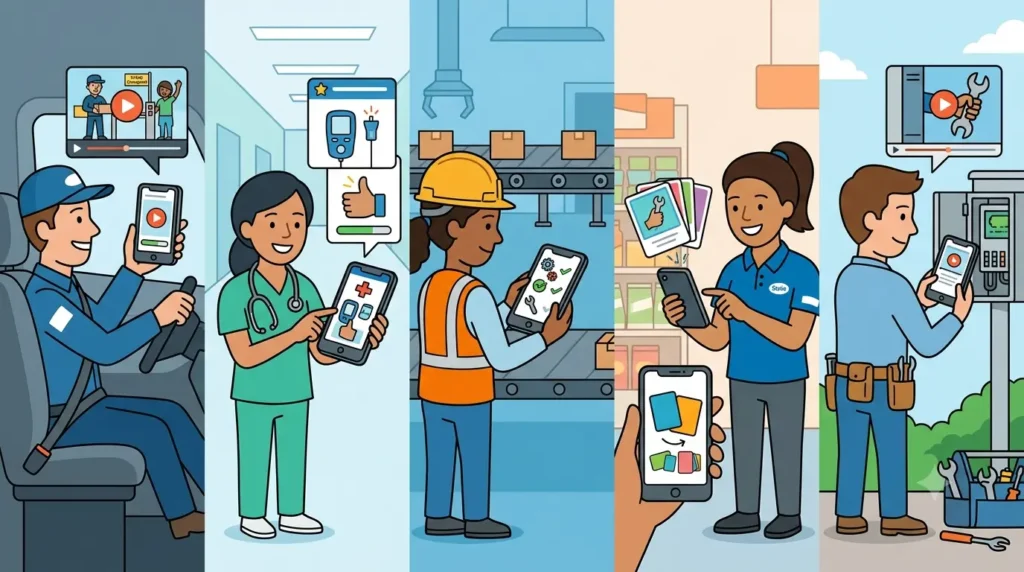
Frontline employee development is what becomes possible once delivery is working. It requires a documented skill, a way to assess whether somebody holds that skill, a visible gap between where the worker is now and where a better-paid role sits, and a route between the two. A learning path assigns courses. A career path changes somebody’s job title. A fair number of platforms sell the first and describe it as though it were the second.
The demand side of this is not subtle. Approximately one in four American employees say they have no real opportunity to advance where they work, which is a gap Gallup measured again in late 2025, and the share of employees who do report advancement opportunities falls as formal education falls (57% among employees with a high school education or less, against 68% among those with a bachelor’s degree). Frontline populations sit heavily in that first group.
There are two more terms you will meet in a demo. Upskilling deepens somebody in the job they already hold, while reskilling moves that person into a different job, which is the harder and more valuable capability and also the one that most frontline tools handle worst. A skills framework (some vendors call it a skills ontology, and others call it a job architecture) is the underlying map that makes either of those possible, because it is a written description of what each role requires, broken into units small enough to assess. Without one, what is being sold as development is really just a longer course list.
How We Compared These Platforms
We assessed each platform in September 2026 against its own current product and pricing pages, together with published review data. Access without a company email is the gate, and all eight clear it, so no platform is credited or penalized for something they all do. The criteria that decided the order are below, weighted in the order they appear.
- Reach quality. Clearing the gate is one thing. How little friction a worker meets at sign-in, and whether training sits inside the app they already open for messages and documents, is another.
- Lifecycle breadth. Whether a single system covers onboarding, required training, upskilling and the review conversation, or whether you will be buying two more products to finish the job.
- Skill definition. Does the platform hold a structured description of what a role requires, or does it only hold a catalog of courses?
- Progression. Can a worker see a gap, close that gap, and end up eligible for something new? Career profiles, target-role mapping and individual development plans count here. Badges do not.
- Manager visibility across sites. Frontline development tends to live or die with the site supervisor, who has very little administrative time in a week and will not log into a second system to pull a report.
- Content supply. Whether the vendor ships a library, expects you to build the content, or expects you to import it. All three of those are legitimate, and only one of them is free.
- Compliance as a floor. Certification tracking and expiry logic are a baseline expectation, not a differentiator, so we treated them as a pass or a fail and left them out of the scoring.
- Pricing visibility. We list a real published figure or the real published model for every platform, and we invented nothing. Where a vendor publishes no rate at all, we say so plainly.
Every entry below also carries one honest limitation, and that includes the platform we placed first.
One observation shaped the whole exercise. In this market, the person holding the budget is increasingly a safety or compliance leader and not a learning and development leader. One frontline software vendor we spoke with had moved its entire spring conference calendar over to health and safety events and logistics events, after previously exhibiting to learning and development audiences. That shift is rational on its own terms, and it also goes some way toward explaining why development capability inside frontline tools has been quietly under-built for years.
The 8 Best Frontline Training Solutions For Employee Development
1. iTacit
Best for: regulated, deskless crews with no company email, where onboarding, compliance, and upskilling share one app.
Access is the wedge. Most learning platforms assume a corporate inbox and a laptop, and iTacit drops that assumption: workers sign in with verified credentials and finish training on a phone, in the same app that carries their messages and documents. Disprz and Cornerstone hold deeper skills architecture, as we say below. iTacit leads on the two criteria at the top of our list, reach quality and lifecycle breadth. Two caveats for the demo: it is cloud-only with no offline mode, and progression here is learning-path logic, not a skills-to-role map.
- Automated learning paths with automatic enrollment by role, position or department.
- A single transcript holding in-person sessions, mobile courses, waitlists and certifications.
- Drag-and-drop authoring, plus imports for SCORM 1.2, SCORM 2004, AICC, Articulate Storyline and Captivate.
- Performance reviews and 360-degree feedback in the upper packages, where development conversations live.
Rating: 4.6 out of 5 on Capterra across 42 reviews.
Pricing: quote based, with no published tiers and no self-serve trial; the stated structure is a per-user monthly subscription priced after a scoping call.
Not the right fit for: buyers who want a stocked course catalog in the license, since this is the delivery layer and content comes from you or a partner.
2. Disprz
Best for: enterprises that want a skills framework and career pathways underneath frontline training.
Disprz is the platform in this comparison that starts from skills rather than courses, and it says so in the place where vendors are least likely to exaggerate, which is the pricing page. The named capabilities listed there include a skills ontology, a job architecture, career pathways and individual development plans. That is a different product category from a mobile course player, and it is why a vendor with a fairly modest review base ends up ranked above several household names on this particular list.
- A skills ontology and job architecture, so that a role is stored as a set of assessable skills.
- Career pathways and individual development plans built on top of those skills.
- Skills-led content recommendations generated for each learner.
- Systematic skilling plans built for cohorts, not for one-off course assignments.
Rating: 4.7 out of 5 on Capterra across 38 reviews.
Pricing: the Essentials plan starts at $2 per learner per month, and the enterprise tier is custom quoted.
Not the right fit for: teams that need value quickly, because the skills modeling has to be finished before anybody sees a benefit, and the review base is still fairly thin at 38 reviews.
3. 360Learning
Best for: organizations that want experienced supervisors and senior operators to build the training themselves.
The person who knows how the line actually runs is the person standing on it, and 360Learning is built around letting that person author the training. Underneath the collaborative layer there is a genuine skills product, which includes skills profiles and assessments, a skills dashboard that shows organizational gaps, career profiles that carry role history and skill gaps, target job mapping with role suggestions, and a skills API for importing assessment data you already own. Reviewers on Capterra score it 4.6 for ease of use and 4.7 for customer service, with value for money the lowest of the four sub-scores at 4.3.
- Career profiles that show role history, target roles and current skill gaps.
- A skills dashboard for spotting organizational gaps and identifying internal experts.
- Collaborative authoring, so that subject-matter experts can publish without an instructional designer.
- Automatic skills tagging that labels existing courses against the framework.
Rating: 4.7 out of 5 on Capterra across 510 reviews.
Pricing: the Team plan is published at $8 per user per month for up to 100 users, with no minimum user count, and the Business and Enterprise tiers are custom.
Not the right fit for: badge-only deskless populations, because the collaborative model assumes learners who are easy to reach and confident enough to contribute.
4. Axonify
Best for: large distributed frontline teams where the real question is whether the knowledge stuck.
Axonify runs short, repeated, adaptive practice that resurfaces whatever a worker got wrong, and it reports back in confidence scores and readiness data instead of completion percentages. That is a meaningful step past the completion trap, and for retail and distribution operations at scale it is difficult to beat. It is also, in honesty, closer to performance support than it is to career development. There is an assistant and coach layer, and there is a content authoring and marketplace component, but the published capability set does not name a job architecture in the sense that Disprz or Cornerstone means it.
- Adaptive microlearning that adjusts to whatever an individual worker keeps getting wrong.
- Confidence scores and readiness data as the reporting output.
- An assistant and coach layer for questions asked in the moment.
- Content authoring plus a marketplace, so that you are not starting from an empty library.
Rating: 4.7 out of 5 on Capterra across 80 reviews.
Pricing: no published rates. The pricing page routes the visitor to a sales conversation.
Not the right fit for: buyers who need documented career paths or a skills-to-role map, because the strength here is retention and readiness, and nothing in the published capability set models progression.
5. Cornerstone
Best for: large employers that want internal mobility in addition to training.
If development means somebody actually moving into a new role, then Cornerstone has the deepest machinery in this comparison by a wide margin. Its internal mobility product is built around a talent marketplace that surfaces open roles to existing staff, personalized career pathways, skills-based matching, and a recruiting pipeline connected to internal movement instead of sitting apart from it. The cost of that depth is weight, since implementation is a project with a project manager attached to it, and frontline access was never the design center.
- A talent marketplace that shows employees the internal roles they are able to apply for.
- Personalized career pathways generated from skills, not from job titles.
- Skills-based matching that surfaces transferable skills across departments.
- Talent development and recruiting connected into a single pipeline.
Rating: 4.3 out of 5 on Capterra across 232 reviews.
Pricing: quote based. The pricing page states only that “each organization will have a different cost depending on needs and size.”
Not the right fit for: frontline-only buyers who need something running this quarter, or any team without dedicated HR technology staff.
6. Docebo
Best for: enterprises training employees as well as partners and customers, with a skills layer running across all of them.
Docebo has spent the last several years turning an enterprise learning platform into something that is skills-aware, and it now sells a separate skills intelligence product alongside its two main platform tiers. For a complex organization with several different learning audiences, that breadth represents genuine value. For an operation that is purely frontline, it is a great deal of platform to carry, and the pricing structure (the selected tier plus active users, with several different ways of counting an active user) tends to reward buyers who model their headcount carefully before the first call.
- A dedicated skills intelligence product layered over the core platform.
- Extended enterprise learning for partners, franchisees and customers.
- Assisted content creation and learner recommendations.
- Flexible active-user models for organizations whose headcount is seasonal.
Rating: 4.4 out of 5 on Capterra across 240 reviews.
Pricing: quote-based, described as a function of the selected tier and the number of active users, with monthly, yearly, and registered user models available.
Not the right fit for: small or mid-size frontline operations that will never use the extended-enterprise half of what they are paying for.
7. YOOBIC
Best for: retail and hospitality chains where learning has to sit next to store tasks and daily execution.
A store associate does not experience training as a separate activity, so YOOBIC folds learning in as one module among task management, communications and AI. For multi-site retail that is a strong argument, and store managers end up with one application instead of four. Development depth is the trade-off, because learning here is in service of execution, and reviewers rate value for money noticeably lower than the other scores, at 3.9 out of 5.
- Learning delivered inside the same application as tasks and store communications.
- Mobile microlearning built for short windows on the shop floor.
- Multi-site reporting aimed at district and regional managers.
- Modular purchasing, so that you can buy learning without buying everything.
Rating: 4.3 out of 5 on Capterra across 68 reviews.
Pricing: quote-based. The company states that pricing is set by the number of stores and by which modules you select.
Not the right fit for: organizations that need a skills framework or documented career paths, because this is an execution platform with learning inside it.
8. Connecteam
Best for: smaller deskless teams that need courses and quizzes attached to scheduling and communication, on a budget that does not require approval.
Reach and price are what earn Connecteam its place here. It carries more than five thousand reviews, an evidence base no other platform in this comparison comes close to, and its free tier stays free permanently for teams of up to 10 users. On development, though, the company is honest about what the product is. The training product page names courses, quizzes, progress tracking and a certification record. It does not name learning paths, skills or career development, and we were not able to find evidence of them elsewhere.
- Course creation with assisted authoring and pre-made templates.
- Built-in quizzes for checking comprehension, not attendance.
- Real-time progress and completion tracking for each employee.
- A trackable record of mandatory courses and certifications.
Rating: 4.6 out of 5 on Capterra across 5,310 reviews.
Pricing: free for life for up to 10 users. The Operations Hub Basic plan is $29 per month for the first 30 users, and then $0.8 per additional user per month billed yearly, while Advanced is $49 and Expert is $99 on the same structure.
Not the right fit for: any organization that is buying for development, because there is no skills layer and no progression model to build on.
Frontline Training Solutions At A Glance
| # | Platform | Best for | Development strength | Rating (Capterra) | Pricing |
|---|---|---|---|---|---|
| 1 | iTacit | Regulated, email-free crews | Role-based learning paths across the full lifecycle, plus reviews and 360 feedback | 4.6 (42 reviews) | Quote-based, per-user monthly, no public tiers |
| 2 | Disprz | Skills-led enterprises | Skills ontology, job architecture, career pathways, individual development plans | 4.7 (38 reviews) | From $2 per learner per month |
| 3 | 360Learning | Expert-built training | Career profiles, skills dashboard, target job mapping | 4.7 (510 reviews) | $8 per user per month up to 100 users |
| 4 | Axonify | Large distributed teams | Adaptive reinforcement, confidence and readiness scoring | 4.7 (80 reviews) | Quote based, no public rates |
| 5 | Cornerstone | Internal mobility at scale | Talent marketplace, skills-based career pathways | 4.3 (232 reviews) | Quote based, sized per organization |
| 6 | Docebo | Multi-audience enterprises | Separate skills intelligence product | 4.4 (240 reviews) | Quote based, tier plus active users |
| 7 | YOOBIC | Retail and hospitality chains | Learning tied to store execution | 4.3 (68 reviews) | Quote based, by store count and modules |
| 8 | Connecteam | Small deskless teams | Courses, quizzes and completion records only | 4.6 (5,310 reviews) | Free to 10 users; from $29 per month |
How To Choose A Platform For Development Rather Than Delivery
A ranked list is a starting point. Below is the sequence we would work through, and the order of the steps matters more than the individual steps do.
Count the workers you cannot currently reach. Not the ones who are on the HRIS, but the ones with no company email address, no shared terminal near their station, and no habit of logging into anything at all. That number sets the shortlist before a single feature gets compared, because a platform that reaches 60% of your people cannot run a development program for any of them.
Ask each vendor to show you a skill, not a course. Say the words out loud: show me how you describe the skills that a maintenance technician needs, how you assess whether somebody holds them, and what the worker actually sees when there is a gap. Then watch what happens. Some platforms will open a genuine skills framework, and others will open a course catalog and describe it warmly. That single request separates the two halves of this market faster than any feature matrix does.
Assume that less training happens than the brochure implies. Only 16% of people aged 15 to 64 took part in structured training in the previous year, on one recent global estimate, and even among full-time permanent staff at formal employers the figure only reaches 51%. Whatever you buy is going to be competing against the strong probability that nothing happens at all, so weight the adoption mechanics heavily over feature depth.
Get the real cost, including the floors. Published per-user rates are useful, and they are rarer than you would expect, because of the eight platforms here only three publish a rate at all, and only one of those prices every tier it sells. For the rest, ask for the user minimum, the implementation fee, and what happens to the price when seasonal headcount doubles in November.
Treat the AI claims with some skepticism. Every vendor in this category showed an AI feature this year, which makes it an expected line item on the quote. One vendor we spoke with does not charge for its AI assistant at all and describes it internally as competitive parity, which is a more honest framing than most buyers will hear. Ask what the AI is grounded in. If the answer is the open internet instead of your own approved documents and standard operating procedures, that is a compliance problem waiting to happen.
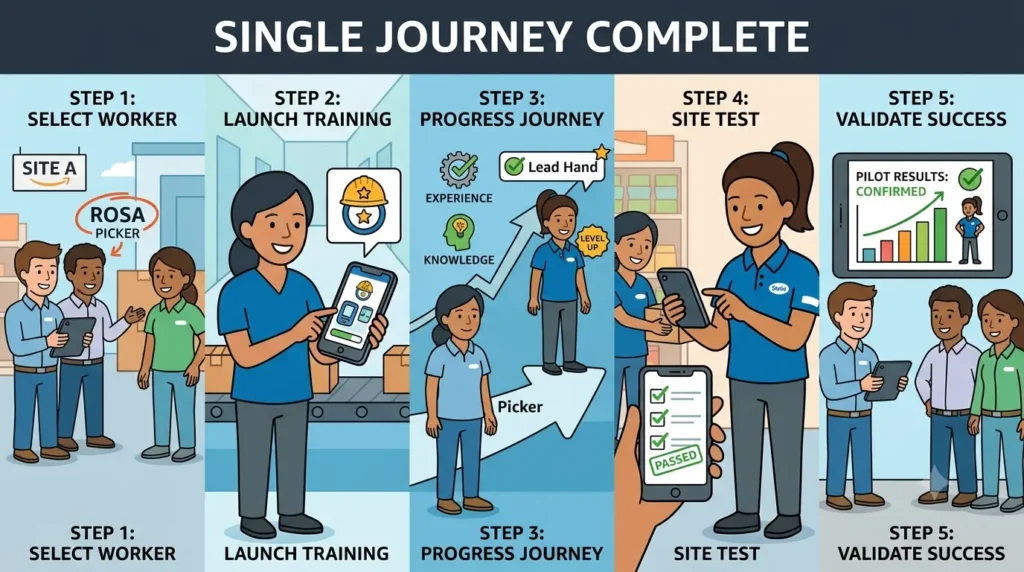
Then run a pilot with one crew and one real progression. Pick a site, pick a worker, and try to move that person up one rung, from operator to trainer, or from picker to lead hand. Whether the platform can carry that single journey from start to finish will tell you more than any demo, and one site can usually run it without a formal project.
There are a few things that should make you slow down. A tool that claims to be built for frontline workers but still needs an email login for every learner is not built for frontline workers, whatever the homepage says. A well-designed microlearning experience with no certification-expiry logic behind it will be discovered during your first audit, not before it. And the most common failure we see is quieter than either of those, because the content is usually fine and the courses are usually fine, and there is simply no way to get either of them in front of the people who need them. One training-content provider told a partner exactly that last spring, saying that its clients had no good way to distribute and track the training they had already paid for. The gap is almost never the material.
The Short Version
There is no single best answer here, only a match between how your people can be reached and how far you want them to go. If you need genuine skills architecture and career pathing, then Disprz and Cornerstone are the serious options at opposite ends of the budget. If your supervisors know more than your learning and development team does, 360Learning turns that into an advantage. If retention of knowledge is the actual failure point, Axonify was built for that specific job. And if you are running retail stores or small deskless teams, YOOBIC and Connecteam solve narrower problems well and honestly.
If your workforce has no company email and you want frontline training solutions that will carry a worker from first-day onboarding through certification and into the next role, iTacit was built for that exact population, with the same caveat we would apply to anybody: ask to see the skills and progression view during the demo, rather than the completion dashboard.
Start with the reach problem. Everything else is downstream of it.