DevOps is a way of working where development and operations teams collaborate closely to build, test, release, and maintain software faster and with fewer issues. Instead of treating development and deployment as separate tasks, DevOps focuses on automation, shared responsibility, and smooth workflows across the entire software lifecycle. Today, most modern companies rely on DevOps practices to deliver updates quickly, maintain system stability, and scale their products with confidence.
For someone starting out, DevOps can feel overwhelming. There are many tools, concepts, and technologies involved, and learning them in the wrong order often leads to confusion. This is why a structured DevOps roadmap matters. It gives you a clear learning path, helps you focus on the right skills at the right time, and prevents you from jumping randomly between tools without understanding the basics.
The purpose of this roadmap is to help beginners, students, and career switchers understand exactly what they need to learn to become a DevOps engineer. Whether you are coming from a development background, system administration, or even testing, this guide shows how the pieces fit together.
In this roadmap, you will find actionable learning steps, recommended tools, hands-on project ideas, and realistic timelines that reflect how DevOps skills are used in real jobs. By following it step by step, you can build strong fundamentals, gain practical experience, and move forward with a clear direction instead of guesswork.
What Is DevOps? (Concept & Context)
DevOps is not a single tool or technology. It is a combination of culture, practices, and tools that helps teams build, test, and deliver software in a faster and more reliable way. According to Wikipedia, DevOps focuses on improving collaboration between development and IT operations so that software can move smoothly from idea to production. This cultural shift encourages shared responsibility, automation, and continuous improvement across teams.
A common misunderstanding is that DevOps is only about using tools like Docker, Jenkins, or Kubernetes. In reality, tools only support DevOps practices. The real foundation lies in how teams work together, how processes are designed, and how automation is used to reduce manual effort and errors.
Why DevOps Is Essential in Modern Software Delivery
Modern applications need frequent updates, quick bug fixes, and the ability to scale without breaking systems. Traditional methods struggle to keep up with these demands. DevOps solves this by enabling:
- Faster releases through automated build, test, and deployment pipelines
- Better software quality by integrating testing and monitoring early
- Reliable automation that reduces human errors and repetitive manual tasks
- Continuous feedback from production systems to improve future releases
With DevOps, teams can release smaller changes more often, which lowers risk and improves overall stability.
DevOps vs Traditional Development and IT Operations
In traditional setups, development and operations teams work in silos. Developers focus on writing code, while operations teams handle deployment and infrastructure. This separation often leads to delays, blame during failures, and slow release cycles.
DevOps changes this approach:
| Traditional Model | DevOps Model |
|---|---|
| Separate dev and ops teams | Shared responsibility |
| Manual deployments | Automated pipelines |
| Infrequent releases | Continuous delivery |
| Reactive issue handling | Proactive monitoring |
By breaking down these silos, DevOps creates a smoother workflow where teams can deliver software faster, with better control and fewer production issues.
How to Use This Roadmap
This DevOps roadmap is designed to be practical and flexible, not something you rush through in a few weeks. The goal is to help you learn in the right order and build skills that actually matter in real DevOps roles.
How to Read and Follow the Roadmap
- Follow it step by step: Each stage builds on the previous one. Avoid skipping fundamentals just to jump into popular tools.
- Focus on understanding, not memorizing: Learn why a tool or concept is used, not just how to run commands.
- Practice alongside learning: For every concept, try hands-on tasks such as small scripts, sample pipelines, or simple deployments.
- Track progress by skills, not tools: Completing a stage means you understand the concept and can apply it, not just that you’ve “seen” a tool.
Many learners also support their study with tutorials and walkthroughs on platforms like YouTube, especially for visual demonstrations and project-based learning.
Suggested Timelines Based on Experience
Your background plays a big role in how long this roadmap takes. Below are realistic timelines, assuming consistent practice:
| Background | Estimated Timeline |
|---|---|
| Complete beginner | 10–12 months |
| Software developer | 6–8 months |
| System administrator | 6–9 months |
| QA / Tester | 8–10 months |
These timelines assume you spend time on hands-on practice, not just watching videos or reading articles.
Customize the Roadmap to Your Background
One of the biggest advantages of this roadmap is that it can be adapted:
- Developers can move faster through programming and Git, and spend more time on infrastructure, cloud, and monitoring.
- System administrators may already know Linux and networking, so they can focus more on CI/CD, containers, and automation.
- Testers should prioritize scripting, CI/CD pipelines, and automated testing integration early.
The roadmap is a guide, not a strict rulebook. Adjust the pace, revisit difficult sections, and focus on building real skills that match your career goals.
Roadmap at a Glance – Visual Chart
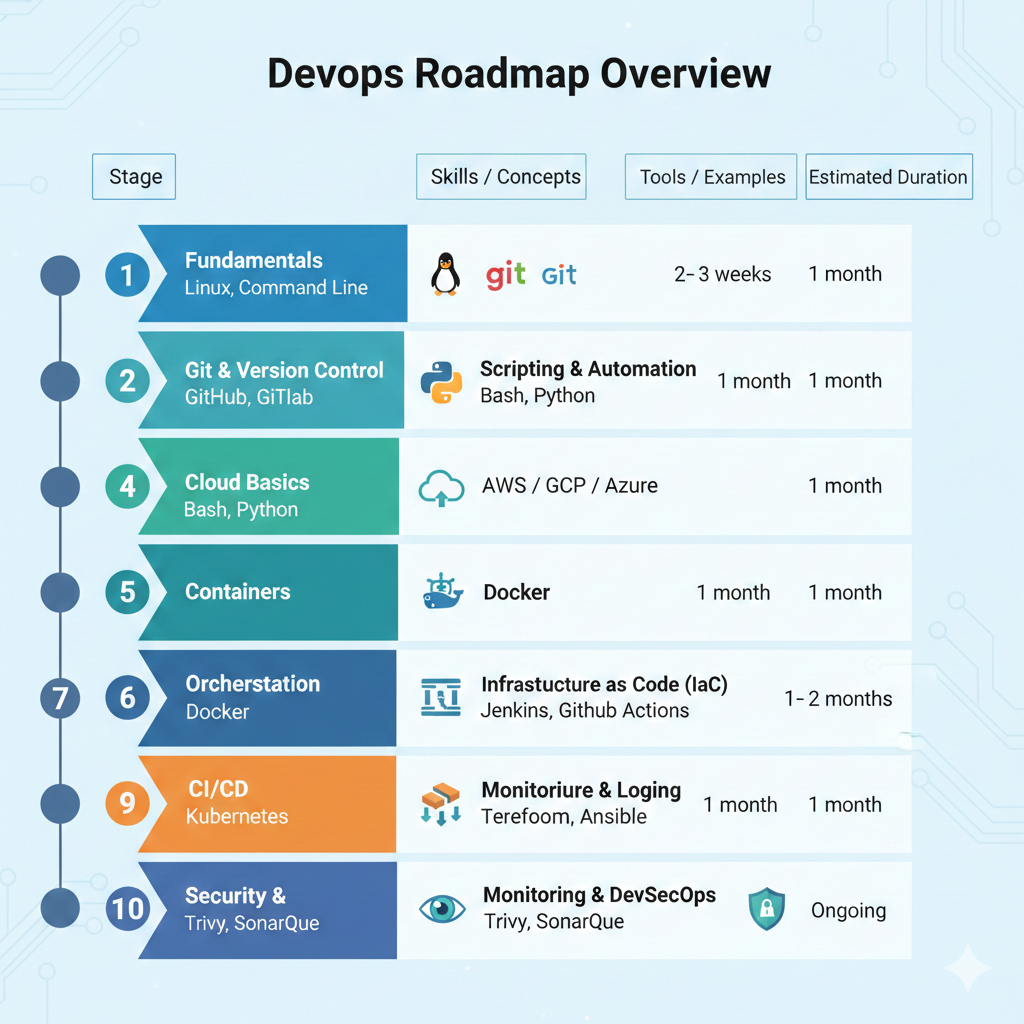
The table below gives you a high-level view of the DevOps roadmap, showing what to learn, which tools to focus on, and how much time each stage usually takes. Use this as a quick reference before diving into detailed sections.
DevOps Roadmap Overview
| Stage | Skills / Concepts | Tools / Examples | Estimated Duration |
|---|---|---|---|
| 1 | Fundamentals | Linux, Command Line | 1 month |
| 2 | Git & Version Control | GitHub, GitLab | 2–3 weeks |
| 3 | Scripting & Automation | Bash, Python | 1 month |
| 4 | Cloud Basics | AWS / GCP / Azure | 1–2 months |
| 5 | Containers | Docker | 1 month |
| 6 | Orchestration | Kubernetes | 1 month |
| 7 | CI/CD | Jenkins, GitHub Actions | 1 month |
| 8 | Infrastructure as Code (IaC) | Terraform, Ansible | 1 month |
| 9 | Monitoring & Logging | Prometheus, Grafana | 1 month |
| 10 | Security & DevSecOps | Trivy, SonarQube | Ongoing |
How to Use This Chart
- Treat each stage as a milestone, not just a checklist.
- Move forward only after you can apply the skill in practice, even at a basic level.
- Durations are average estimates, you may move faster or slower depending on your background and daily study time.
- Security and DevSecOps are marked as ongoing because they should be integrated into every stage, not learned once and forgotten.
This visual roadmap helps you see the full DevOps journey at once, making it easier to plan your learning and stay consistent without feeling lost.
Stage 1: Fundamentals
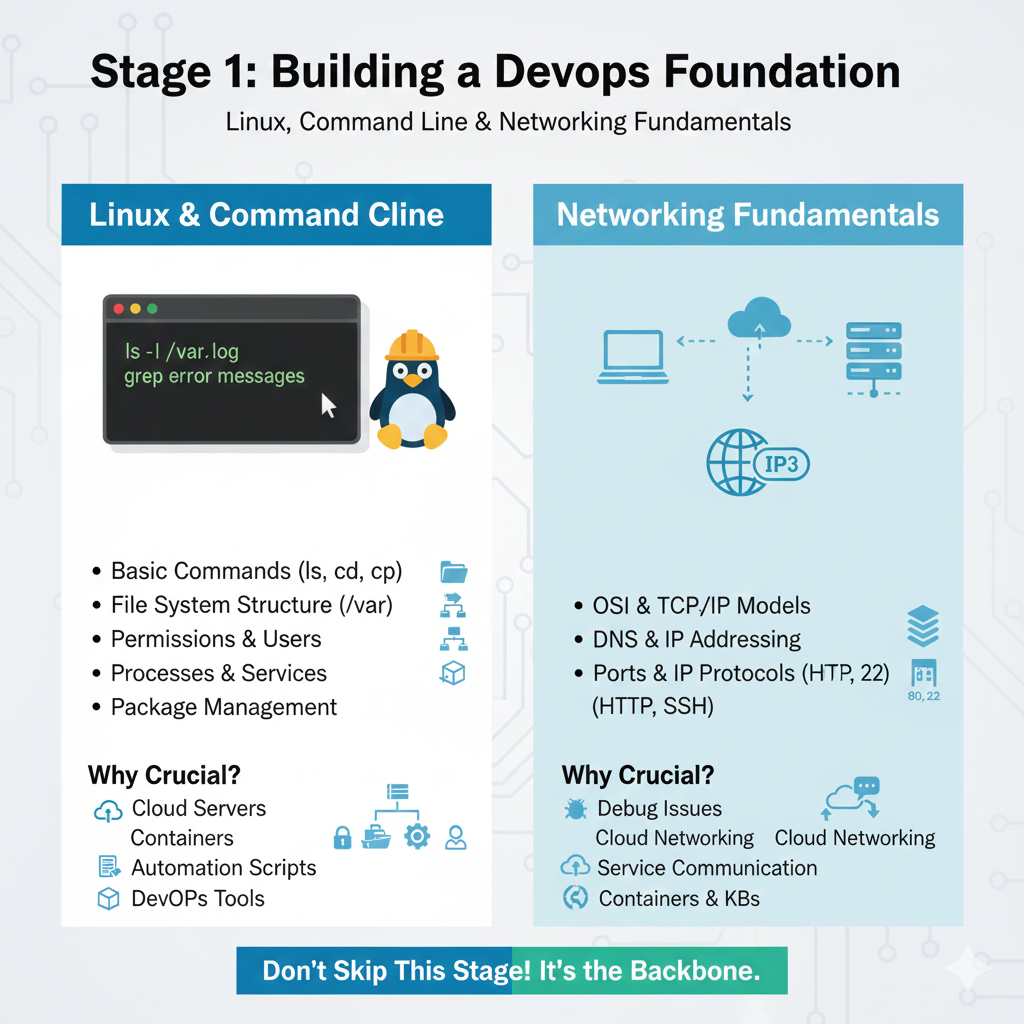
Stage 1 focuses on building a strong base. Almost every DevOps task later, cloud deployments, containers, CI/CD, monitoring, depends on how well you understand Linux and networking. Skipping this stage is one of the most common mistakes beginners make.
Linux & Command Line
Linux is the backbone of DevOps. Most production servers, cloud virtual machines, containers, and Kubernetes nodes run on Linux. This is why Linux skills are considered non-negotiable for DevOps roles, as also highlighted in learning guides from GeeksforGeeks.
You should start with the Linux command line and focus on practical usage rather than theory.
Key areas to learn:
- Basic commands (
ls,cd,cp,mv,rm,cat,grep) - File system structure (root, home, etc, var, tmp)
- File and directory permissions
- Users and groups
- Processes and services
- Package management basics
In DevOps work, you will often connect to remote servers, check logs, manage services, and troubleshoot issues directly from the terminal. Comfort with the command line makes these tasks faster and less error-prone.
Why Linux is crucial in DevOps
- Cloud platforms mostly use Linux-based servers
- Containers are built on Linux concepts
- Automation scripts often run in Linux environments
- Most DevOps tools are designed with Linux in mind
Without Linux fundamentals, advanced tools feel confusing and hard to manage.
Networking Fundamentals
Along with Linux, networking knowledge helps you understand how applications actually communicate in real environments. DevOps engineers constantly deal with deployments, APIs, load balancers, cloud networks, and security rules. This makes networking basics essential, not optional.
As explained in many beginner guides from GeeksforGeeks, you should focus on core concepts rather than deep networking theory.
Important topics to cover:
- OSI model and its layers
- TCP/IP basics
- DNS and how domain names resolve to IPs
- IP addressing and subnets
- Ports and common protocols (HTTP, HTTPS, SSH)
Why networking matters in DevOps
- Helps debug deployment and connectivity issues
- Makes cloud networking easier to understand
- Clarifies how services talk to each other
- Improves confidence when working with containers and Kubernetes
Stage 2: Version Control Systems
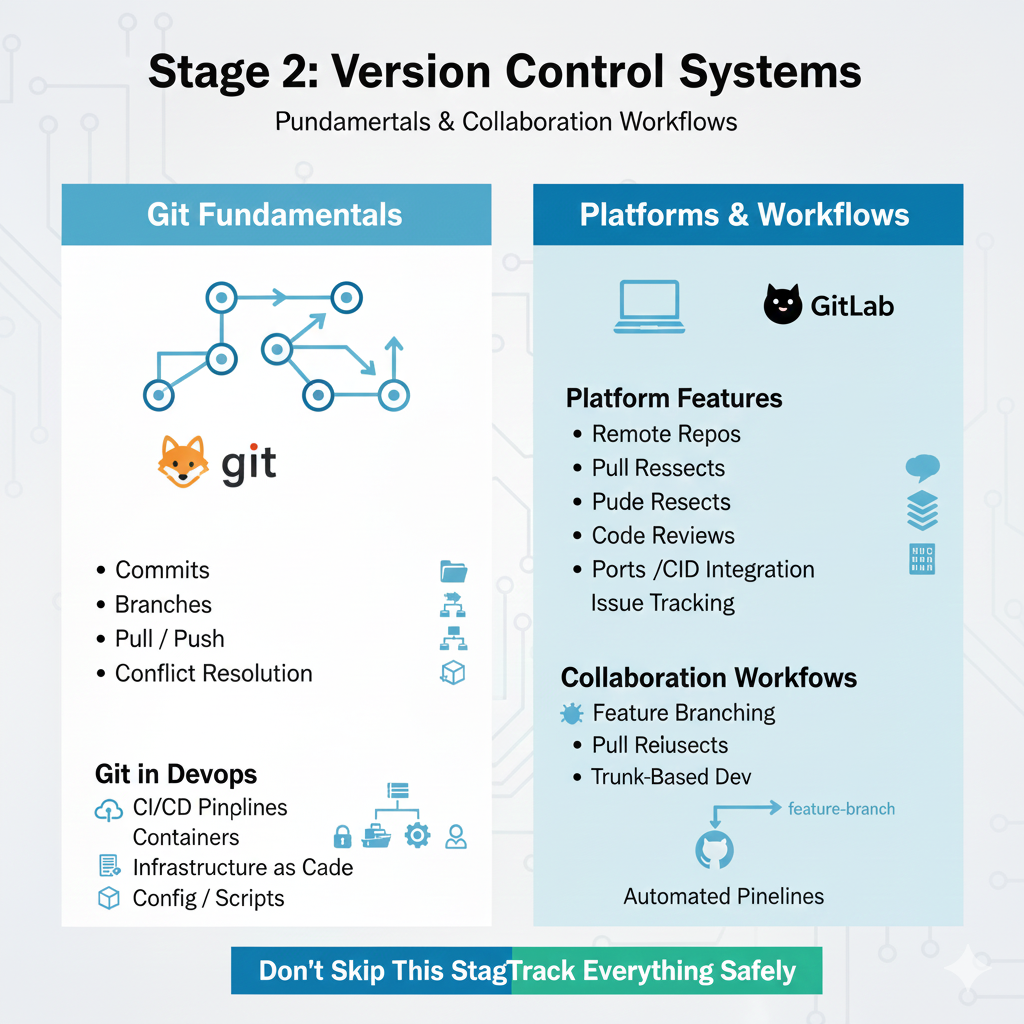
Version control is a core skill in DevOps because every change in code, configuration, or infrastructure must be tracked, reviewed, and deployed safely. In real-world DevOps workflows, nothing moves forward without version control.
Git Fundamentals
Git is the most widely used version control system in modern software teams. Before moving to CI/CD or automation, you must understand how Git works and why it exists.
Key Git concepts to learn:
- Commits – saving changes with clear messages
- Branches – working on features or fixes without affecting the main code
- Merges – combining changes from different branches
- Pull / Push – syncing local and remote repositories
- Conflict resolution – handling overlapping changes
In DevOps, Git is not limited to application code. It is also used for:
- CI/CD pipeline definitions
- Infrastructure as Code files
- Configuration and automation scripts
Git Platforms: GitHub and GitLab
Most teams host their Git repositories on platforms like GitHub and GitLab. These platforms add powerful features on top of Git:
- Remote repositories
- Pull / merge requests
- Code reviews
- CI/CD integration
- Issue tracking and collaboration tools
Understanding at least one of these platforms is essential, as they are deeply integrated into DevOps pipelines.
Collaboration Workflows and Why They Matter
DevOps is a team-focused practice, and version control enables smooth collaboration.
Common workflows you should understand:
- Feature branch workflow
- Pull request / merge request workflow
- Main or trunk-based development
These workflows help teams:
- Avoid breaking production code
- Review changes before deployment
- Track who changed what and why
- Roll back safely if something goes wrong
In DevOps environments, automated pipelines often trigger directly from Git events, such as a commit or merge. That’s why strong Git and collaboration skills are critical before moving on to CI/CD and automation tools.
Stage 3: Scripting & Automation
Scripting and automation are at the heart of DevOps. Once you understand Linux and Git, the next step is learning how to automate repetitive tasks instead of doing them manually. This is where DevOps starts to feel powerful and efficient.
Bash Scripting for Automation
Bash scripting is usually the first scripting skill DevOps engineers learn because it works directly with the Linux command line.
What to focus on in Bash:
- Writing simple shell scripts
- Variables and conditional statements
- Loops and basic functions
- Automating routine tasks like log cleanup, backups, and deployments
- Running scripts via cron jobs
Bash is ideal for quick automation, server-level tasks, and glue logic between tools. Even basic Bash knowledge can save hours of manual work in real projects.
Python or Go for Advanced Automation
After Bash, most DevOps roadmaps recommend learning a general-purpose programming language for more complex automation. Python and Go are the most common choices.
Why Python is popular in DevOps:
- Easy to read and write
- Huge ecosystem of libraries
- Widely used for automation scripts and APIs
- Common in CI/CD pipelines and cloud automation
Why Go is also useful:
- Fast execution and low resource usage
- Strong support for concurrency
- Many DevOps tools are written in Go
- Good choice for building reliable automation services
You do not need to master both. Learning one well is enough to:
- Write automation scripts
- Manage infrastructure programmatically
- Customize CI/CD pipelines
- Build small internal tools
Why Scripting Is an Essential Early Skill
Automation connects everything in DevOps. Scripts are used to:
- Provision and configure systems
- Trigger builds and deployments
- Integrate tools together
- Reduce manual errors and repeated work
Stage 4: Cloud Providers

Cloud computing is a core requirement for modern DevOps roles. Most applications today are deployed, scaled, and maintained on cloud platforms rather than on physical servers. Understanding how the cloud works is essential before moving deeper into containers, CI/CD, and infrastructure automation.
Overview of Cloud Computing
Cloud platforms provide on-demand access to computing resources such as servers, storage, and networking without managing physical hardware. In DevOps, the cloud enables:
- Fast infrastructure provisioning
- Easy scaling of applications
- High availability and reliability
- Automation through APIs and scripts
The three major cloud providers you’ll see most often are Amazon Web Services, Microsoft Azure, and Google Cloud Platform. While each has its own interface and naming conventions, the core concepts are very similar.
Key Cloud Services You Must Learn
Instead of trying to learn everything at once, focus on foundational cloud services that are directly used in DevOps workflows.
1. Compute
- Virtual machines and instances
- Launching, stopping, and resizing servers
- Understanding regions and availability zones
2. Storage
- Object storage for files and backups
- Block storage for servers
- Basic storage security and access control
3. Networking
- Virtual networks and subnets
- Public vs private IPs
- Security groups / firewall rules
- Load balancers (basic understanding)
4. IAM (Identity and Access Management)
- Users, roles, and permissions
- Secure access to cloud resources
- Why IAM is critical for security and automation
These services form the base for deploying applications, setting up CI/CD pipelines, and managing infrastructure through code.
Which Cloud Provider Should You Learn First?
If you are just starting out, it’s best to choose one cloud provider and learn it well instead of switching between platforms.
Many DevOps roadmaps recommend starting with AWS because:
- It has the largest market share
- Most DevOps tools integrate with it easily
- There is extensive documentation and learning material
- Skills are transferable to Azure and GCP
Once you understand cloud fundamentals on one platform, moving to another becomes much easier because the underlying concepts remain the same.
Stage 5: Containerization
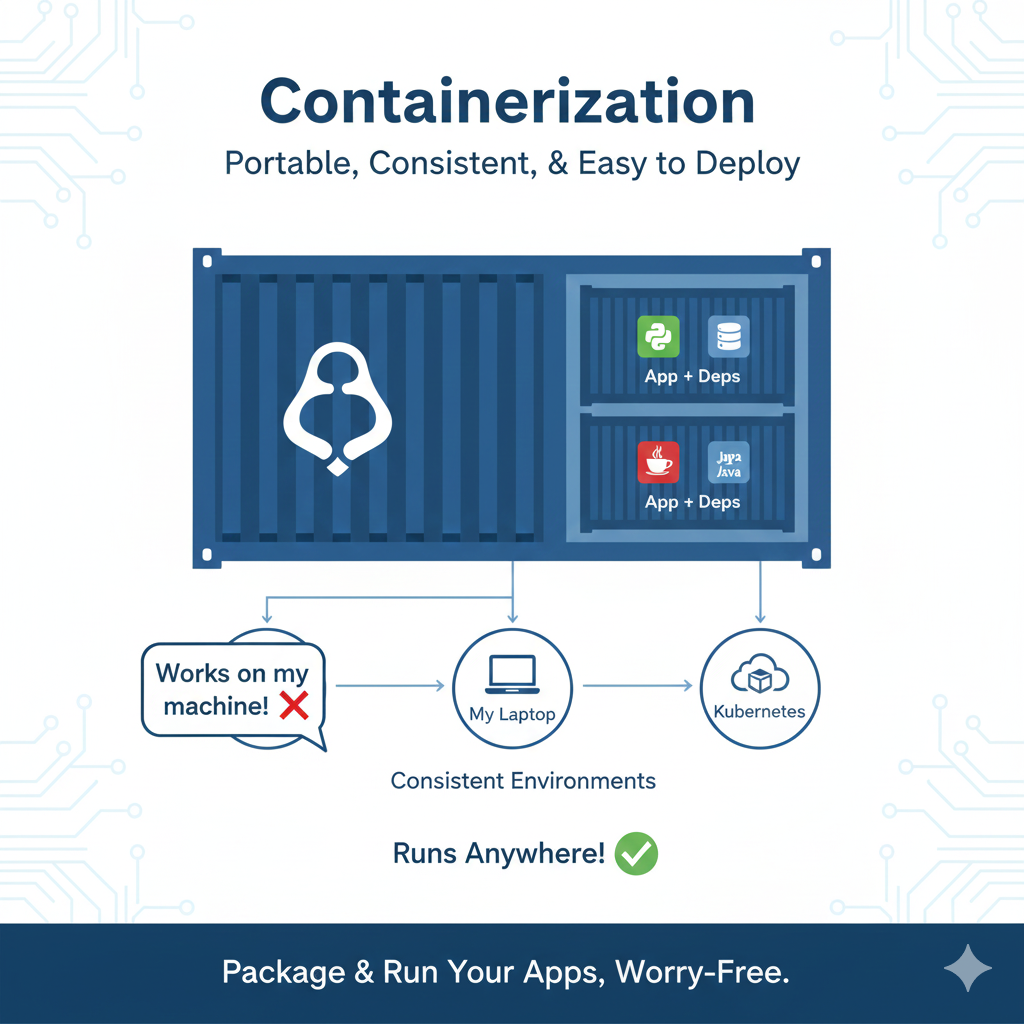
Containerization is one of the most important shifts in modern DevOps. It solves a long-standing problem in software delivery: “it works on my machine, but not in production.” Containers make applications portable, consistent, and easy to deploy across different environments.
Why Containers Matter in DevOps
Before containers, applications were tightly coupled with the servers they ran on. Differences in operating systems, libraries, and configurations often caused deployment failures. Containers fix this by packaging everything an application needs into a single, lightweight unit.
In DevOps, containers help with:
- Environment consistency from development to production
- Faster deployments compared to traditional virtual machines
- Easy scaling and rollback of applications
- Better use of system resources
- Smooth integration with CI/CD pipelines
Because of these benefits, containers have become a standard building block in DevOps workflows.
Core Docker Concepts You Must Understand
Most DevOps roadmaps introduce containerization through Docker, as it is the most widely used container tool.
Key concepts to focus on:
- Images
Read-only templates that contain the application code, runtime, libraries, and dependencies. - Containers
Running instances of images. Containers are lightweight, fast to start, and isolated from each other. - Registries
Central places to store and share images, such as Docker Hub or private registries. - Dockerfile
A text file that defines how an image is built. It describes the base image, dependencies, and commands needed to run the application.
You should also become comfortable with:
- Building images
- Running and stopping containers
- Mapping ports and volumes
- Cleaning up unused images and containers
Why Docker Is a Must-Learn Skill
Docker is commonly used to:
- Package applications for deployment
- Standardize development and testing environments
- Run applications in CI/CD pipelines
- Prepare workloads for orchestration platforms like Kubernetes
Stage 6: Container Orchestration
Once you start working with multiple containers, managing them manually becomes difficult. This is where container orchestration comes in. Orchestration tools help you deploy, manage, scale, and keep containers running reliably in production environments.
Kubernetes Basics You Need to Learn
The most widely used container orchestration platform today is Kubernetes. It is designed to handle large-scale containerized applications and is a core requirement in many DevOps job roles.
Focus on understanding these core Kubernetes concepts:
- Pods
The smallest deployable unit in Kubernetes. A pod can contain one or more containers that share networking and storage. - Deployments
Define how applications are deployed and updated. Deployments manage replica counts, rolling updates, and rollbacks. - Services
Provide stable networking and access to pods, even when containers are created or destroyed. - Scaling
Kubernetes allows applications to scale up or down automatically based on demand, improving reliability and performance.
You do not need to learn everything at once. Start with the basics and understand how Kubernetes keeps applications running without manual intervention.
Why Kubernetes Is Important in DevOps
Kubernetes helps DevOps teams by:
- Automatically restarting failed containers
- Managing application scaling
- Supporting zero-downtime deployments
- Running applications consistently across environments
Most modern CI/CD pipelines and cloud platforms are built to work seamlessly with Kubernetes, making it a key skill in the DevOps roadmap.
Simpler Alternative: Docker Compose
Before jumping fully into Kubernetes, many learners start with Docker Compose for local development.
Docker Compose is useful for:
- Running multi-container applications locally
- Defining services in a simple YAML file
- Understanding container relationships
However, Docker Compose is not designed for large-scale production systems. It lacks advanced features like auto-scaling and self-healing, which Kubernetes provides.
When to Move from Docker Compose to Kubernetes
- Use Docker Compose for local testing and learning
- Use Kubernetes for production-grade applications
Stage 7: CI/CD Pipelines
CI/CD pipelines are a core part of DevOps. They automate the process of taking code from a developer’s system and safely delivering it to production. Without CI/CD, releases are slow, manual, and error-prone.
What CI/CD Means
CI (Continuous Integration) is the practice of regularly merging code changes into a shared repository. Each change is automatically checked through builds and tests to catch issues early.
CD (Continuous Delivery / Continuous Deployment) ensures that validated code can be released quickly and reliably. In delivery, releases are ready at any time. In deployment, changes are automatically pushed to production.
Together, CI/CD helps teams:
- Detect bugs early
- Reduce manual deployment work
- Release updates more frequently
- Maintain stable and repeatable deployments
Popular CI/CD Tools You Should Know
Several tools are commonly used to build CI/CD pipelines. You only need to start with one, but understanding the ecosystem helps later.
- GitHub Actions
Integrated directly with GitHub repositories. Ideal for modern, cloud-native workflows. - Jenkins
A widely used open-source automation server with strong plugin support and flexibility. - GitLab CI
Built into GitLab, offering source control and CI/CD in a single platform.
All of these tools follow the same core idea: automate steps that would otherwise be done manually.
Build → Test → Deploy Automation Flow
A typical CI/CD pipeline follows a simple but powerful flow:
- Build
Compile the application or build a container image. - Test
Run automated tests to verify functionality and stability. - Deploy
Push the application to a staging or production environment.
In DevOps, pipelines are often triggered by Git events such as commits or merges. This tight integration between version control and automation is what makes DevOps fast and reliable.
What You Should Be Able to Do After This Stage
By the end of Stage 7, you should be able to:
- Create a basic CI/CD pipeline
- Automate builds and tests
- Deploy an application using a pipeline
- Understand pipeline failures and fix them
CI/CD pipelines connect code, containers, cloud, and automation into a single workflow, making them one of the most important skills in the DevOps roadmap.
Stage 8: Infrastructure as Code (IaC)
Infrastructure as Code (IaC) is a key DevOps practice that treats infrastructure the same way teams treat application code. Instead of manually creating servers, networks, and configurations, everything is defined, versioned, and managed through code. This approach is strongly emphasized in many GitHub-based DevOps roadmaps because it brings consistency and reliability to infrastructure management.
What Is Infrastructure as Code and Why It Matters
IaC allows teams to describe their infrastructure using configuration files that can be stored in Git, reviewed, tested, and reused. This removes the need for manual setup and reduces the risk of configuration drift.
A core idea behind IaC is immutable infrastructure. Instead of modifying existing servers, you replace them with new ones whenever changes are needed. This leads to:
- Predictable and repeatable deployments
- Easier rollbacks
- Fewer environment-specific issues
- Better alignment with CI/CD pipelines
Immutable infrastructure fits perfectly with containerized and cloud-native systems.
Popular Infrastructure as Code Tools
Several tools are commonly used to implement IaC. You do not need to learn all of them at once, but understanding their roles is important.
- Terraform
Used to provision and manage cloud infrastructure across multiple providers using a declarative approach. - Ansible
Focuses on configuration management and application setup through simple, readable playbooks. - AWS CloudFormation
A native AWS service for defining and managing AWS resources using templates.
How IaC Fits into DevOps Workflows
In real DevOps environments, IaC is used to:
- Provision cloud resources automatically
- Standardize environments across teams
- Integrate infrastructure changes into CI/CD pipelines
- Track and audit infrastructure changes over time
What to Focus On as a Learner
To get the most value from this stage:
- Start with Terraform for cloud provisioning
- Use Ansible for configuration and automation tasks
- Learn how IaC files are stored and reviewed in Git
By the end of this stage, you should be able to create, update, and destroy infrastructure using code, making your DevOps workflows faster, safer, and easier to scale.
Stage 9: Monitoring, Logging & Observability
Once applications are deployed, the job is not finished. DevOps teams must continuously monitor systems, analyze logs, and understand system behavior to keep applications reliable and available. This stage completes the DevOps lifecycle by providing feedback from production back to development and operations.
Why Monitoring and Observability Matter
In modern DevOps environments, systems are dynamic. Containers start and stop, services scale automatically, and cloud resources change frequently. Without proper monitoring and logging, identifying issues becomes slow and risky.
Monitoring and observability help teams:
- Detect problems before users notice
- Understand system performance and health
- Troubleshoot failures faster
- Make informed decisions using real production data
This feedback loop is what allows DevOps teams to continuously improve software delivery.
Metrics Monitoring with Prometheus and Grafana
Metrics show how systems are performing over time, such as CPU usage, memory consumption, request latency, and error rates.
- Prometheus
Collects and stores metrics from applications and infrastructure. It is widely used in cloud-native and Kubernetes environments. - Grafana
Visualizes metrics using dashboards, making it easier to understand system health at a glance.
Together, Prometheus and Grafana allow DevOps teams to:
- Track performance trends
- Set alerts for critical conditions
- Monitor services in real time
Log Aggregation and Analysis
While metrics show what is happening, logs explain why it is happening. Centralized logging is essential when dealing with distributed systems.
Common log management solutions include:
- ELK Stack
Combines Elasticsearch, Logstash, and Kibana to collect, store, and visualize logs from multiple sources. - Splunk
A powerful platform used in many enterprises for log analysis, monitoring, and security insights.
Log aggregation helps teams:
- Search logs from multiple services in one place
- Debug application and infrastructure issues
- Correlate logs with metrics and alerts
What You Should Be Able to Do After This Stage
By the end of Stage 9, you should be able to:
- Set up basic monitoring for applications and servers
- Create dashboards to visualize system health
- Configure alerts for failures or performance issues
- Collect and analyze logs from distributed systems
Monitoring, logging, and observability close the DevOps loop by turning production data into actionable insights, making systems more stable, predictable, and easier to improve over time.
Stage 10: DevSecOps & Advanced Skills
The final stage of the DevOps roadmap focuses on security and maturity. As systems grow in scale and complexity, security can no longer be treated as a separate step. DevSecOps brings security into every phase of the DevOps lifecycle, from code to production, while advanced skills and soft skills help you operate effectively in real teams.
Integrating Security into CI/CD (DevSecOps)
DevSecOps means embedding security checks directly into CI/CD pipelines instead of running them at the end. This approach helps teams find and fix issues early, when they are easier and cheaper to resolve.
In DevOps workflows, security integration includes:
- Static code analysis during builds
- Container image scanning before deployment
- Dependency and vulnerability checks
- Policy enforcement in pipelines
By automating these checks, security becomes a shared responsibility rather than a bottleneck.
Common DevSecOps Tools
Several tools are widely used to support DevSecOps practices:
- SonarQube
Analyzes source code to detect bugs, vulnerabilities, and code quality issues early in the pipeline. - Trivy
Scans container images, file systems, and dependencies for known vulnerabilities. - Secrets Management Tools
Used to securely store and manage sensitive data such as API keys, tokens, and passwords, instead of hardcoding them in code or configuration files.
These tools help reduce risk while keeping delivery speed intact.
Advanced DevOps Skills
At this stage, you should also focus on advanced practices such as:
- Optimizing CI/CD pipelines for speed and reliability
- Improving system resilience and fault tolerance
- Automating recovery and rollback strategies
- Applying best practices for cloud cost management
These skills help you move from basic DevOps implementation to production-ready systems.
DevOps Soft Skills That Matter
Technical skills alone are not enough in DevOps roles. Strong soft skills are just as important:
- Collaboration – working closely with developers, testers, and operations teams
- Communication – explaining issues, changes, and risks clearly
- Problem-solving – staying calm and methodical during incidents
- Continuous learning – keeping up with tools and practices
DevOps is fundamentally about people and processes, not just technology.
Final Outcome of This Stage
By completing Stage 10, you should be able to:
- Build secure CI/CD pipelines
- Identify and fix security issues early
- Apply advanced DevOps practices
- Work effectively within cross-functional teams
This stage completes the DevOps roadmap and prepares you for real-world DevOps roles where reliability, security, and collaboration are equally important.
Common Mistakes & Tips
Many people start learning DevOps with excitement but get stuck or frustrated along the way. Most of the time, this happens because of a few avoidable mistakes. Understanding these early can save you months of confusion and help you progress with confidence.
Mistake 1: Learning Tools Without Strong Fundamentals
One of the biggest mistakes is jumping straight into popular tools like Docker, Kubernetes, or cloud platforms without understanding the basics.
Why this causes problems:
- Tools feel confusing and hard to troubleshoot
- You end up copying commands without knowing what they do
- Concepts don’t connect across stages
Tip:
Spend enough time on Linux, networking, Git, and scripting. When the fundamentals are clear, tools start to make sense naturally.
Mistake 2: Skipping Hands-On Projects
Watching tutorials and reading articles is useful, but DevOps is a practice-driven skill. Many learners skip projects and move on too quickly.
Why this slows progress:
- No real problem-solving experience
- Harder to explain skills in interviews
- Low confidence when facing real systems
Tip:
After every stage, build at least one small project. Even simple tasks like setting up a CI/CD pipeline or deploying a containerized app make a big difference.
Mistake 3: Ignoring Security Until the End
Security is often treated as something to learn later, but this mindset leads to weak and risky systems.
Why this is risky:
- Harder to fix security issues late
- Bad habits form early
- Production systems become vulnerable
Tip:
Start thinking about security from the beginning. Use basic access controls, manage secrets properly, and gradually add security checks to your pipelines.
Additional Tips to Stay on Track
- Be consistent: Small daily progress beats long breaks
- Focus on understanding: Don’t rush just to finish stages
- Use documentation: Learn to read official docs early
- Review and revise: Revisit difficult topics instead of avoiding them
Future of DevOps
DevOps continues to evolve as software systems become more complex and businesses demand faster, safer, and more scalable delivery. Understanding where DevOps is heading helps learners and professionals prepare for future-ready skills instead of focusing only on tools.
AI in DevOps Automation
Artificial intelligence is increasingly being used to improve DevOps workflows. AI-driven tools help analyze large amounts of system data and automate decisions that previously required human intervention.
AI in DevOps is used for:
- Predicting failures before they happen
- Smarter alerting and anomaly detection
- Automated root cause analysis
- Optimizing CI/CD pipelines for speed and reliability
As systems grow in scale, AI-assisted automation will play a key role in reducing downtime and improving operational efficiency.
Growth of DevSecOps
Security is becoming a central part of DevOps rather than an afterthought. DevSecOps is expected to grow as organizations prioritize secure software delivery.
Key reasons for this growth include:
- Rising security threats and compliance requirements
- Increased use of open-source dependencies
- Need for early vulnerability detection
- Demand for secure cloud and container environments
In the future, DevSecOps practices such as automated security testing, policy-as-code, and continuous compliance will become standard in DevOps pipelines.
Cloud-Native and Serverless Evolution
Cloud-native architectures are shaping how applications are built and deployed. Technologies like containers, Kubernetes, and microservices are already common, and their usage continues to expand.
At the same time, serverless computing is gaining attention because it:
- Reduces infrastructure management
- Scales automatically
- Charges only for actual usage
From an SEO and learning perspective, topics like cloud-native DevOps, serverless DevOps, and Kubernetes-native workflows are expected to attract growing search interest. Creating content around these areas helps future-proof DevOps learning resources.
What This Means for Learners
To stay relevant in the future of DevOps:
- Learn automation beyond basic scripting
- Understand security as part of everyday workflows
- Stay updated with cloud-native and serverless patterns
- Focus on concepts that adapt across tools
The future of DevOps favors engineers who can combine automation, security, and modern cloud practices to build resilient and scalable systems.
Conclusion
DevOps is not something you learn overnight. It is a progressive journey that builds from strong fundamentals to advanced, real-world practices. By following a structured DevOps roadmap, you avoid random learning, reduce confusion, and focus on skills that are actually used in modern DevOps roles.
This roadmap has walked you through every important stage, starting with Linux, networking, and version control, moving through automation, cloud platforms, containers, CI/CD, infrastructure as code, monitoring, and finally security and advanced practices. Each stage connects to the next, forming a complete DevOps lifecycle rather than a collection of isolated tools.
The key to success is balance:
- Learn concepts before tools
- Practice through hands-on projects
- Build automation gradually
- Treat security as a continuous responsibility
Whether you are a beginner, a student, or a professional switching careers, this roadmap gives you a clear direction and realistic expectations. Stay consistent, keep experimenting, and focus on understanding how systems work together. With time and practice, you will not only learn DevOps, you will be able to apply it confidently in real production environments.